Power / Solar Panels
User Manual for Epropulsion 100W Foldable Solar Panel
Quick guide for the Epropulsion 100W Foldable Solar Panel. Learn how to set up, connect, and maintain your solar panel for optimal performance.
Table of contents
Manual images
Click an image to enlargeQuick Guide for Epropulsion 100W Solar Panel
This guide provides essential information for operating your Epropulsion 100W Foldable Solar Panel. For optimal performance, ensure the panel is placed in direct sunlight and positioned at a 90-degree angle to the sun. Always verify the polarity when connecting the MC4 output terminals to your solar charger.
Product Overview
The Epropulsion 100W Foldable Solar Panel is designed to convert solar energy into electrical energy to power electronic devices. It features a compact, foldable design for easy transport and is constructed with environmentally friendly materials.
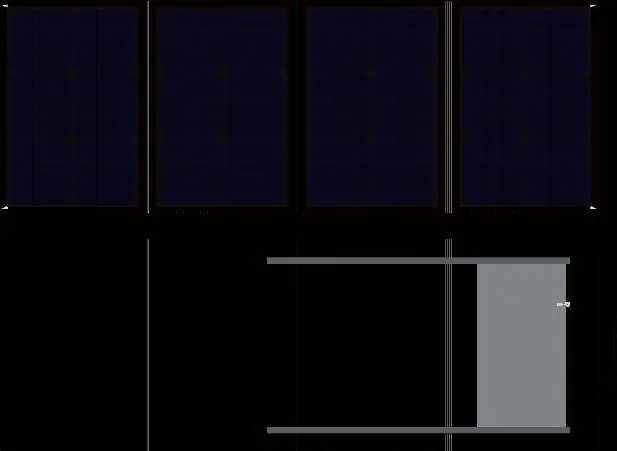
Setup and Operation
Follow these steps to begin using your solar panel:
- Unfold: After opening the package, unfold the solar panel completely and spread it out on a flat, stable surface.
- Positioning: Ensure the front side of the panel is facing direct sunlight. The panel performs best when the angle between the panel and the sunlight is 90 degrees.
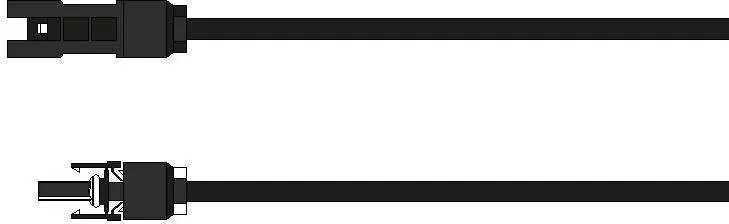
- Connection: Connect the output connector to your solar charger. Ensure the positive and negative terminals are connected correctly and not reversed.
Important Safety and Usage Notices
- Temperature Limits: Do not use the product in high-temperature environments. The operating temperature must be lower than 60°C. The optimal working temperature is 25°C.
- Handling: Handle the panel with care. Do not squash, strike, or drop the unit.
- Safety: Keep the solar panel out of the reach of children.
- Polarity: Pay close attention to the positive and negative terminals; do not reverse them during connection.
Maintenance
To maintain efficiency, keep the surface of the solar panel clean. If dust accumulates due to long-term outdoor use, clean the surface gently to avoid any negative impact on the output power.
Technical Specifications
Key performance parameters for the 100W panel:
- Max Power (Ppm): 100W ±5%
- Open Circuit Voltage (Voc): 21.6V
- Short Circuit Current (Isc): 6.1A
- Max Power Voltage (Vm): 18V
- Max Power Current (Im): 5.56A
- Transformation Efficiency: 20% ±2%
- Operating Temperature Range: -10°C to 65°C
- Unfolded Dimensions: 1430mm x 525mm x 5mm
- Folded Dimensions: 525mm x 360mm x 28mm
- Connector Type: MC4, 2.5mm² photovoltaic wire, 1.5m long
Practical help
Common problems
Low power output
Ensure the panel is in direct sunlight, clean any dust off the surface, and adjust the angle to 90 degrees relative to the sun.
Charging not working
Check that the MC4 connectors are securely attached and that the positive and negative terminals are not reversed.
Overheating
Ensure the operating environment is below 60°C. Do not use the panel in extreme heat.
Before use
- Unfold the panel completely on a flat surface.
- Ensure the panel is positioned for direct sunlight exposure.
- Verify the MC4 connector is clean and undamaged.
- Check that the solar charger is compatible with the panel's output.
Specs in practice
- Voc (Open Circuit Voltage)
- The maximum voltage the panel can produce when not connected to a load (21.6V).
- Ppm (Max Power)
- The rated power output of the panel under standard test conditions (100W).
- Operating Temperature
- The safe range for operation is -10°C to 65°C, with 25°C being optimal.
Images and diagrams
- The MC4 connector diagram illustrates the positive and negative terminals to ensure correct polarity during connection.
Model compatibility
- Uses standard MC4 connectors.
- Requires a compatible solar charger for operation.

Manual page author
David Miller
Documentation analyst
Organizes user manual content into clear summaries, with attention to model details, product context, and everyday usability.