Electronics / Paper Shredders
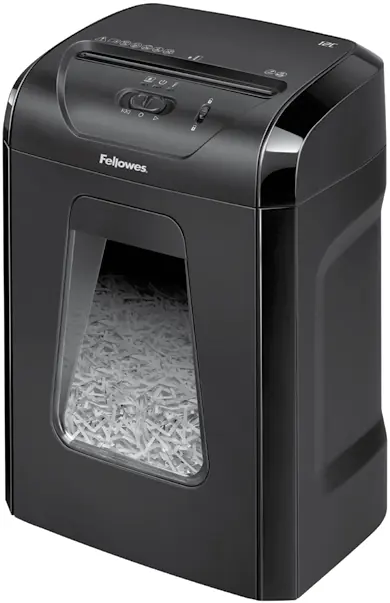
User Manual for Fellowes Powershred 12C/FS-12C Paper Shredder
Quick guide for the Fellowes Powershred 12C/FS-12C paper shredder. Learn how to operate, maintain, oil, and troubleshoot your shredder for optimal performance.
Table of contents
Manual images
Click an image to enlargeQuick Start Guide
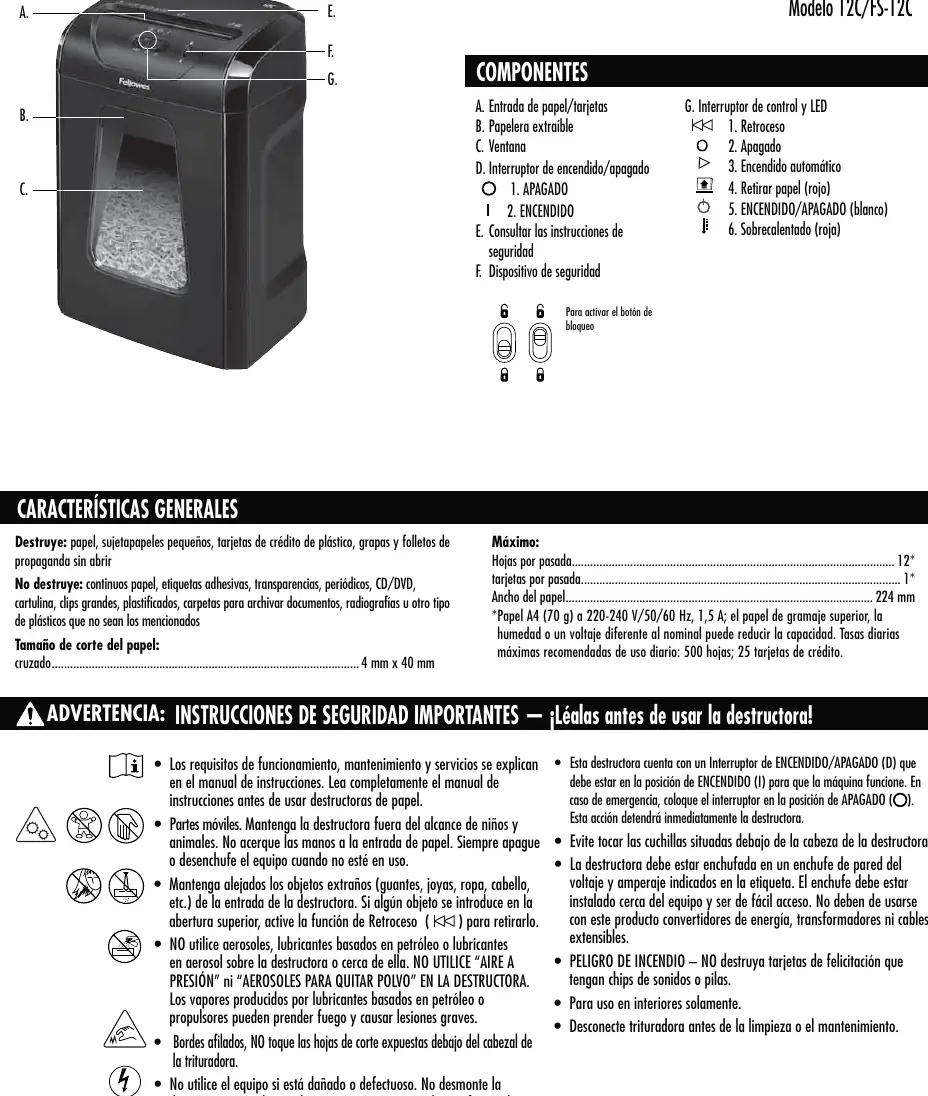
To begin using your Fellowes Powershred 12C/FS-12C, ensure the unit is plugged into a grounded outlet. Set the power switch to the ON (I) position. Use the control switch to set the shredder to Auto-On (triangle icon) and feed paper or cards straight into the entry.
Safety Instructions
- Moving parts: Keep hands, hair, jewelry, and clothing away from the paper entry.
- Aerosols: Do not use aerosol products, petroleum-based lubricants, or canned air on or near the shredder.
- Emergency: In case of emergency, move the switch to the OFF (circle icon) position to stop the shredder immediately.
- Placement: Do not place near or over heat sources or water.
- Unplug: Always unplug the shredder before cleaning or servicing.
Capabilities
Will shred: Paper, small paper clips, plastic credit cards, staples, and unopened junk mail.
Will not shred: Continuous forms, adhesive labels, transparencies, newspaper, CD/DVDs, cardboard, large paper clips, laminates, file folders, X-rays, or plastic other than noted above.
Basic Operation
The shredder features a 20-minute maximum continuous run time. After 20 minutes of continuous use, a 30-minute cool-down period is required. The shredder will run briefly after each pass to clear the entry.
Safety Lock: Prevents accidental operation. To set, wait for shredding to stop, set the control switch to OFF, and slide the black button down. Slide the button up to unlock.
Product Maintenance
All cross-cut shredders require oil for peak performance. If not oiled, the machine may experience diminished sheet capacity, intrusive noise, and could ultimately stop running. We recommend oiling your shredder each time you empty your waste bin.
Oiling Procedure:
- Set the control switch to OFF.
- Apply non-aerosol vegetable oil across the paper entry.
- Set the control switch to Reverse for 2-3 seconds. Repeat this procedure twice.
Troubleshooting
Paper Jam: If a jam occurs, set the control switch to Reverse for 2-3 seconds, alternate slowly back and forth, set to OFF, and unplug. Gently pull the uncut paper from the entry, plug back in, set to Auto-On, and resume shredding.
Overheat Indicator: If the overheat indicator is illuminated, the shredder has exceeded its maximum operating temperature and needs to cool down. The shredder will not operate during the recovery time.
Warranty Information
Fellowes warrants the parts of the machine to be free of defects in material and workmanship for 2 years from the date of purchase. Cutting blades are warranted for 5 years from the date of purchase. This warranty does not apply in cases of abuse, mishandling, failure to comply with product usage standards, or unauthorized repair.
Manufacturer information
Fellowes
Practical help
Common problems
Paper Jam
Set to Reverse for 2-3 seconds, alternate slowly back and forth, then gently pull the uncut paper from the entry.
Overheating
Wait for the 30-minute cool-down period. The indicator will turn off when the shredder is ready to use.
Shredder stops working
Check if the bin is full, the unit is overheated, or if it needs oiling.
Before use
- Ensure the shredder is plugged into a grounded outlet.
- Check that the power switch is in the ON (I) position.
- Ensure the bin is properly inserted.
- Verify the material is suitable for shredding.
Specs in practice
- Sheets per pass
- Maximum 12 sheets of 70g A4 paper.
- Continuous run time
- Up to 20 minutes before requiring a 30-minute cool-down.
Images and diagrams
- The control switch has positions for Reverse, Off, and Auto-On.
- The safety lock prevents accidental operation by sliding the black button down.
Model compatibility
- Do not shred continuous forms, adhesive labels, transparencies, newspaper, CD/DVDs, cardboard, large paper clips, laminates, file folders, or X-rays.

Manual page author
David Miller
Documentation analyst
Organizes user manual content into clear summaries, with attention to model details, product context, and everyday usability.