Electronics / Speakers & Soundbars
Operating Manual for Genelec 4420A Smart IP Active 2-Way Monitor
Quick guide for the Genelec 4420A Smart IP active monitor. Learn about installation, PoE+ power requirements, audio-over-IP setup, acoustic calibration, and maintenance.
Quick answers from the manual
Quick answer
- The Genelec 4420A is a PoE+ powered active monitor. It requires a PoE+ switch, CAT5+ cable, and Genelec Smart IP Manager software for configuration. p. 2, 5
Key actions
- Connect to network p. 5
- Configure audio streams p. 9
- Adjust acoustic settings p. 12
First start
- Connect Ethernet cable to PoE+ switch, power on, and configure via Smart IP Manager. p. 5
Problems and fixes
Reset to factory settings
Press the power button for more than 10 seconds until the reset process starts.
p. 13Maintenance and reset
- Reset to factory settings p. 13
Technical specifications
| Parameter | Value | Meaning | Pages |
|---|---|---|---|
| Power | PoE+ (30W at switch) | Required power standard for full performance. | p. 7, 16 |
| Cable | CAT5, 5e, 6 (max 100m) | Ethernet cable requirements. | p. 8, 16 |
| Analogue Input | 3-pin Euroblock | Connector type for balanced analogue audio. | p. 10, 16 |
Where to find it in the PDF
- General Description p. 2
- Mounting p. 4
- Connections p. 5
- Specifications p. 15, 16
Table of contents
Manual images
Click an image to enlargeQuick guide from the manual
The Genelec 4420A is a compact, bi-amplified active loudspeaker designed for fixed installations. It utilizes Power-over-Ethernet (PoE+) for both power and audio signal transmission. To get started, you will need a PoE+ (802.3at) capable network switch, CAT5 or higher Ethernet cabling, and the Genelec Smart IP Manager software for configuration.
General Description
The 4420A features highly efficient Class D power amplifiers, active crossover filters, and electronic system protection. It supports audio-over-IP streaming (AES67/ST2110/Dante) and includes a balanced analogue line input. The enclosure is made of recycled die-cast aluminium and is compatible with various mounting accessories.
Installation and Mounting
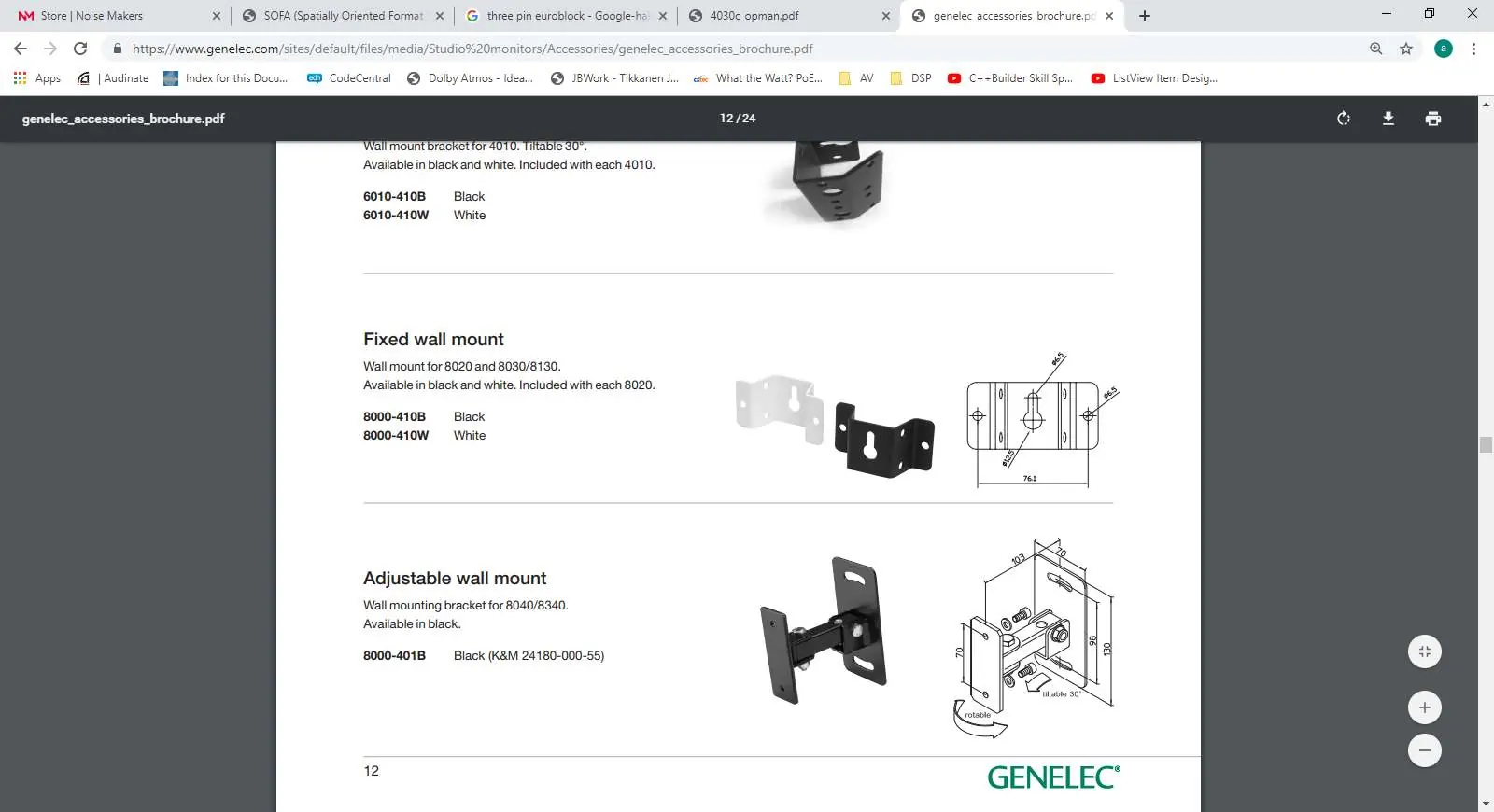
Place the loudspeaker so the acoustic axis points toward the main listening area. Ensure a minimum clearance of 3 cm (13/16 in) behind, above, and on both sides of the loudspeaker for cooling. The rear panel features two M6 mounting points for brackets and a 3/8 in UNC-threaded hole on the base for additional support. Do not exceed the thread depth of 10 mm for the M6 holes.
Connecting Loudspeakers
Connect an Ethernet cable from a PoE+ output on an IP switch to the 4420A Ethernet port. Use at least CAT5 cable. Press the power switch to turn on the unit. For a complete system, you will need an IP switch with PoE+ support, an audio-over-IP stream source, and a computer running Genelec Smart IP Manager and Dante Controller software.

Audio Streams and Configuration
Audio stream setup is managed via Dante Controller. The 4420A supports AES67/ST2110 and Dante streams. To enable AES67, use the Device View window in Dante Controller, go to the AES67 Config tab, set AES67 Mode to Enabled, and reboot the device.
Acoustic Settings
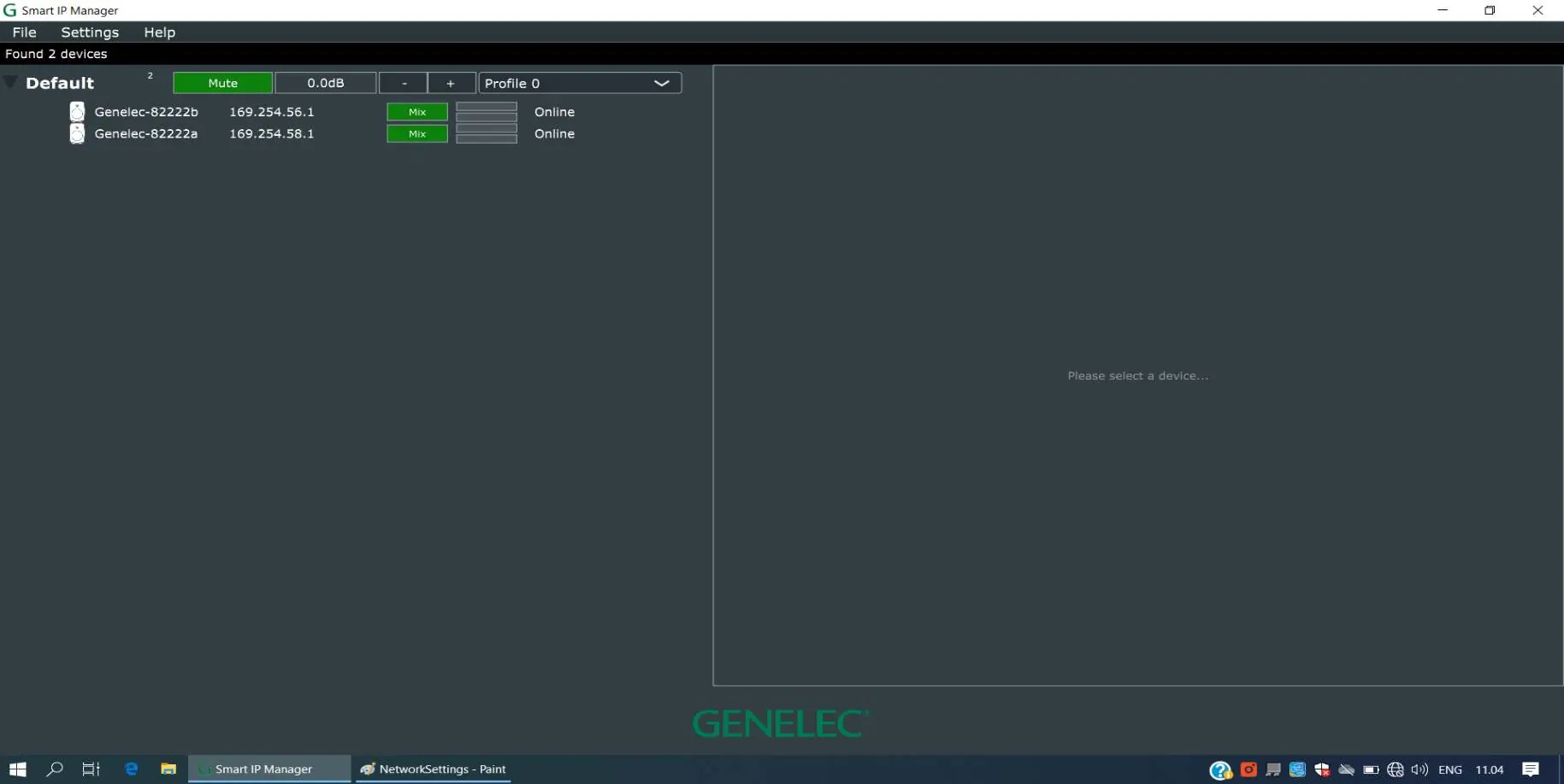
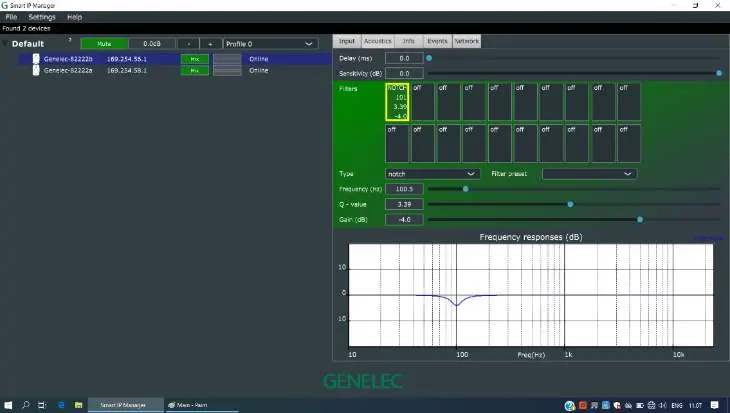
Use the Genelec Smart IP Manager software to perform acoustic calibration. You can adjust delay, sensitivity, and apply up to 20 parametric acoustic filters to compensate for room influences. Settings can be saved as profiles for specific zones.
Maintenance and Safety
There are no user-serviceable parts inside the loudspeaker. Maintenance must be performed by authorized service personnel. Ensure the loudspeaker is not exposed to water or moisture, and do not place liquid-filled objects on it. The unit can produce sound pressure levels exceeding 85 dB, which may cause hearing damage.
Manufacturer information
Genelec Oy
Practical help
Common problems
No sound output
Verify PoE+ power connection, ensure the network switch is active, and check Dante stream routing in Dante Controller.
Loudspeaker not detected in software
Ensure the computer is on the same network as the loudspeaker and that the IP switch is providing sufficient PoE+ power.
Overheating or thermal issues
Ensure at least 3 cm of clearance around the loudspeaker for proper ventilation.
Before use
- PoE+ (802.3at) capable network switch or power injector
- CAT5 or higher category Ethernet cable
- Genelec Smart IP Manager software installed on a Windows 10 or Mac computer
- Dante Controller software for stream routing
Images and diagrams
- Rear panel layout showing Ethernet port, power switch, and analogue input.
- Wiring diagram for daisy-chaining analogue audio signals.
- PoE+ power supply configuration using switches or injectors.
Model compatibility
- Requires PoE+ (802.3at) for maximum output performance.
- Not compatible with WLAN; requires cable-based LAN.
- Designed for indoor use only (15-35°C).

Manual page author
David Miller
Documentation analyst
Organizes user manual content into clear summaries, with attention to model details, product context, and everyday usability.