Furniture / Home Furnishing
Hokku Designs King Grey Upholstered Panel Platform Bed Assembly Guide
A comprehensive assembly guide for the Hokku Designs King Grey Upholstered Panel Platform Bed, including a complete parts list, hardware identification, and step-by-step installation instructions.
Table of contents
Manual images
Jump to the sectionQuick guide from the manual
This document provides the assembly instructions for the Hokku Designs King Grey Upholstered Panel Platform Bed (Models N761P280100, N761P280101, N761P280102). Ensure you have all parts listed in the inventory before beginning assembly. The process requires the provided Allen key (D) and involves securing various frame components with M8 bolts of different lengths.
Parts and Hardware
The bed arrives in two boxes. Verify all components before starting:
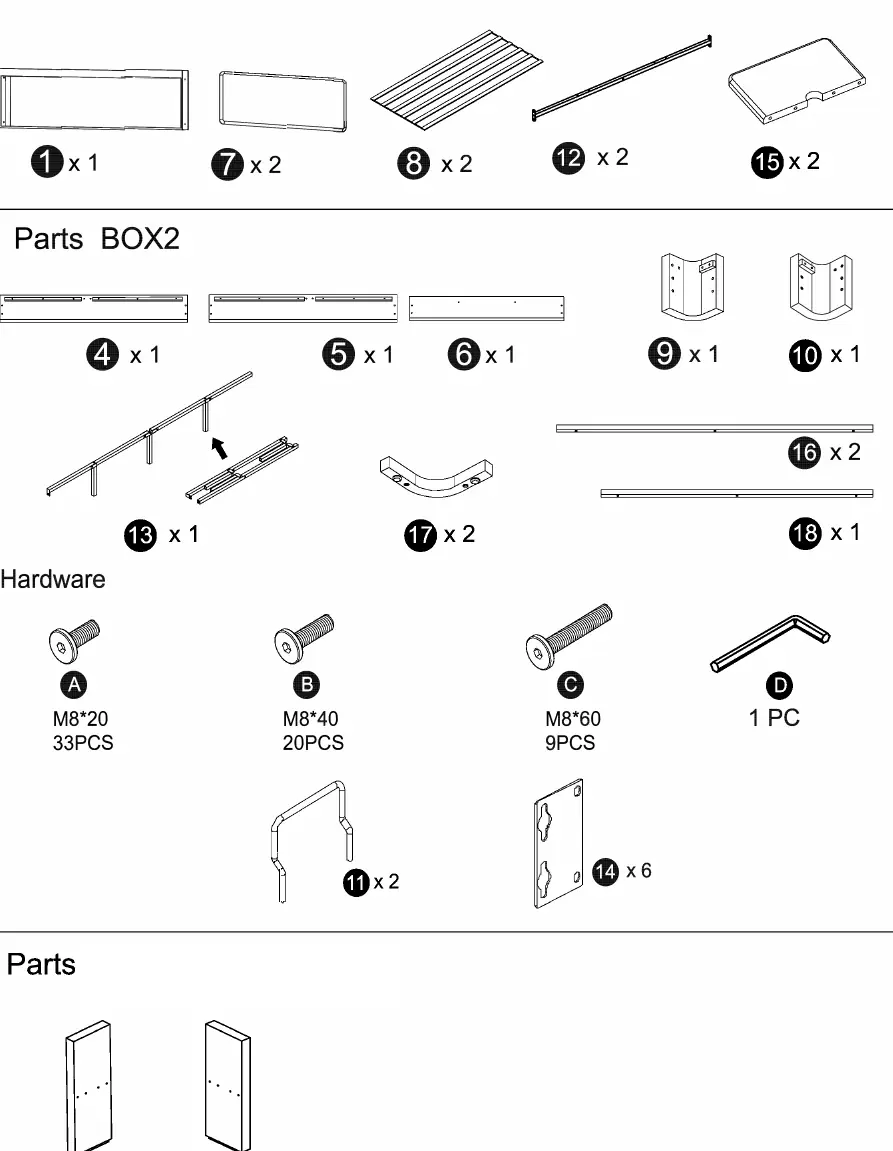
- Parts: Headboard panels, side rails, footboard, support legs, slats, and side shelves.
- Hardware: M8x20 (A), M8x40 (B), M8x60 (C) bolts, and Allen key (D).
Assembly Instructions
Follow these steps in order to assemble the bed frame:
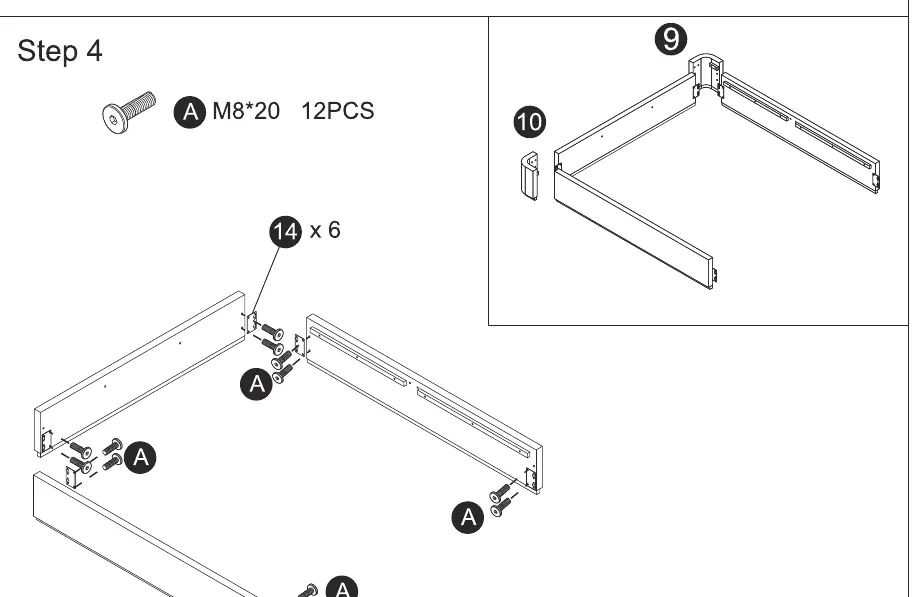
- Step 1: Attach the corner brackets (9, 10) to the frame ends using M8x40 bolts (B).
- Step 2: Connect the side rails (4, 5, 6) to the support bars (16, 18) using M8x40 bolts (B).
- Step 3: Assemble the central support structure (12, 13) using M8x40 and M8x60 bolts.
- Step 4: Connect the side frame sections using M8x20 bolts (A) and brackets (14).
- Step 5: Secure the central support structure to the outer frame using M8x20 bolts (A).
- Step 6: Attach the headboard panels (1) to the side pillars (2, 3) using M8x20 bolts (A).
- Step 7: Secure the headboard assembly to the main frame using M8x40 bolts (B) and brackets (11).
- Step 8: Place the slats (8) onto the frame and attach the top headboard cushions (7).
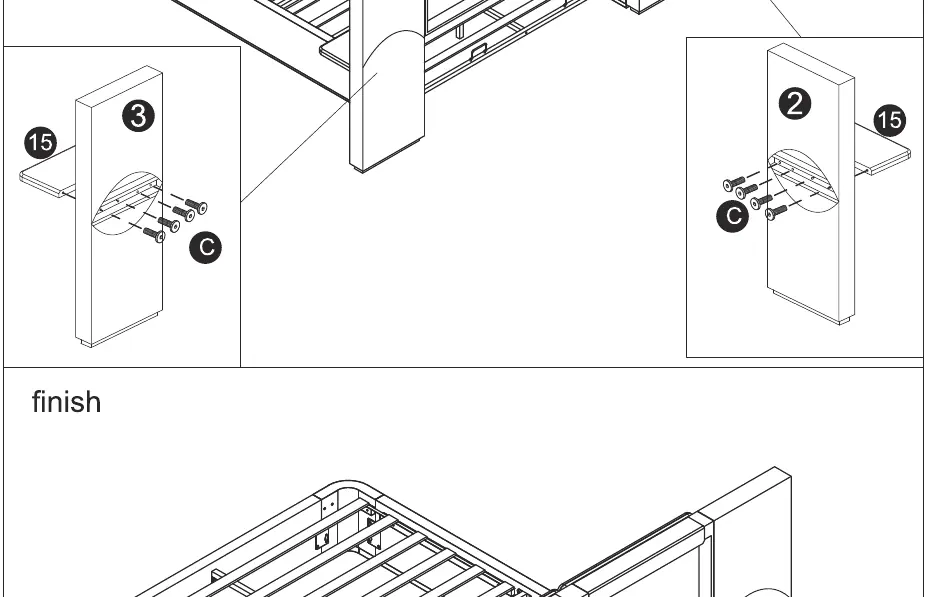
- Step 9: Attach the side shelves (15) to the headboard pillars (2, 3) using M8x60 bolts (C).
Practical help
Common problems
Missing hardware or parts
Verify all items against the 'Parts BOX1' and 'Parts BOX2' lists on page 2 before starting assembly.
Difficulty aligning frame
Do not fully tighten bolts until all components for a specific step are in place to allow for minor adjustments.
Before use
- Clear a large workspace for assembly.
- Identify all hardware sizes (M8x20, M8x40, M8x60).
- Ensure the Allen key (D) is available.
- Check that all bolts are tightened securely after assembly.
Images and diagrams
- Page 1 shows the exploded view of the bed structure.
- Page 2 provides a visual inventory of all parts and hardware.
- Pages 3-7 detail the sequential assembly steps.
Model compatibility
- Compatible with models N761P280100, N761P280101, and N761P280102.

Manual page author
Emily Carter
User documentation editor
Prepares concise manual descriptions and highlights the most useful setup, operation, and maintenance information for readers.