Electronics / Camera Accessories
Insta360 Mini 2-in-1 Tripod 2.0 User Guide
A comprehensive user guide for the Insta360 Mini 2-in-1 Tripod 2.0. Includes setup instructions, camera mounting, remote installation, selfie stick extension, and important safety usage notes.
Quick answers from the manual
Quick answer
- The Insta360 Mini 2-in-1 Tripod 2.0 is a compact accessory that serves as both a selfie stick and a tripod. It supports devices up to 300g and features a dedicated slot for the Mini Remote and microSD cards. p. 1
Key actions
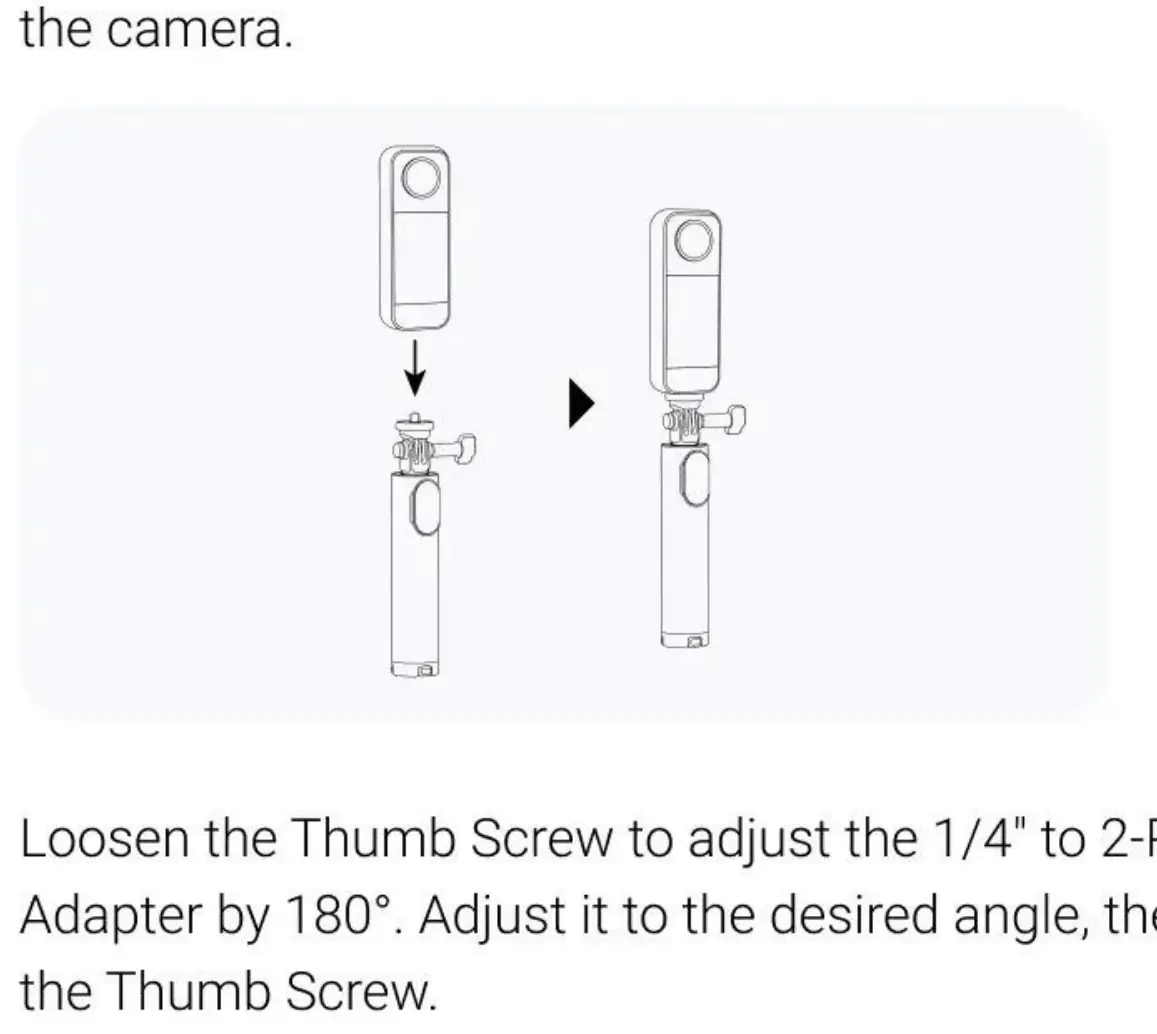
- Attach Camera p. 1
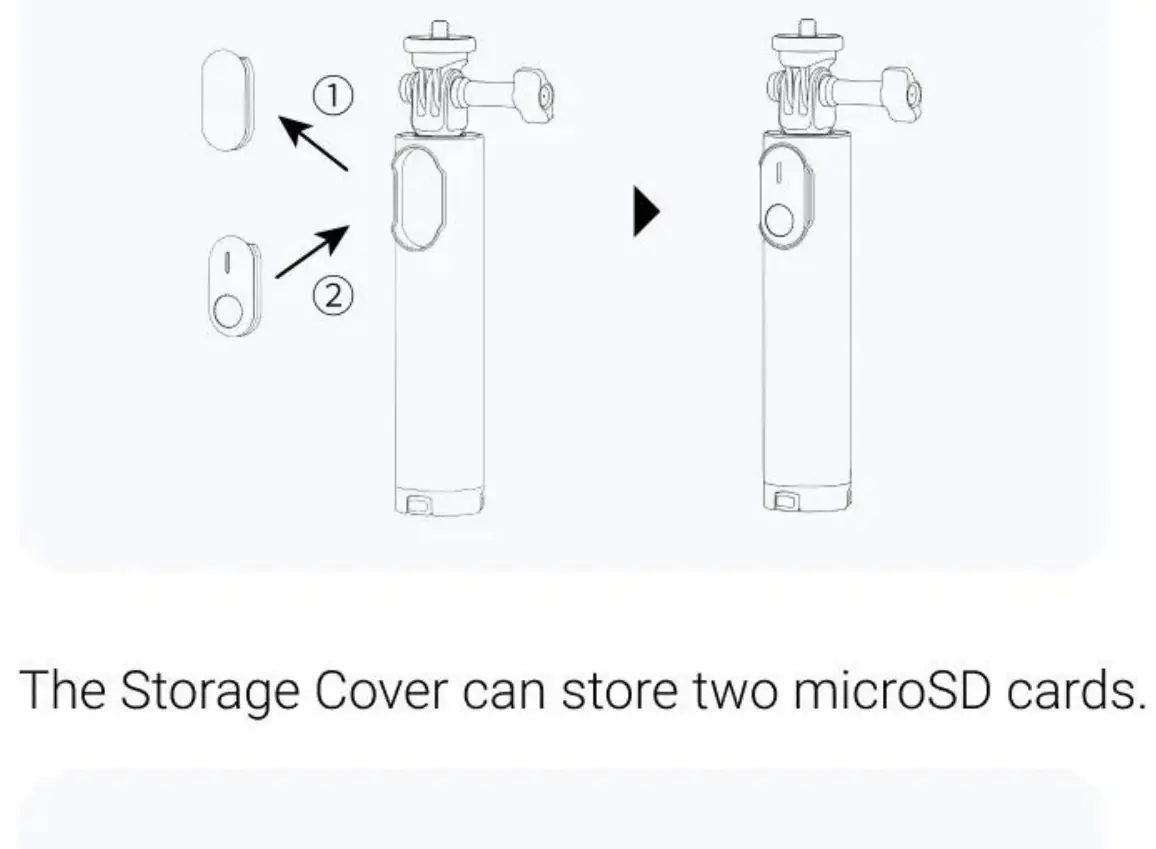
- Install Mini Remote p. 1
Problems and fixes
Tripod visible in 360 footage
Rotate the knob so it is parallel to the bottom of the camera.
p. 1Maintenance and reset
- Store the tripod p. 1
Technical specifications
| Parameter | Value | Meaning | Pages |
|---|---|---|---|
| Weight | 172g | Total weight of the tripod unit. | p. 1 |
| Maximum Weight Limit | 300g | Maximum load capacity for the tripod. | p. 1 |
Where to find it in the PDF
- Installation and Usage Guide p. 1
Table of contents
Manual images
Click an image to enlargeQuick Guide from the Manual
The Insta360 Mini 2-in-1 Tripod 2.0 is a versatile accessory designed for action cameras. It functions as both a handheld selfie stick and a stable tripod. Key usage requirements include adhering to the 300g maximum weight limit and ensuring the tripod is placed on flat, stable surfaces. Always use the provided Anti-Slip Ring when mounting your camera to ensure stability.
In the Box
- 1x Mini 2-in-1 Tripod 2.0
- 1x Thumb Screw
- 1x 1/4 inch to 2-Prong Adapter
- 1x Storage Cover
- 4x Anti-Slip Rings
Technical Specifications
- Weight: 172g
- Maximum Weight Limit: 300g
- Minimum Length: 18cm
- Maximum Length (Tripod retracted): 58.5cm
- Material: Aluminum alloy, plastic, thermoplastic elastomers (TPE)
How to Use
Attaching the Camera
Align the 1/4 inch screw at the top of the tripod with the screw hole at the bottom of the camera or mount adapter. Attach the camera and tighten the thumb screw. To adjust the angle, loosen the thumb screw, position the camera as desired, and retighten.
Installing the Mini Remote
Remove the Storage Cover from the tripod. Insert the Mini Remote into the designated slot. The Storage Cover can also be used to store two microSD cards.
Extending the Selfie Stick
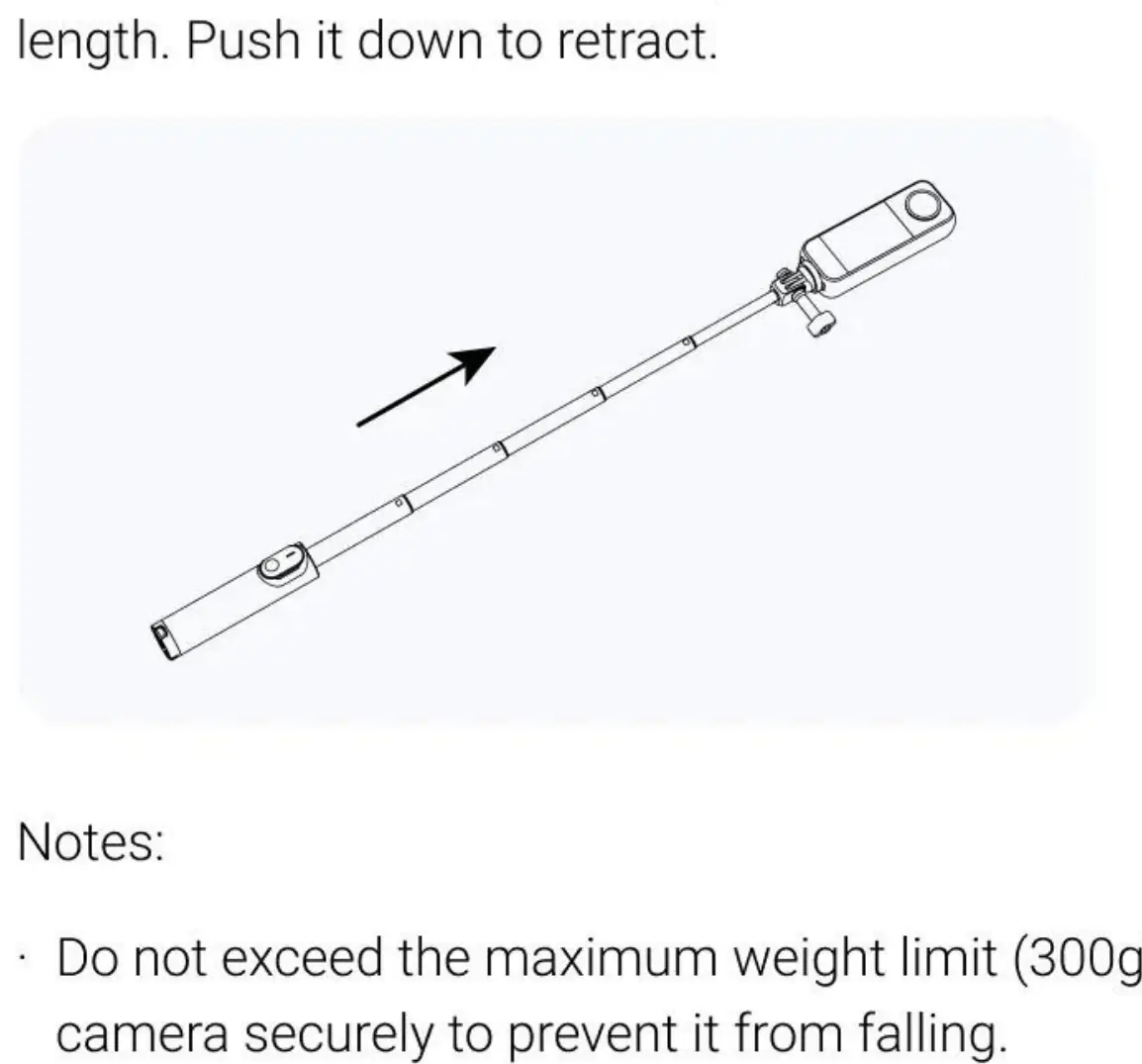
Pull the selfie stick from the top to extend it to the desired length. Push it down to retract it.
Extending the Tripod
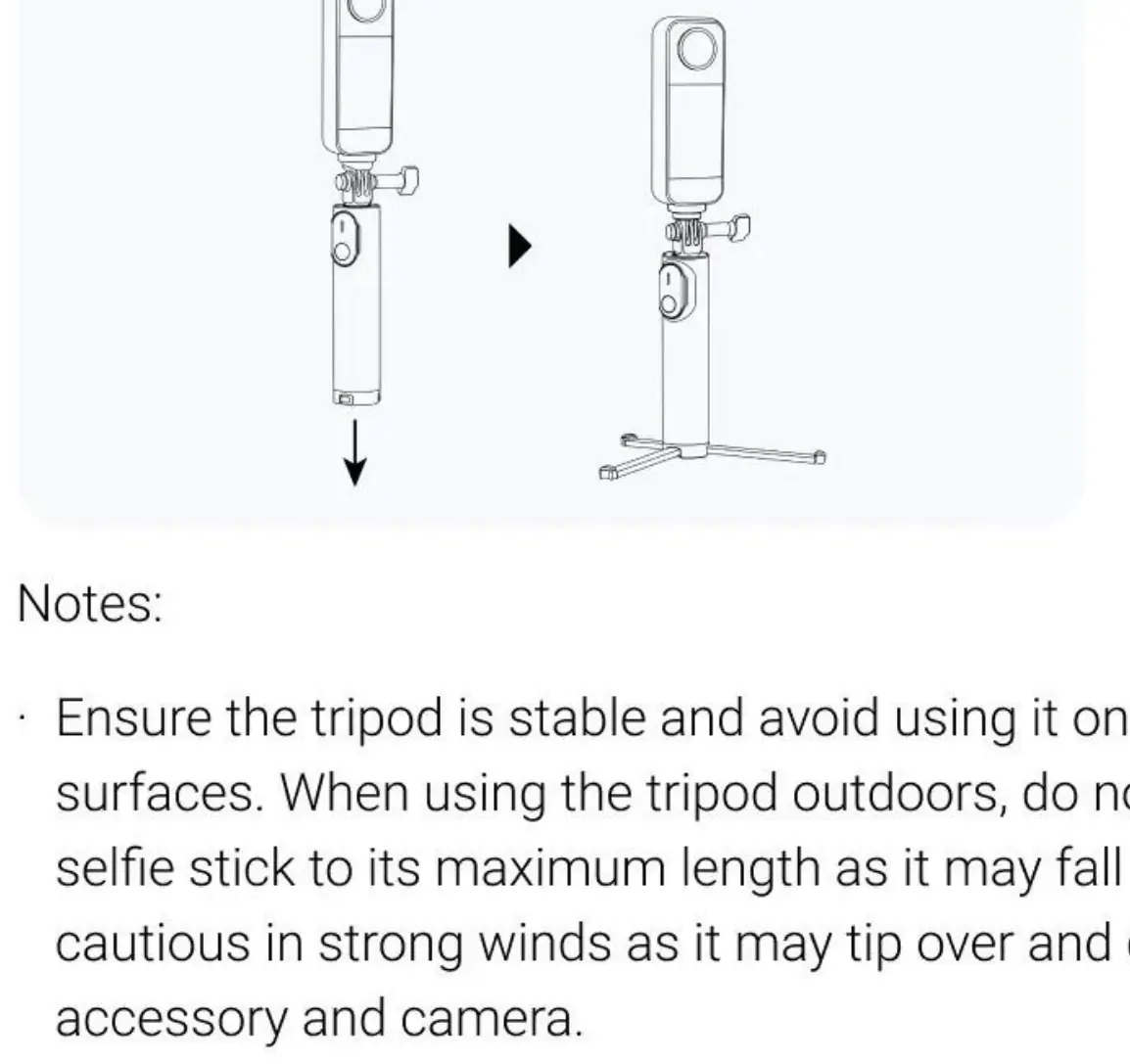
Pull out the tripod legs located at the bottom of the unit and place it on a smooth, flat surface.
Safety and Usage Notes
- Do not exceed the maximum weight limit of 300g to prevent the tripod from falling or damaging the camera.
- For 360 cameras, rotate the knob so it is parallel to the bottom of the camera to ensure the tripod remains invisible in 360 footage.
- Always attach an Anti-Slip Ring to the 1/4 inch to 2-Prong Adapter.
- Avoid using the tripod on uneven surfaces.
- Do not force the tripod to bend into different positions or angles.
- Remove the camera before moving the tripod to prevent damage from vibrations or intense movements.
- To store the tripod, fold the legs together and push them upward with the palm of your hand.
Practical help
Common problems
Camera feels unstable or loose
Ensure the Anti-Slip Ring is properly attached to the 1/4 inch to 2-Prong Adapter.
Tripod is visible in 360 footage
Rotate the knob so it is parallel to the bottom of the camera.
Tripod falls over
Ensure the camera weight is under 300g and the tripod is placed on a flat, stable surface.
Before use
- Verify the camera weight is 300g or less.
- Attach the Anti-Slip Ring to the adapter.
- Ensure the surface is flat and stable before deploying the tripod legs.
- Check that the thumb screw is tightened securely after adjusting the angle.
Specs in practice
- Maximum Weight Limit (300g)
- Exceeding this weight may cause the tripod to fall and damage your equipment.
- Length (18cm - 58.5cm)
- The range of extension for the selfie stick functionality.
Images and diagrams
- The storage cover is designed to hold the Mini Remote and two microSD cards.
- The tripod legs are deployed by pulling them out from the bottom of the handle.
Model compatibility
- Compatible with cameras using a 1/4 inch screw mount.
- Designed to hold the Insta360 Mini Remote.

Manual page author
Emily Carter
User documentation editor
Prepares concise manual descriptions and highlights the most useful setup, operation, and maintenance information for readers.