Electronics / Headphones Earbuds
User Manual for JBL Quantum 100M2 Gaming Headset
Get the most out of your JBL Quantum 100M2 gaming headset with this quick guide. Learn about technical specifications, multi-platform compatibility, and key features like the detachable microphone and spatial sound support.
Table of contents
Quick Guide
The JBL Quantum 100M2 is a wired, circum-aural gaming headset designed for immersive audio. It connects via a standard 3.5mm audio jack, making it compatible with a wide range of gaming devices. The headset features a detachable microphone with voice-focus technology and a mute function, as well as memory foam ear cushions for long-term comfort.
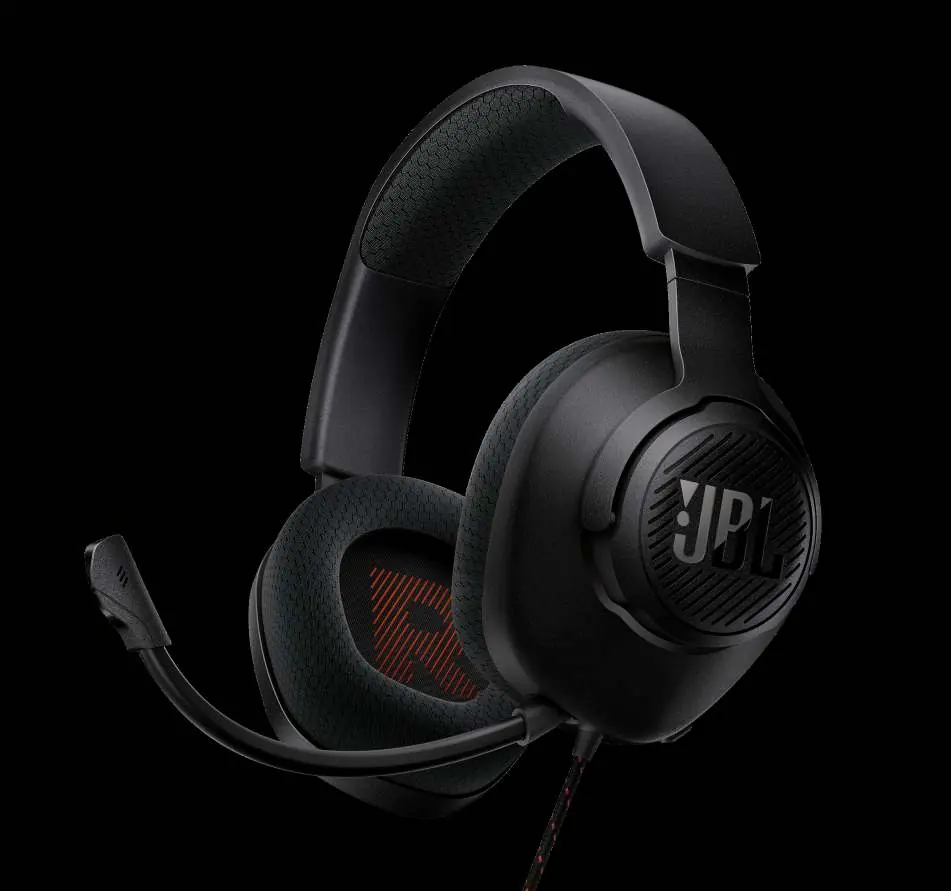
Key Features
- JBL QuantumSOUND: Signature audio designed to provide an immersive and precise soundscape for gaming.
- Detachable Microphone: Directional microphone with voice-focus technology for clear communication.
- Comfort Design: Lightweight headband and breathable fabric ear cushions with memory foam.
- Spatial Sound: Fully compatible with Windows Sonic spatial sound on Windows 10 and Xbox One.
Compatibility
The JBL Quantum 100M2 connects via a 3.5mm audio jack and is compatible with the following platforms:
- PC
- PlayStation (PS5 and PS4)
- Xbox (Series X, S, and One)
- Nintendo Switch
- Mac
- Mobile devices
- Virtual Reality equipment
Technical Specifications
- Driver Size: 40mm dynamic drivers
- Frequency Response: 20 Hz to 20 kHz
- Max Input Power: 20 mW
- Sensitivity: 96 dB SPL @ 1 kHz / 1 mW
- Impedance: 32 ohms
- Microphone Frequency Response: 100 Hz to 10 kHz
- Microphone Sensitivity: -42 dBV @ 1 kHz / Pa
- Microphone Type: Detachable, directional
- Cable Length: 1.2 meters
- Weight: 220 g
Box Contents
- 1 x JBL Quantum 100M2 Headset
- 1 x Detachable Microphone
- 1 x Microphone Windshield Foam
- 1 x Quick Start Guide, Safety Sheet, and Warranty Card
Manufacturer information
JBL
Practical help
Common problems
Microphone not picking up voice
Ensure the detachable microphone is firmly and fully inserted into the headset port.
No sound from headset
Check the 3.5mm connection to your device and ensure the volume is not muted on your source device (PC, console, or mobile).
Before use
- Verify your device has a 3.5mm audio jack.
- Attach the microphone to the headset securely.
- Check the volume settings on your gaming device.
- Ensure the microphone is not muted via your device settings.
Specs in practice
- 40mm Drivers
- The size of the speaker units inside the earcups, providing the audio output.
- 32 Ohms Impedance
- Standard resistance level, making the headset easy to drive with mobile devices and controllers.
Model compatibility
- Compatible with PC, PlayStation, Xbox, Nintendo Switch, Mac, and mobile devices via 3.5mm jack.
- Supports Windows Sonic spatial sound on Windows 10 and Xbox One.

Manual page author
Emily Carter
User documentation editor
Prepares concise manual descriptions and highlights the most useful setup, operation, and maintenance information for readers.