Electronics / Headphones Earbuds
JBL Tune 130NC True Wireless Earbuds Product Guide
Quick guide to JBL Tune 130NC True Wireless Earbuds. Learn about key features like Active Noise Cancellation, battery life, app customization, and IPX4 water resistance.
Table of contents
Quick Guide to JBL Tune 130NC
The JBL Tune 130NC are true wireless in-ear earbuds designed for daily use, featuring Active Noise Cancellation (ANC) and long battery life. This guide provides an overview of the product features and specifications.
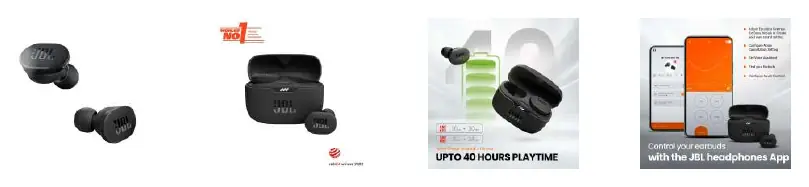
Key Features
- Active Noise Cancellation: Minimizes audio distractions using 4 microphones.
- Smart Ambient & TalkThru: Allows you to hear your surroundings or have a quick chat without removing the earbuds.
- JBL Pure Bass Sound: Powered by 10mm drivers for enhanced bass performance.
- IPX4 Water Resistance: Designed to be sweatproof and resistant to bad weather.
Battery and Charging
- Total Playtime: Up to 40 hours (30 hours with case + 8 hours on earbuds with ANC ON).
- Speed Charge: A quick 10-minute charge provides up to 2 hours of playtime.
- Full Charge: The earbuds and case can be fully charged from zero to 100% within 2 hours.
App Integration
Customize your listening experience using the JBL Headphones App. The app allows you to:
- Adjust Noise Cancellation settings.
- Configure gesture controls.
- Customize EQ settings.
- Find your earbuds.
- Configure your Voice Assistant.
What's in the Box
- 1 x JBL Tune 130NC TWS headphones
- 1 x Charging case
- 1 x USB Type-C charging cable
- 1 x 3 sizes of eartips
- 1 x Warranty/Warning sheet
- 1 x Quick Start Guide/Safety Sheet
Technical Specifications
- Model: JBLT130NCTWSBLK
- Connectivity: Bluetooth 5.2
- Microphone: 4 built-in microphones
- Form Factor: In-ear
- Weight: 52g
Manufacturer information
JBL
Practical help
Common problems
ANC performance seems weak
Ensure the earbuds are fitted correctly in your ear canal and check the ANC settings within the JBL Headphones App.
Battery draining faster than expected
Active Noise Cancellation (ANC) consumes more power. Turn off ANC when not needed to extend battery life.
Before use
- Charge the earbuds and case fully before first use.
- Download the JBL Headphones App to customize settings.
- Try the different sizes of eartips included to ensure a secure fit and optimal sound quality.
- Ensure Bluetooth is enabled on your smartphone.
Specs in practice
- 10mm Drivers
- The size of the speaker component inside the earbud, responsible for delivering the 'Pure Bass' sound.
- Bluetooth 5.2
- The wireless communication standard used for stable connection and efficient power consumption.
Model compatibility
- Compatible with Bluetooth-enabled devices (Smartphones, Tablets, etc.).

Manual page author
Michael Turner
Technical manual editor
Reviews PDF manuals for structure, safety notes, and practical product details so readers can find the right information quickly.