Electronics / Security Cameras
User Guide for LaView Outdoor Security Camera LV-PWF1
Quick start guide for the LaView Outdoor Security Camera. Learn how to set up the device, connect to Wi-Fi, use the LaView app, and integrate with Amazon Alexa.
Table of contents
Quick Start Guide
This guide provides the essential steps to set up and operate your LaView Outdoor Security Camera. Ensure you have a stable 2.4GHz Wi-Fi connection before beginning the installation process.
App Setup
Follow these steps to connect your camera to the LaView app:
- Power On: Connect the camera to power using the included adapter.
- Download App: Install the LaView app from the App Store or Google Play.
- Register: Create an account within the app.
- Add Device: Select the option to add a new device.
- Wi-Fi Connection: Ensure your phone is connected to a 2.4GHz Wi-Fi network. Enter the Wi-Fi password in the app.
- Pairing: The camera will beep when ready. Scan the QR code displayed on your phone screen with the camera lens, holding the phone 6-8 inches away.
- Finish: Wait for the camera to connect and finalize the setup.
Live View and Playback
Once connected, the app provides several features for monitoring:
- Camera Name & Timestamp: View device identification and time.
- Signal Strength: Monitor your connection quality.
- HD/SD Switch: Toggle between High Definition and Standard Definition video.
- Audio: Mute or unmute the camera audio.
- Full Screen: Expand the video feed.
- Screenshot: Capture a still image.
- Record: Save video clips to your phone.
- Album: Access saved screenshots and recordings.
- Cloud: Access cloud-stored video (subscription required).
Alexa Setup
You can integrate your camera with Amazon Alexa for voice control:
- Open the LaView app and ensure the camera is online.
- Open the Amazon Alexa app and log in.
- Navigate to Skills & Games and search for the LaView skill.
- Select Enable to Use and link your LaView account.
- Tap Discover Devices in the Alexa app to find your camera.
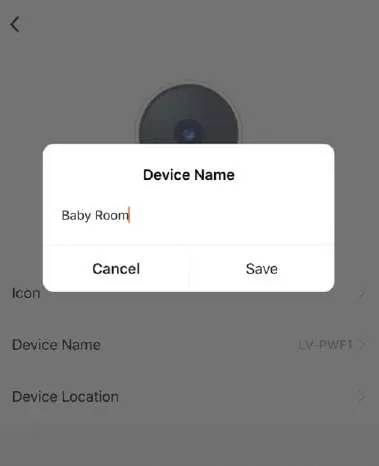
- Once discovered, you can use voice commands like "Alexa, show me the baby room" (or your assigned camera name).
Manufacturer information
LaView
Practical help
Common problems
Camera fails to connect to Wi-Fi
Ensure your phone is connected to a 2.4GHz Wi-Fi network. The camera does not support 5GHz networks.
Pairing process fails
Press and hold the Reset button on the camera for 5 seconds until you hear a beep, then restart the pairing process.
Before use
- Ensure the camera is powered on using the provided adapter.
- Verify your smartphone is connected to a 2.4GHz Wi-Fi network.
- Download and install the LaView app.
- Have your Wi-Fi password ready.
Specs in practice
- 2.4GHz Wi-Fi
- The required wireless frequency for the camera to connect to your router.
- Reset Button
- Used to restore factory settings if the device is not pairing correctly.
Images and diagrams
- When scanning the QR code, hold your phone 6-8 inches away from the camera lens for successful pairing.
Model compatibility
- Compatible with Amazon Alexa for voice control.
- Requires 2.4GHz Wi-Fi network.

Manual page author
Emily Carter
User documentation editor
Prepares concise manual descriptions and highlights the most useful setup, operation, and maintenance information for readers.