Plumbing / Sinks Faucets
Installation and User Guide for SLSN 02E Stainless Steel Automatic Shower Panel
A comprehensive guide for the SLSN 02E stainless steel automatic shower panel. This manual covers installation, electrical requirements, sensor settings, maintenance, and troubleshooting.
Table of contents
Manual images
Jump to the sectionImportant Information
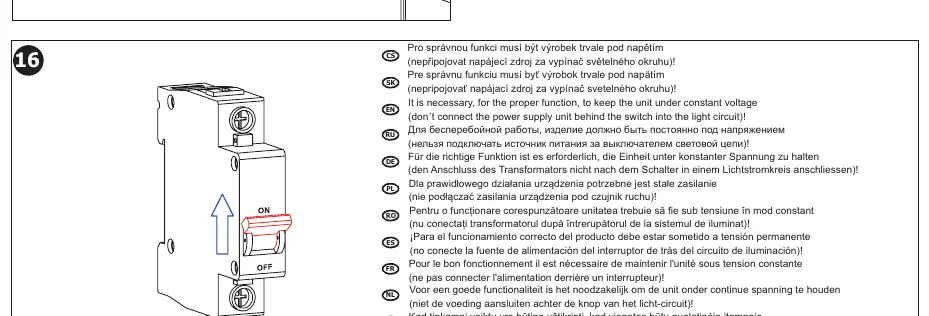
For the proper function of the SLSN 02E shower panel, it is essential to keep the unit under constant voltage. Do not connect the power supply unit behind a light switch, as this will interrupt the power and cause the unit to malfunction.
Product Description
The SLSN 02E is a stainless steel automatic shower panel equipped with a mixer. It operates on 24V DC power and uses an infrared sensor for touchless operation. The system includes features for hygienic flushing and adjustable safety shut-off.
Installation
Before installation, ensure you have read the safety instructions. The installation requires a 24V DC power supply and a water inlet with G 1/2" connection.
- Preparation: Ensure the water pressure is between 0.1 and 0.6 MPa. The sieve dimension must be ≤ 90 µm.
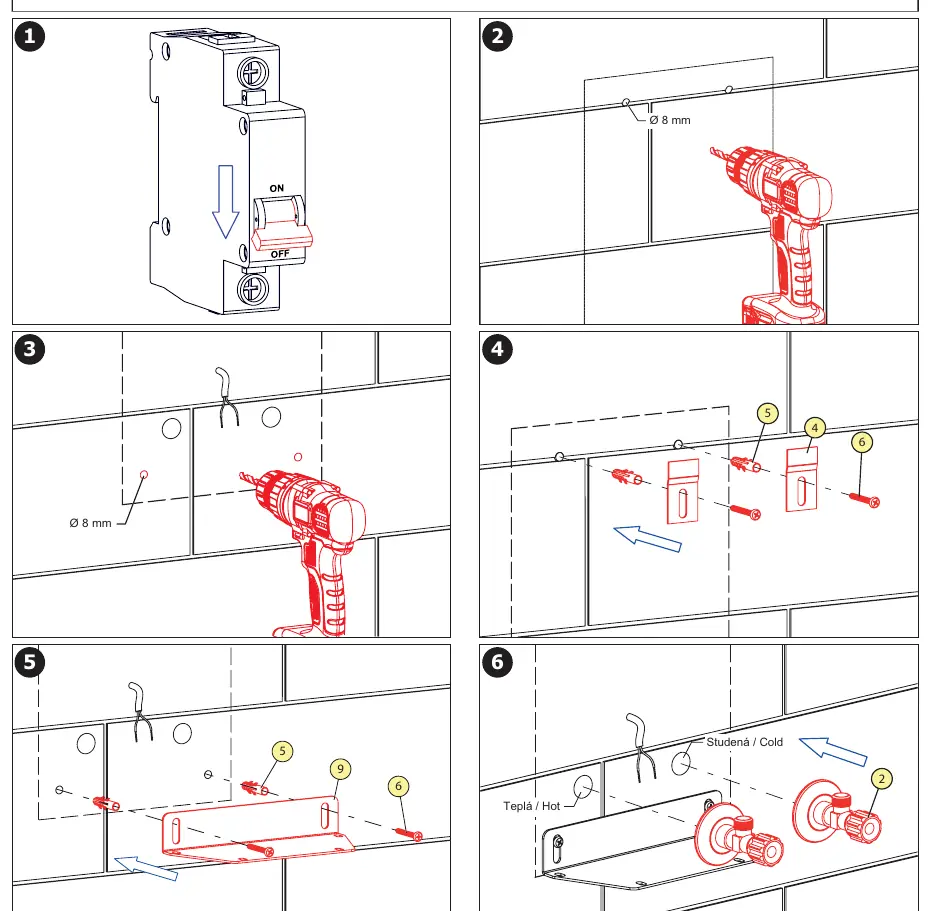
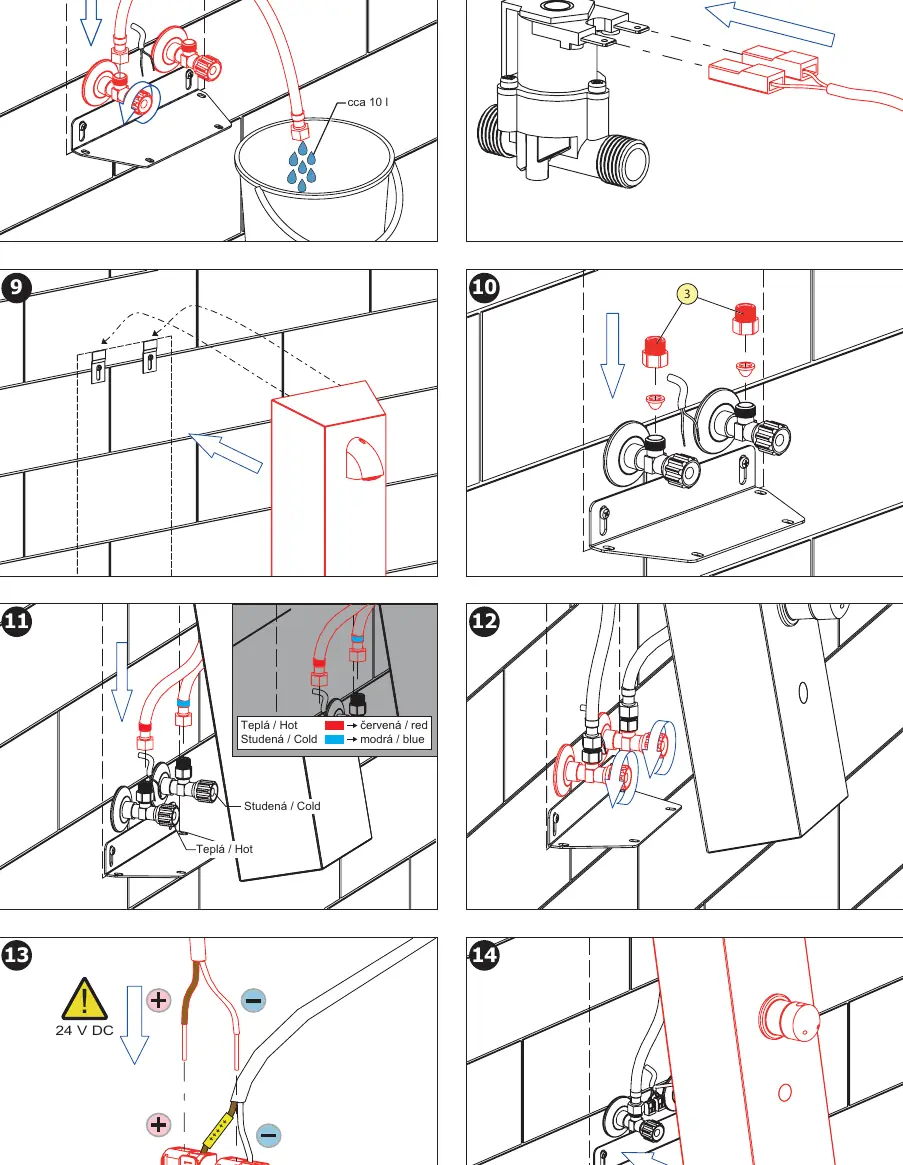
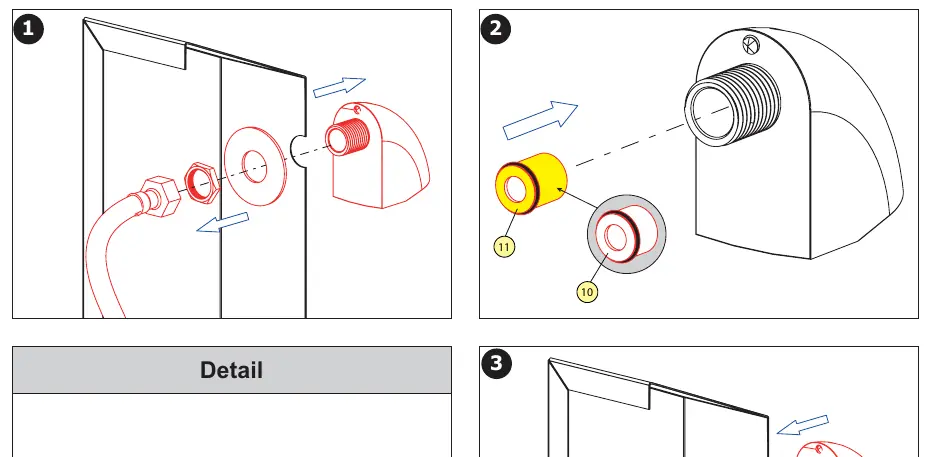
- Mounting: Drill holes (8 mm) according to the technical drawing provided in the manual. Secure the mounting bracket to the wall.
- Water Connection: Connect the hot and cold water supplies to the mixer. Ensure the connections are tight and leak-free.
- Electrical Connection: Connect the 24V DC power supply. Ensure the polarity is correct (brown wire to +, white wire to -).
- Testing: Before final assembly, flush the system to ensure proper water flow and check for leaks.
Operation and Settings
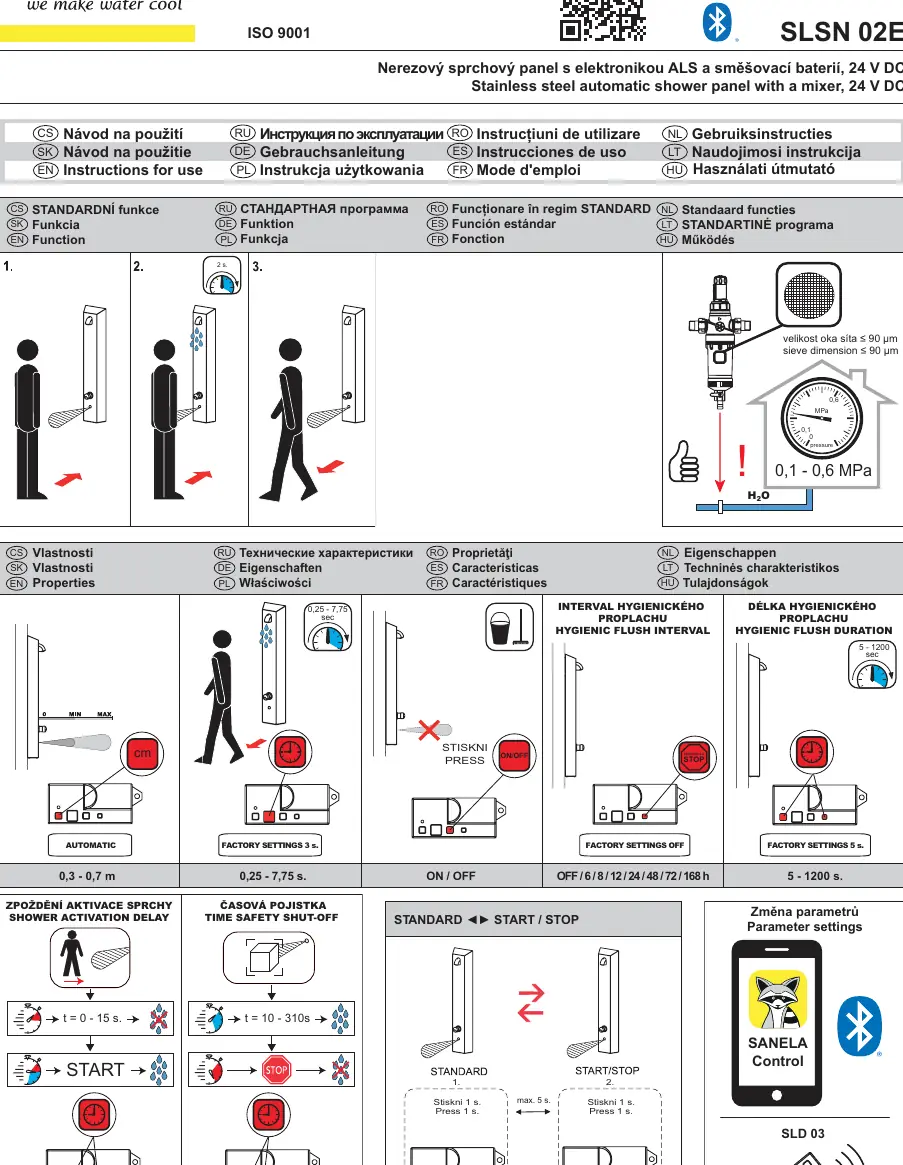
The shower panel is activated by an infrared sensor. You can adjust various parameters using the Sanela Control app or the SLD 03 remote control.
- Sensor Range: Adjustable between 0.3 and 0.7 m.
- Shower Activation Delay: Adjustable from 0 to 15 seconds.
- Safety Shut-off: Adjustable from 10 to 310 seconds.
- Hygienic Flush: Can be set to intervals (OFF, 6, 8, 12, 24, 48, 72, 168 hours) and durations (5 to 1200 seconds).
Maintenance
Regular maintenance ensures the longevity of the shower panel.
- Regulator Replacement: If the water flow is restricted or the mixer is not functioning correctly, the regulator may need to be replaced. Follow the steps in the manual to remove the cover and replace the regulator component.
- Cleaning: Keep the sensor area clean to ensure accurate detection.
Technical Data
- Power Supply: 24V DC.
- Operating Pressure: 0.1 - 0.6 MPa.
- Water Inlet: G 1/2".
Manufacturer information
SANELA spol. s r. o.
Practical help
Common problems
Unit does not activate or function correctly.
Ensure the unit is connected to a constant 24V DC power supply and not behind a light switch.
Water flow is weak or inconsistent.
Check the water pressure (must be 0.1 - 0.6 MPa) and ensure the sieve is clean (mesh size ≤ 90 µm).
Before use
- Verify 24V DC power supply is available.
- Ensure water pressure is between 0.1 and 0.6 MPa.
- Confirm the power supply is not connected to a light switch circuit.
- Check that the sieve is clean and properly installed.
- Have the Sanela Control app or SLD 03 remote ready for parameter adjustments.
Specs in practice
- Hygienic Flush
- Automatic water flow at set intervals to prevent water stagnation in the pipes.
Images and diagrams
- Page 1: Overview of sensor range, factory settings, and hygienic flush parameters.
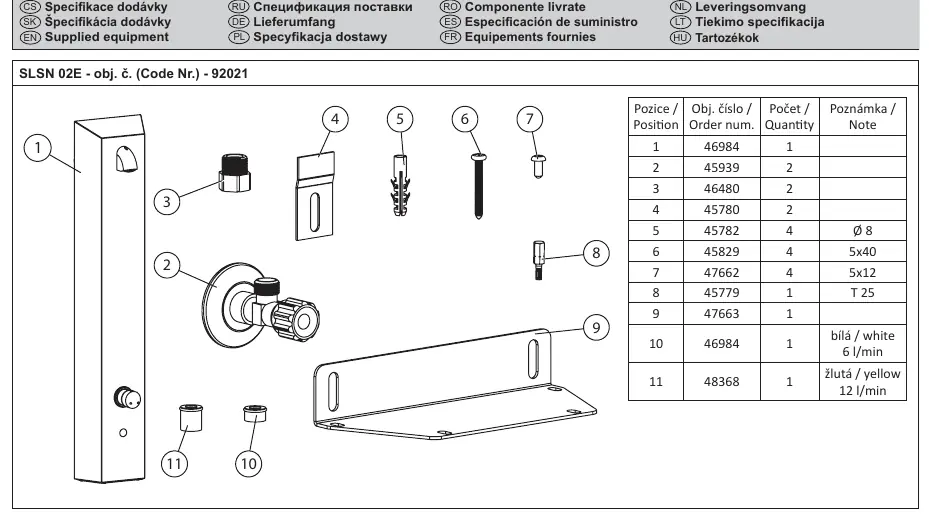
- Page 2: Exploded view of the shower panel and parts list.
- Page 3: Technical dimensions and installation requirements.
- Page 4-5: Step-by-step installation and wiring guide.
- Page 7: Procedure for replacing the regulator.
Model compatibility
- Requires Sanela Control app or SLD 03 remote for advanced configuration.
- Compatible with various Sanela power supplies (SLZ 01Y, 01Z, 04Y, 04Z, 04X, 06).

Manual page author
David Miller
Documentation analyst
Organizes user manual content into clear summaries, with attention to model details, product context, and everyday usability.