Computers / KVM Switches
User Manual for SIIG 04-1384A Dual Host 4K USB-C KVM MST Docking Station
Quick guide for the SIIG 04-1384A KVM docking station. Learn how to connect dual hosts, set up MST video output, use power delivery, and troubleshoot common connectivity issues.
Table of contents
Manual images
Click an image to enlargeQuick Guide
The SIIG 04-1384A is a Dual Host 4K USB-C KVM MST Docking Station designed to allow two computers to share peripherals and displays. It supports USB 5G data transfer, Power Delivery (PD) for charging, and Multi-Stream Transport (MST) for extended video output. Ensure your host computer's USB-C port supports DP Alt Mode and Power Delivery for full functionality. Note that the MST function is supported only on Windows operating systems.
Package Contents
- Dual Host 4K USB-C KVM MST Docking Station
- Power adapter (DC 20V/6A)
- 2x USB Type-C to Type-C cables
- 3.5mm Switch cable
- User Manual
Note: An extra power charger for PC1 PD input is not included in the package.
System Requirements
- Host computer with an available USB Type-C port (Thunderbolt 3/4 compatible) that supports DP 1.2/1.4 Alt Mode and Power Delivery.
- Windows 7, 8, 8.1, or 10 (32/64 bit).
- MST function requires Windows OS.
Front Panel Overview
The front panel provides quick access to audio and USB peripherals:

- 3.5mm Headset jack: Connects to a headset (audio and microphone).
- USB 5G Type-C port (x2): Supports USB UASP mode, 5Gbps speed, and 5V/1.5A power output.
- USB 5G Type-A port: Supports USB UASP mode, 5Gbps speed, and 5V/1.5A power output.
- System indicate LED: Indicates which system (PC1 or PC2) is currently selected.
Rear Panel Overview
The rear panel contains the primary connectivity ports:

- Power jack: Connects to the included DC 20V/6A power adapter.
- PC1 & PC2 USB-C hosts: Connect to host computers. PC1 supports up to 100W PD charging (via extra charger), and PC2 supports up to 65W PD charging (via own adapter).
- Switch In: Connects to the 3.5mm Switch cable.
- MST video output: Connects to HDMI or DisplayPort displays (up to 3840x2160p at 60Hz).
- RJ-45 Gigabit Ethernet port: Supports 10/100/1000Mbps.
- USB 5G Type-A port (x2): Supports USB UASP mode, 5Gbps speed, and 5V/0.9A power output.
- PD Input: Connects to an extra power charger for PC1 charging (100W max).
Operation and Switching
You can switch between the two connected computers using the button on the top of the device:
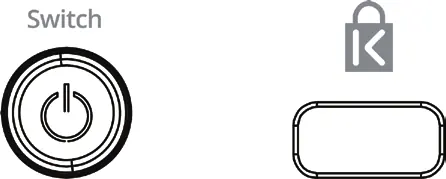
- Short press: Switches between PC1 and PC2.
- Long press (more than 5s): Turns off the display output and USB connection.
MST Video Output
MST allows multiple independent displays to be driven from a single source. Performance depends on the host's DisplayPort version:
- DP 1.2 Host: Supports 4K30 for a single display or 1080p+1080p for dual displays.
- DP 1.4 Host: Supports 4K60 for a single display or 4K30+1080p for dual displays.
Troubleshooting
- Laptop not charging: Ensure the laptop supports PD charging and that you are using the correct power adapter/charger.
- No video output: Verify that the host USB-C port supports DP Alt Mode.
- Only one video output: This is likely due to bandwidth limits. Refer to the MST video output table to adjust resolution settings.
Manufacturer information
SIIG, Inc.
Practical help
Common problems
Laptop not charging
Ensure the laptop's USB-C port supports Power Delivery and that the correct power adapter is connected to the docking station.
No video output
Verify that the host computer's USB-C port supports DP Alt Mode.
Only one video output displayed
Check bandwidth limits. Refer to the MST video output table to adjust resolution settings.
Before use
- Verify host computer supports USB Type-C with DP Alt Mode and Power Delivery.
- Ensure Windows OS is used for MST function.
- Connect the power adapter to the DC 20V/6A port.
- Use the included USB-C cables for host connections.
Specs in practice
- MST (Multi-Stream Transport)
- Allows multiple independent displays to be driven from a single DisplayPort output source.
- PD (Power Delivery)
- Allows the docking station to charge the connected host laptop.
Images and diagrams
- Front View: Shows headset jack, USB-C/A ports, and system LED.
- Rear View: Shows power, PC1/PC2 inputs, video output, Ethernet, and USB ports.
- Switch Button: Short press to toggle between PC1 and PC2; long press to disable output.
Model compatibility
- MST function is supported only on Windows OS.
- Compatible with Thunderbolt 3/4 and Type-C hosts.

Manual page author
Emily Carter
User documentation editor
Prepares concise manual descriptions and highlights the most useful setup, operation, and maintenance information for readers.