Power / Solar Inverters
Sungrow Delta Grid Configuration Guide for SHxxRS Series
Quick guide for configuring Sungrow 1-phase inverters for 230V Delta IT grid systems. Includes steps to deactivate grounding detection and ensure proper PE connection to avoid error code 106.
Table of contents
Manual images
Click an image to enlargeQuick guide for Delta Grid setup
This document provides instructions for configuring Sungrow 1-phase inverters for use in 230V 3-phase Delta IT grid systems. Proper setup requires both physical grounding and software configuration to avoid operational errors.
Physical Installation
The inverter must be properly grounded to ensure safe operation in a Delta IT grid.
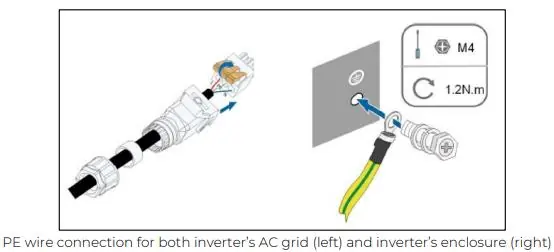
- Connect the PE of the AC grid terminal, Backup Port, and enclosures directly to the house PE-bar.
- Use an M4 screw for the enclosure grounding point, tightened to 1.2 N.m.
Software Configuration (Local Access)
To disable Grounding Detection using the iSolarCloud App:
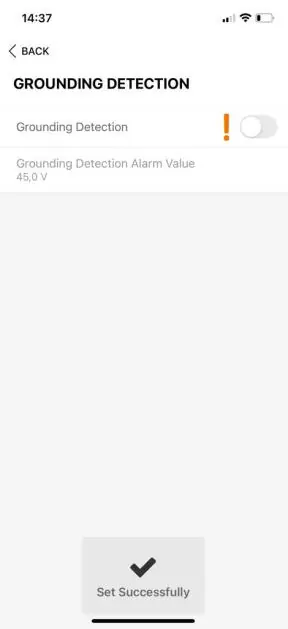
- Select Local Access in the app.
- Scan the QR code and log in with admin/pw8888.
- Navigate to: More ->Settings ->Operation Parameters ->Grounding Detection.
- Disable the function and wait for confirmation.
Software Configuration (Web Interface)
To disable Grounding Detection via the iSolarCloud web interface:
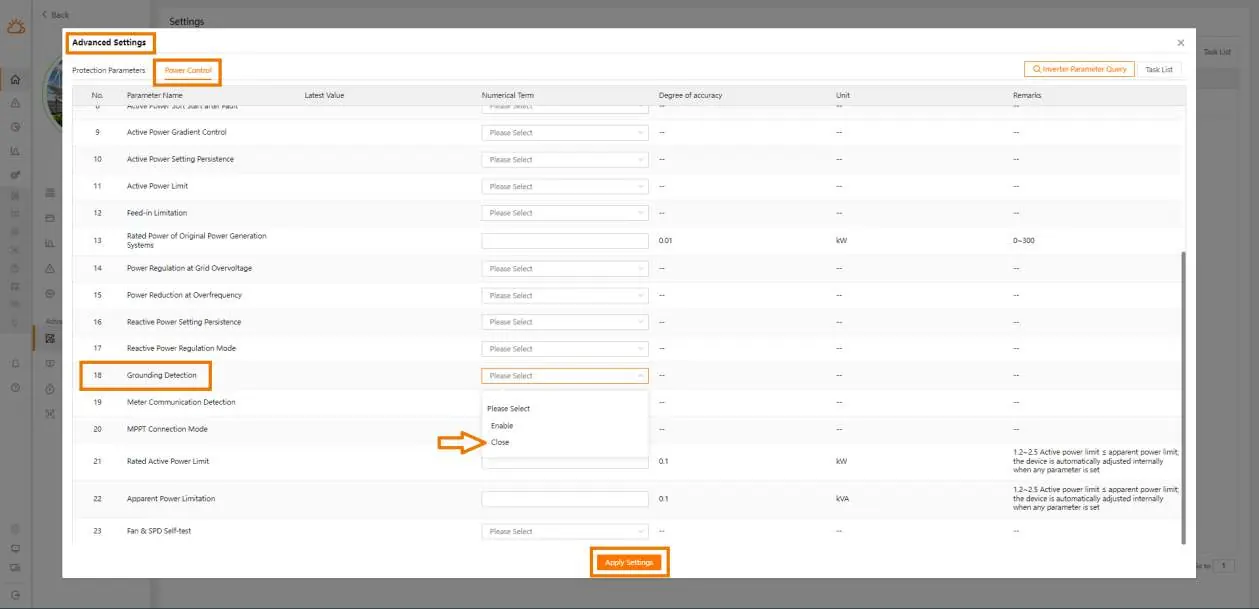
- Log in to iSolarCloud and select the plant.
- Click Settings, select the inverter, and choose Advanced Settings.
- Go to Power Control and locate Grounding Detection.
- Select Close from the dropdown and click Apply Settings.
Backup Mode
To disable Backup Mode:
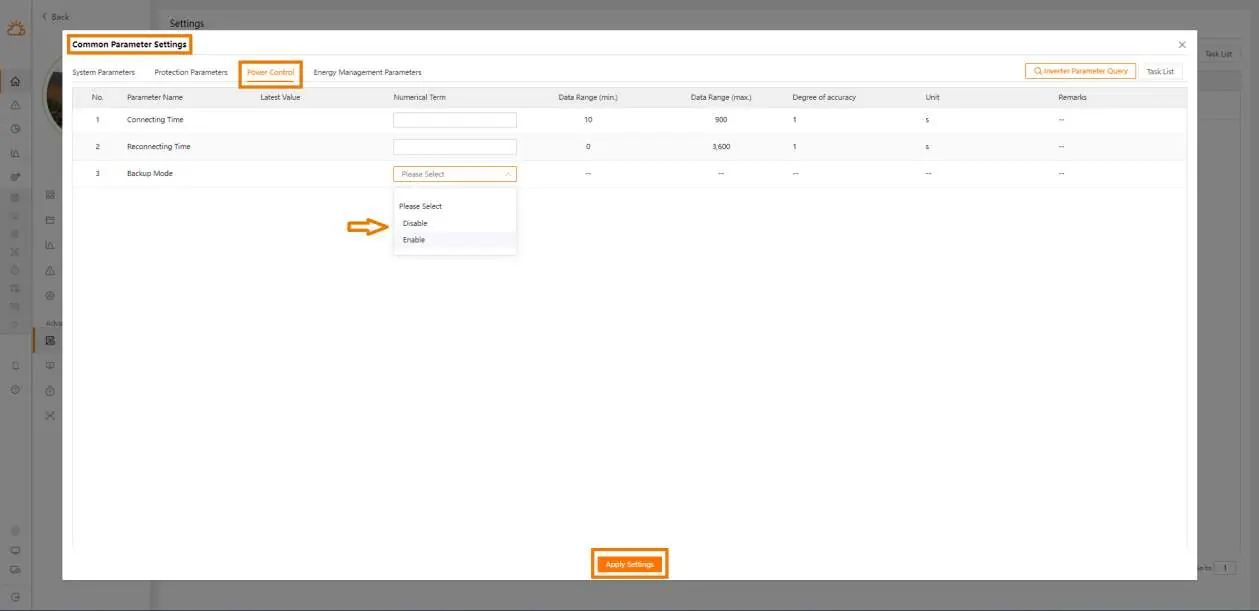
- Log in to iSolarCloud and select the plant.
- Click Settings, select the inverter, and choose Common Parameter Settings.
- Navigate to Power Control and find Backup Mode.
- Select Disable and click Apply Settings.
Troubleshooting
If the inverter displays Error code 106 (E106), it indicates that the Grounding Detection function is still active or the inverter/Backup port is not properly grounded. Ensure both the software setting is disabled and the physical PE connection is secure.
Practical help
Common problems
Error code 106 (E106)
Ensure Grounding Detection is disabled in settings and the inverter/Backup port is properly grounded to the house PE-bar.
Before use
- Verify grid type is 230V 3-phase (Delta IT)
- Ensure access to iSolarCloud App or web interface
- Prepare tools for PE wire connection (M4 screw, 1.2N.m torque)
Images and diagrams
- Delta IT grid wiring diagram showing L1, L2, and PE connections.
- PE wire connection diagram for AC grid and enclosure.
Model compatibility
- Applicable to SHxxRS series and specific SG series inverters.

Manual page author
Emily Carter
User documentation editor
Prepares concise manual descriptions and highlights the most useful setup, operation, and maintenance information for readers.