Lighting / Controllers & Dimmers
Sunricher 0-10V BLE Fixture-Integrated Sensor-less Controller
A quick guide for the Sunricher 0-10V BLE Fixture-Integrated Sensor-less Controller. Includes wiring diagrams, technical specifications, installation warnings, and device operation instructions.
Table of contents
Quick guide from the manual
This document provides essential information for the installation and operation of the Sunricher 0-10V BLE Fixture-Integrated Sensor-less Controller. Before beginning, ensure the power supply is disconnected. The device is designed for indoor use only (IP20 rating) and requires a 12-24VDC power source. For pairing and advanced configuration, please refer to the Silvair Commissioning Tools documentation.
Product Overview
The controller acts as a Bluetooth to 0-10V signal converter, enabling wireless control of lighting fixtures. Key features include:
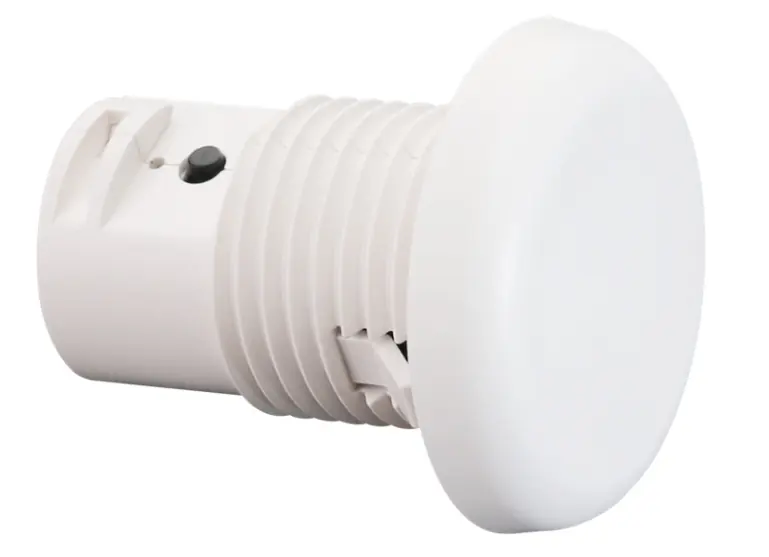
- Bluetooth mesh network support for extended control distance.
- Built-in 20mA 0-10V signal output.
- Broadcast control for all devices on the 0-10V line.
- Compatibility with kinetic energy switches and EnOcean switches (EWSSB and EWSDB).
- On-board antenna.
Specifications
The device operates within the following parameters:
- Input Power: 12-24VDC
- Output Signal: 0/1-10V (Max 20mA)
- Dimming Method: PWM
- Dimming Curve: Logarithmic
- Operating Temperature: 0°C to 45°C
- Relative Humidity: 8% to 80%
- Waterproof Grade: IP20
Wiring and Installation
Warning: Do not install the device while power is applied. Do not expose the device to moisture.
Follow the connection diagram carefully to ensure proper functionality:
- Connect the 12/24V CV PSU output to the controller's V+ and GND terminals.
- Connect the 0-10V dimmable driver to the DIM+ and GND terminals.
- Ensure the V+ terminal is connected to the positive power supply and GND serves as the common port for V- and Dim-.
Operation
To reset the device, press and hold the Reset button on the controller for over 5 seconds until the indicator flashes. This action withdraws the device from the internet/APP. For pairing, use the Silvair commissioning tools.
Dimensions
The controller is compact, with a diameter of 32.0mm and a height of 30.0mm (excluding the flange). Please refer to the dimension diagrams for precise mounting measurements.
Practical help
Common problems
Device needs to be removed from the network/APP
Press and hold the Reset button on the controller for over 5 seconds until the indicator flashes.
Wireless communication range issues
Typical range is 20m to 25m in indoor environments; actual range depends on field installation.
Before use
- Ensure power is disconnected before installation.
- Verify the power supply is 12-24VDC.
- Confirm compatibility with your 0-10V dimmable driver.
- Check that the installation environment is dry (IP20 rating).
Images and diagrams
- The wiring diagram illustrates the connection between the 12/24V PSU, the controller, and the 0-10V dimmable driver.
- The Reset button is located on the side of the controller housing.
Model compatibility
- Compatible with kinetic energy switches.
- Compatible with EnOcean switches (models EWSSB and EWSDB).
- Requires Silvair Commissioning Tools for pairing.

Manual page author
Emily Carter
User documentation editor
Prepares concise manual descriptions and highlights the most useful setup, operation, and maintenance information for readers.