Industrial / Electrical
User Manual for Telran 150W Solar LED Street Light
Quick guide for the Telran 150W Solar LED Street Light. Learn about installation, operating modes, remote control usage, and technical specifications.
Table of contents
Manual images
Click an image to enlargeQuick guide from the manual
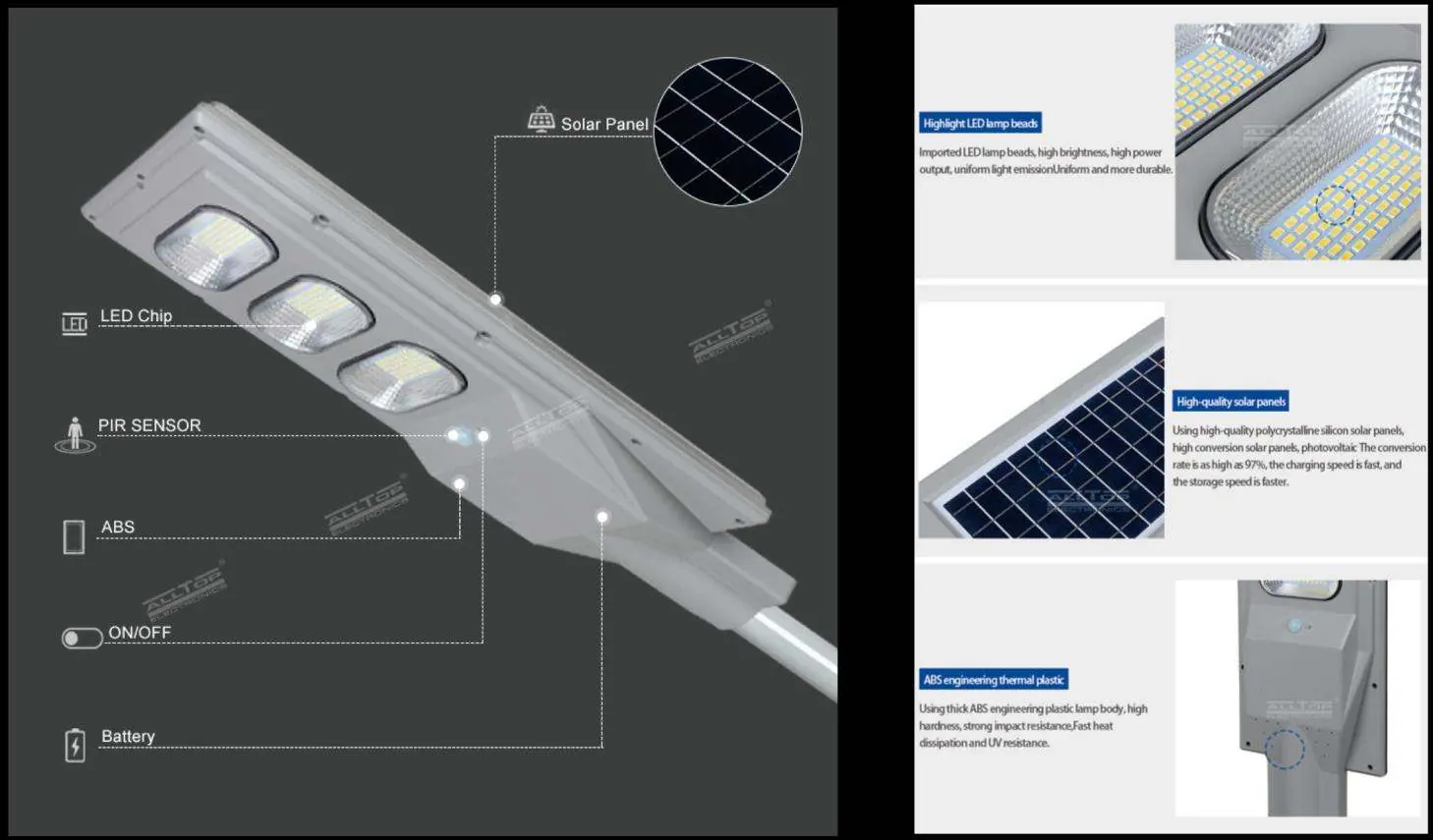
This document provides essential instructions for the Telran 150W Solar LED Street Light. Before first use, ensure you remove the protective shading film from the top of the solar panel. The light is designed for outdoor use and features an all-in-one construction with a built-in battery and solar controller. Proper installation orientation is critical for optimal charging efficiency.
Installation Guide
For best performance, follow these installation guidelines:
- Angle: Install the solar panel at an angle of 35 degrees with the horizontal plane.
- Direction: The ideal installation direction is 5-10 degrees south to west.
- Sunlight: Ensure the solar panel is installed in a location with direct sunlight to maximize power generation efficiency.
- Stability: Ensure the installation is stable and secure.
Operating Instructions
The light can be operated using the switch on the unit or the optional remote control.
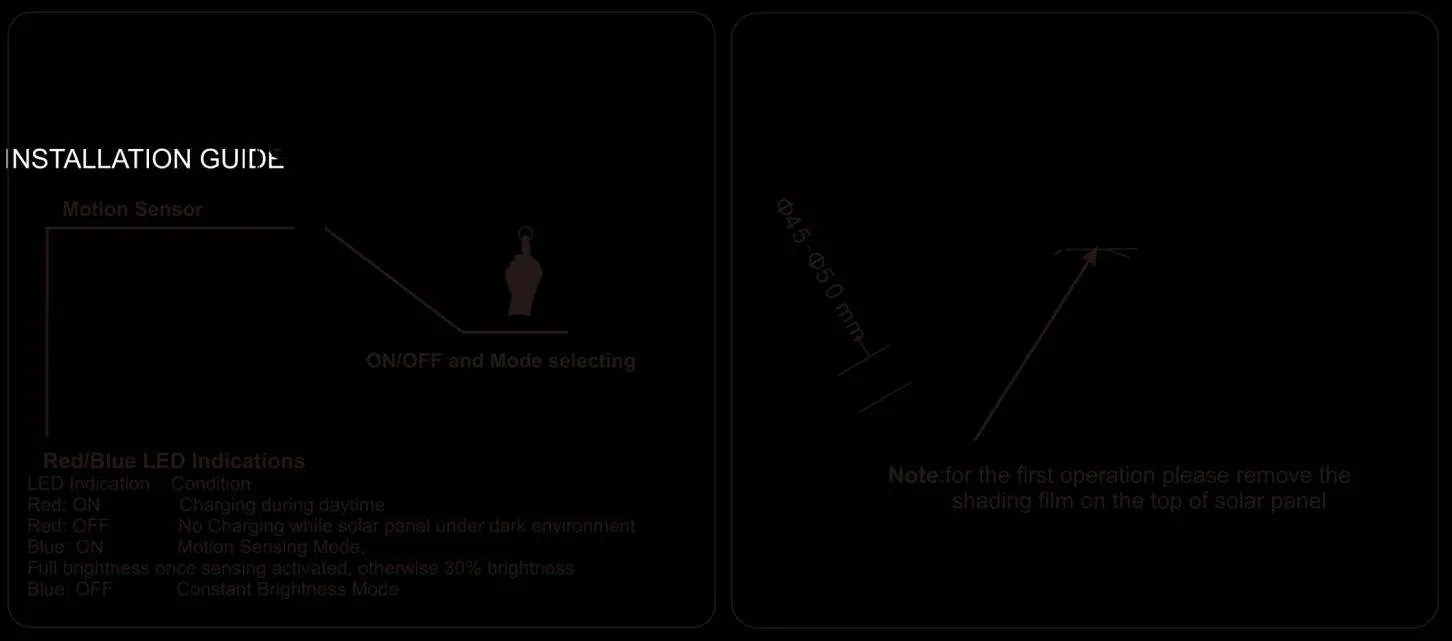
Using the Switch
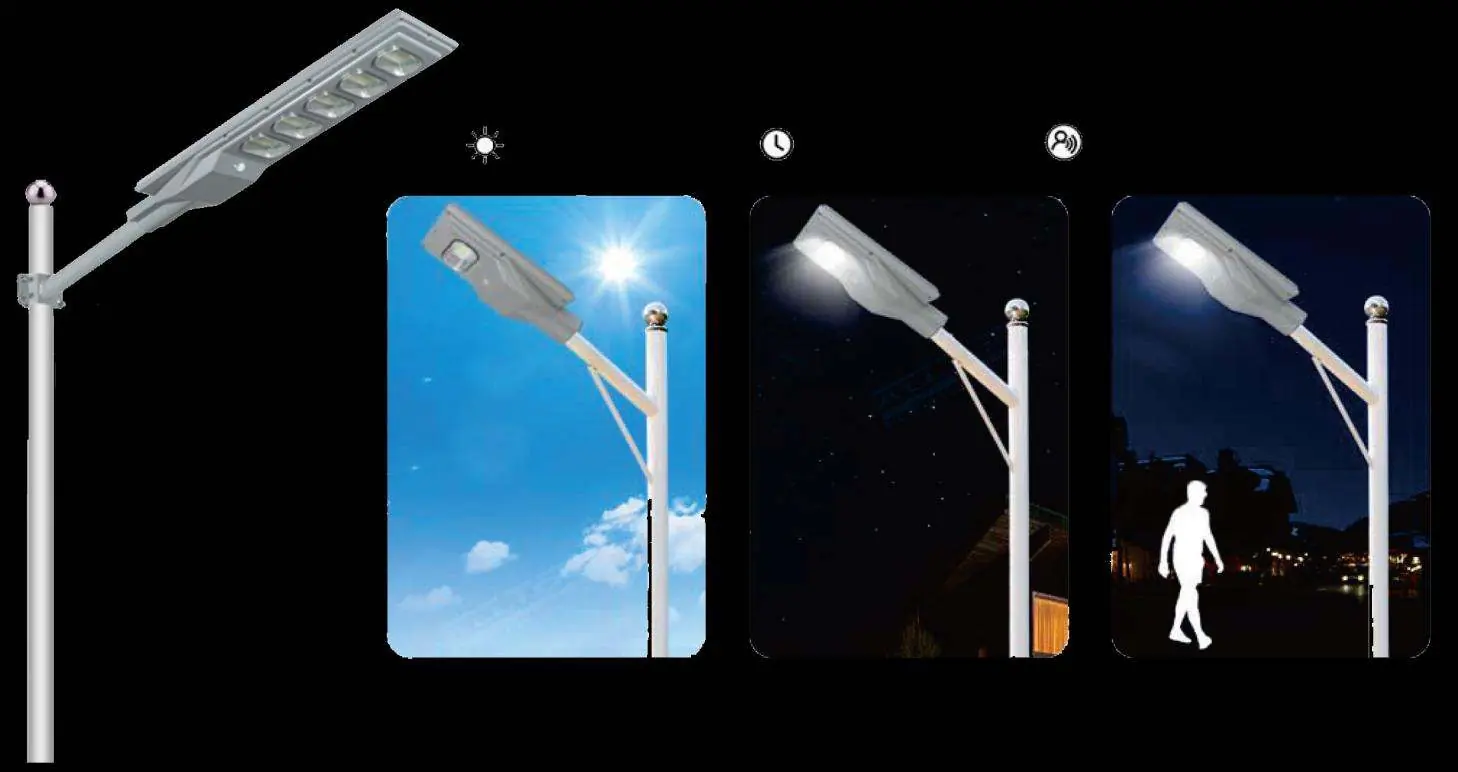
- Motion Sensor Mode: Press the switch once. The lamp will flash once.
- Constant Brightness Mode: Press the switch again. The lamp will flash twice.
- Turn Off: Long press the switch to turn off the lamp.
LED Indications
- Red ON: Charging during daytime.
- Red OFF: No charging (dark environment).
- Blue ON: Motion Sensing Mode (Full brightness when activated, otherwise 30% brightness).
- Blue OFF: Constant Brightness Mode.
Remote Control (Optional)
The remote control allows for convenient operation:
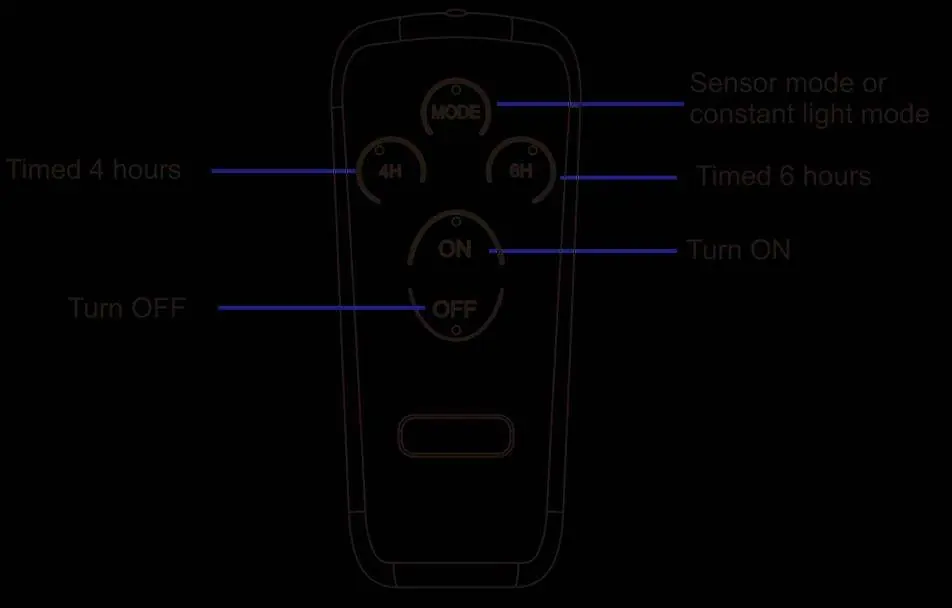
- MODE: Switch between sensor mode or constant light mode.
- 4H / 6H: Set a timer for 4 or 6 hours.
- ON / OFF: Manually turn the light on or off.
Maintenance
The unit is designed for long-term use with a LiFePO4 battery that lasts at least 2000 charge cycles. Keep the solar panel clean and free of obstructions to ensure efficient charging.
Practical help
Common problems
Light is not charging
Ensure the solar panel is installed in direct sunlight and the protective shading film has been removed.
Light does not turn on
Verify the switch was pressed correctly or check if the battery is depleted due to lack of sunlight.
Before use
- Remove the shading film from the top of the solar panel.
- Ensure the installation location receives direct sunlight.
- Verify the mounting angle is approximately 35 degrees.
- Check that the solar panel faces south (or south-to-west).
Specs in practice
- Battery Type
- LiFePO4 3.2V 36AH, designed for long-lasting performance and high cycle life.
- Sensing Method
- PIR Detection, which activates full brightness when motion is detected.
Images and diagrams
- The installation guide shows the optimal 35-degree angle for the solar panel to maximize charging efficiency.
- The remote control diagram illustrates buttons for mode selection, timing, and power.
Model compatibility
- Remote control is optional.

Manual page author
Michael Turner
Technical manual editor
Reviews PDF manuals for structure, safety notes, and practical product details so readers can find the right information quickly.