Automotive / Bicycle Carriers
User Manual for Thule EasyFold 3 2-bike
Comprehensive user guide for the Thule EasyFold 3 2-bike carrier (models 9441, 9442). Includes assembly, installation, bike mounting, and maintenance instructions.
Quick answers from the manual
Quick answer
- The Thule EasyFold 3 2-bike is a tow bar-mounted carrier. Assembly requires the included tools. Always check your vehicle's tow bar load capacity before use. p. 1, 14
Key actions
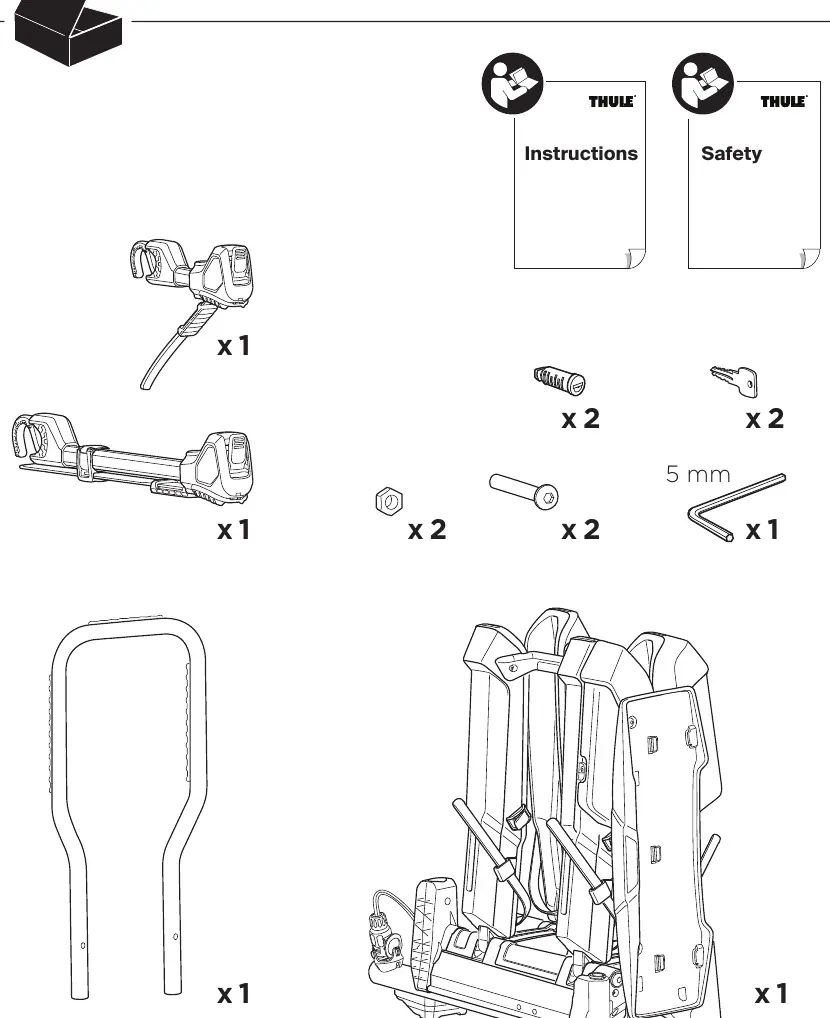
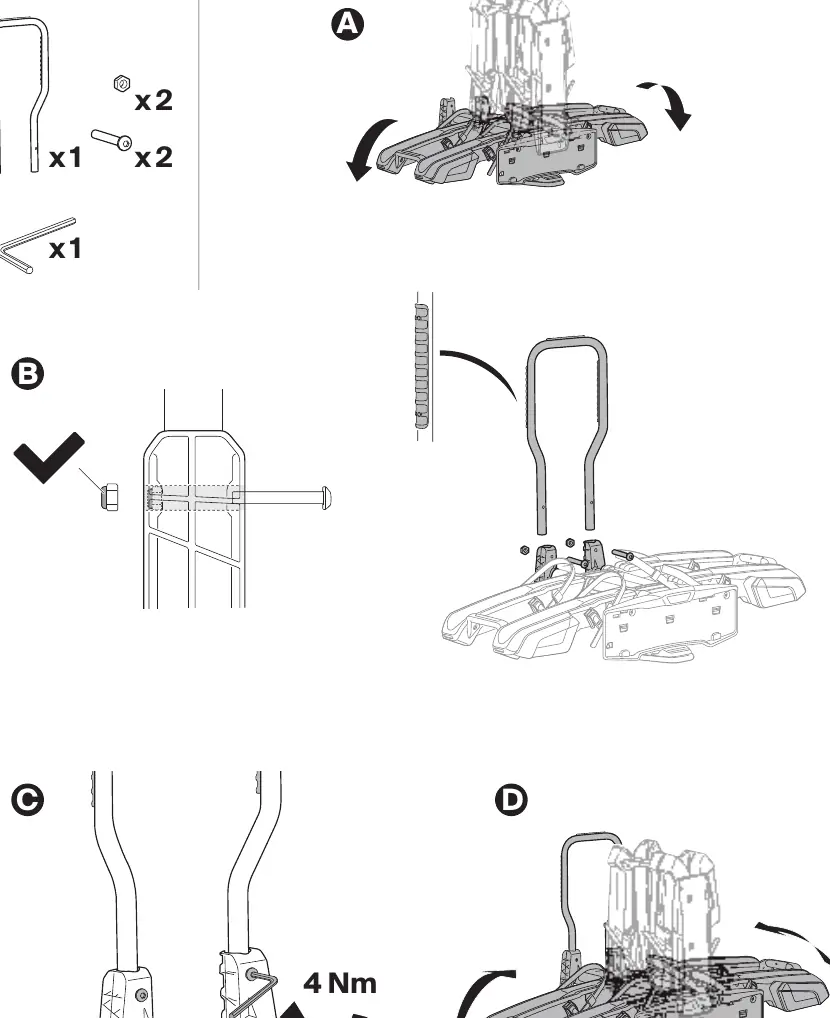
- Assemble the carrier p. 15
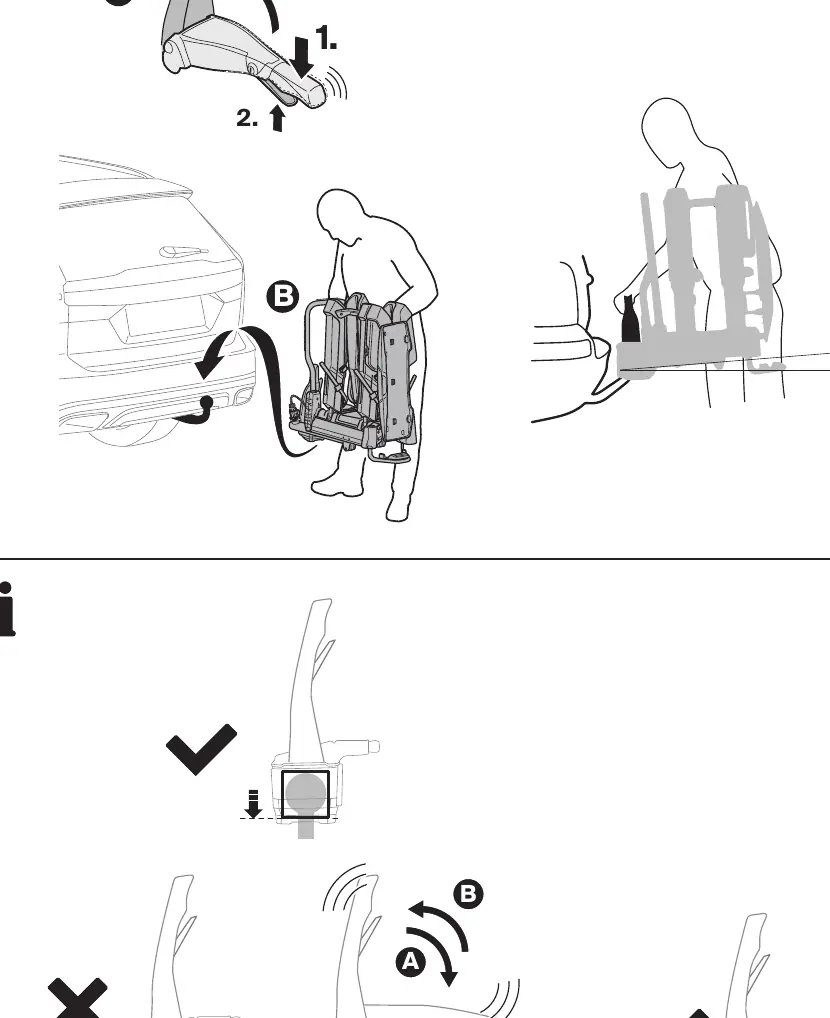
- Mount on tow bar p. 16, 17
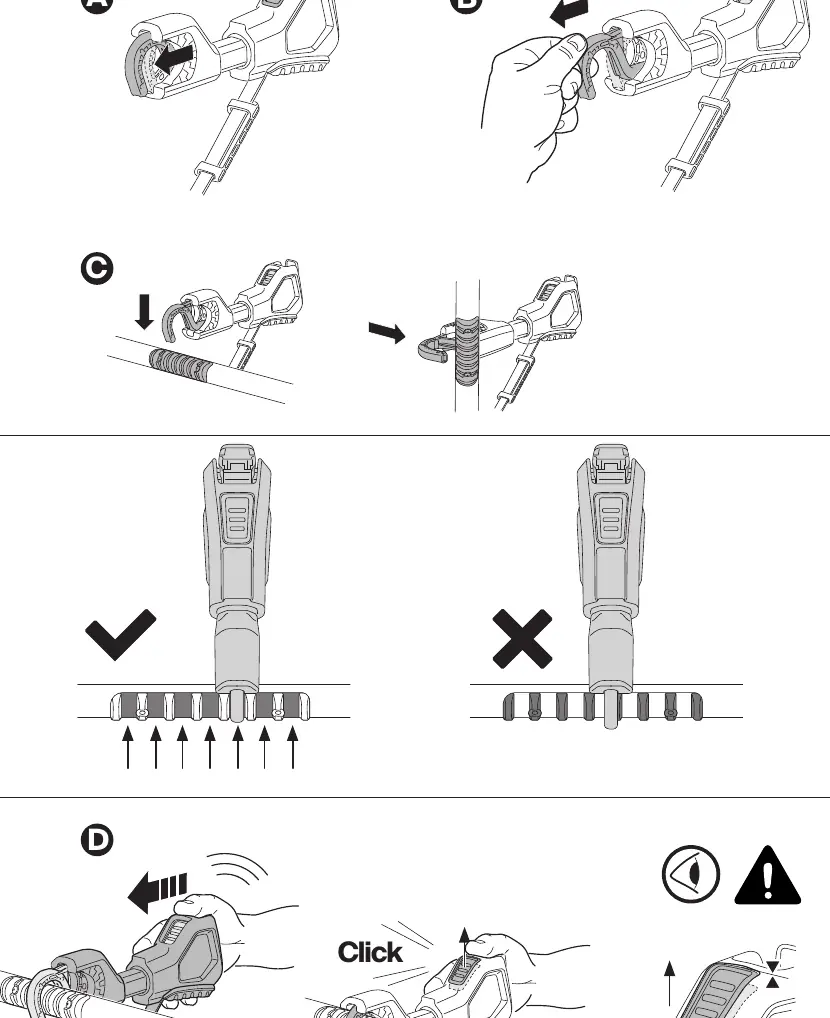
- Load bikes p. 22, 23, 24, 25
Problems and fixes
Carrier unstable
Clean tow bar ball and adjust clamping force.
p. 13, 16Maintenance and reset
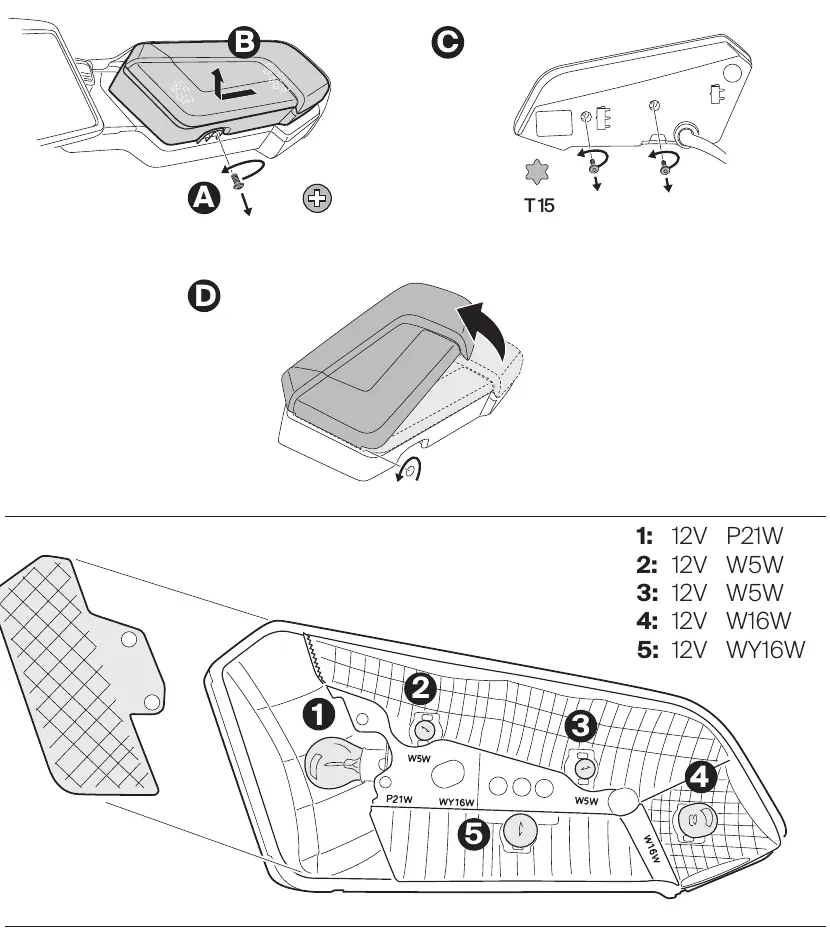
- Replace light bulbs p. 32
Technical specifications
| Parameter | Value | Meaning | Pages |
|---|---|---|---|
| Max bike weight | 30 kg | Maximum weight per bike | p. 14 |
| Frame diameter | 20-90 mm | Compatible bike frame size | p. 23 |
Where to find it in the PDF
- Assembly p. 15
- Installation p. 16, 17
- Loading bikes p. 22, 23, 24, 25
Table of contents
Manual images
Click an image to enlargeQuick Guide from the Manual
The Thule EasyFold 3 2-bike carrier is designed for mounting on a vehicle's tow bar. Before use, ensure your vehicle's tow bar is compatible (Aluminium or GGG40) and check the maximum tow bar load capacity. Always adhere to the 130 km/h speed limit when the carrier is installed.
Assembly
The carrier requires initial assembly of the handle and support structure. Use the provided 5mm hex key and hardware (nuts and bolts) to secure the handle to the base. Ensure all connections are tightened to 4 Nm.
Installation on Tow Bar
1. Place the carrier onto the tow bar ball.2. Push the handle down to lock the carrier in place.3. Ensure the carrier is level and stable. If it moves, adjust the clamping force using the adjustment knob.
Mounting Bikes
1. Open the frame holders.2. Place the bikes onto the carrier rails.3. Secure the bike frames using the frame holders. The holders are compatible with frame diameters between 20-90mm.4. Secure the wheels using the wheel straps. Tighten the straps until secure.
Tilting Function
The carrier can be tilted to allow access to the vehicle trunk. Use the foot pedal to release the locking mechanism and tilt the carrier carefully. Ensure the carrier is locked back in the upright position before driving.
Maintenance
Keep the carrier clean, especially the tow bar ball and clamping mechanism. Lubricate moving parts as needed. If lights are damaged, the light housing can be opened using a T15 screwdriver to replace bulbs (12V P21W, W5W, W16W, WY16W).
Manufacturer information
Thule
Practical help
Common problems
Carrier is unstable on the tow bar
Ensure the tow bar ball is clean and free of grease. Adjust the clamping force using the adjustment knob on the handle.
Bike frame does not fit in the holder
The frame holder is designed for frames between 20-90mm. Ensure the bike is positioned correctly.
Before use
- Check tow bar compatibility (Aluminium or GGG40)
- Verify vehicle tow bar load capacity
- Ensure all parts are present (see page 12)
- Check tire pressure of bikes
- Ensure the carrier is locked securely to the tow bar
Specs in practice
- Max load per bike
- 30 kg
- Frame diameter
- 20-90 mm
Images and diagrams
- Assembly steps (page 15)
- Installation on tow bar (page 16-17)
- Mounting bikes (page 22-25)
- Tilting mechanism (page 26-27)
Model compatibility
- Compatible with tow bars made of Aluminium or GGG40.
- Check vehicle-specific tow bar load capacity before loading.

Manual page author
David Miller
Documentation analyst
Organizes user manual content into clear summaries, with attention to model details, product context, and everyday usability.