Industrial / Cooling Units
User Manual for Tradequip 1039T Ultrasonic Parts Cleaner
Quick guide for the Tradequip 1039T Ultrasonic Parts Cleaner. Learn how to safely operate, clean, and maintain your 36L ultrasonic cleaner, including setup, solution selection, and safety warnings.
Table of contents
Manual images
Click an image to enlargeQuick guide from the manual
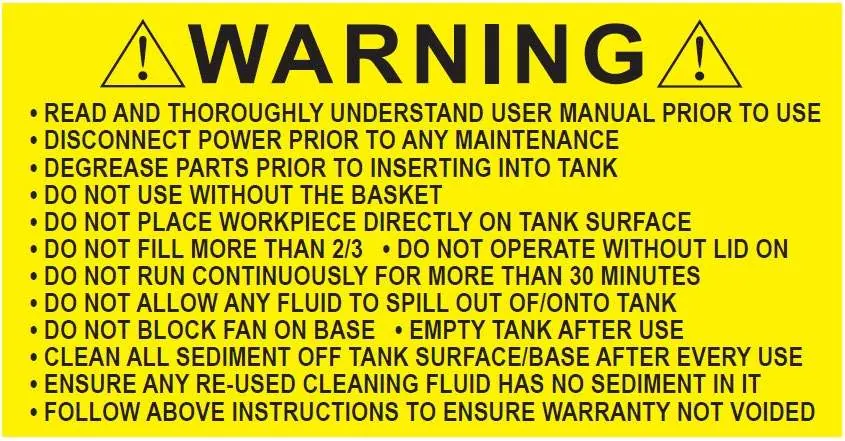
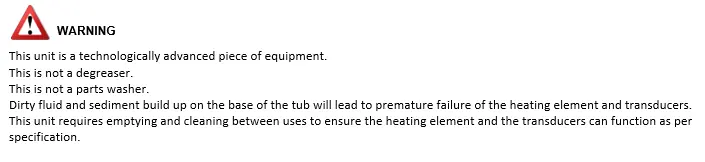
The Tradequip 1039T is a 36L ultrasonic parts cleaner designed for workshop use. Crucial safety rules: Never run the unit without fluid, do not use flammable liquids (alcohol, gasoline, etc.), and do not operate continuously for more than 30 minutes. Always use the basket and never place items directly on the tank surface. Empty and clean the tank after every use to prevent sediment build-up, which can damage the heating element and transducers.
Features
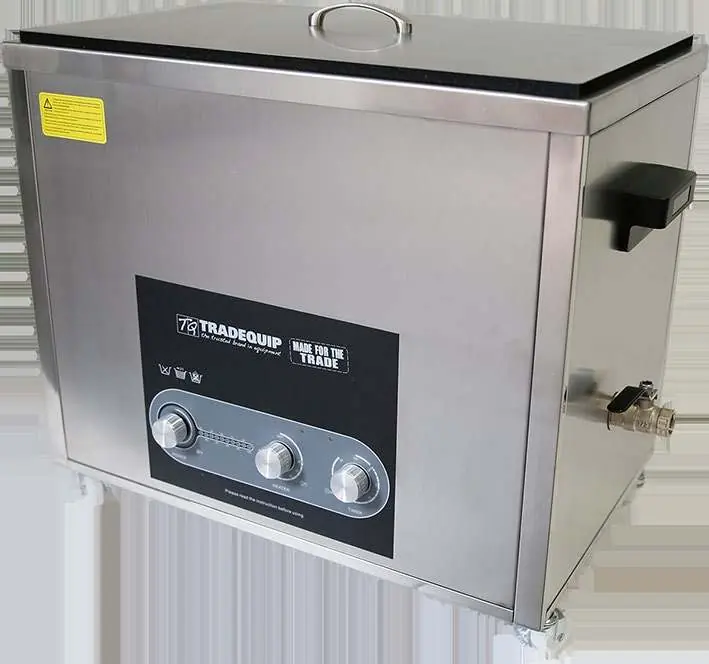
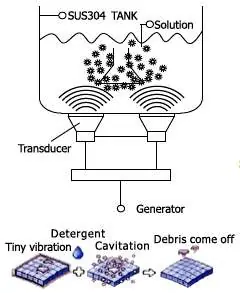
The unit features a stainless steel tank, adjustable ultrasonic power (600W), and heating power (800W). It utilizes high-frequency ultrasonic waves to create microscopic bubbles (cavitation) that scrub contaminants from parts, including those in tiny cracks and crevices.
Assembly
Place the cleaner on a flat, clean surface with adequate ventilation for the cooling fans. Ensure the drain tap is closed. Fill the tank at least 2/3 full with a suitable water-based cleaning solution. Ensure the power lead is securely connected and away from moisture.
Operation
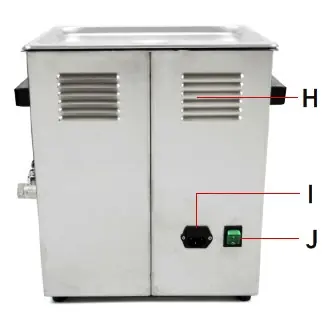
1. Power: Plug into a grounded outlet and turn on the main power switch on the back. 2. Ultrasonic Power: Turn the 'Power' knob clockwise to select the desired intensity (10%-100%). 3. Heating: Turn the 'Heater' knob to set the temperature (20°C-80°C). The heater will stop automatically when the set temperature is reached. 4. Timer: Turn the 'Timer' knob to set the duration (0-30 minutes) or turn counter-clockwise to 'ON' for continuous operation. The cleaner will start once the timer is set.
Cleaning Solutions
Use only non-flammable water-based solutions. Water-based: Slightly acidic or alkaline detergents. Acidic: Removes rust, tarnish, or scale. Alkaline: Includes carbonates/silicates for emulsifying action. Do not use alcohol, gasoline, bleach, mineral acids, or combustible liquids.
Maintenance
Disconnect power before any maintenance. Inspect for loose hardware, misaligned parts, or damage. Clean and dry the tank thoroughly after each use to prevent limescale. Ensure no residual water remains in the tank.
Service & Repair
If the unit is damaged or operates abnormally, remove it from service. Repairs must be performed by an authorized service agent using identical TradeQuip replacement parts. Annual inspection is recommended.
Manufacturer information
TradeQuip
Practical help
Common problems
Cleaner not starting
Ensure the timer is set and the power switch on the back of the machine is turned on.
Heater not working
The heater will not start if the pre-set temperature is lower than the ambient temperature.
Discontinuous surges in the tank
Add or release a small amount of washing solution to stabilize the fluid level.
Premature failure of heating element/transducers
Empty and clean the tank between uses to prevent dirty fluid and sediment build-up.
Before use
- Inspect for cracked joints, loose hardware, or damaged parts.
- Ensure the drain tap is in the closed position.
- Fill the tank at least 2/3 full with a water-based solution.
- Ensure the unit is on a flat, stable surface with adequate ventilation.
- Wear protective clothing, gloves, and goggles.
- Ensure the basket is used; do not place items directly on the tank surface.
Specs in practice
- Ultrasonic Power
- 600W (Adjustable) - controls the intensity of the cleaning action.
- Heating Power
- 800W - heats the solution to improve cleaning efficiency (20-80°C).
- Tank Capacity
- 36 Litres - maximum volume of cleaning fluid.
Images and diagrams
- The control panel features three knobs: Power (ultrasonic intensity), Heater (temperature), and Timer (duration).
- The rear panel contains the power input and the main power switch.
Model compatibility
- Do not use alcohol, gasoline, bleach, mineral acids, or combustible liquids.
- Not suitable for soft jewellery (pearls, coral, ivory), glued items, or non-diver watches.
- Only use non-flammable water-based solutions.

Manual page author
Michael Turner
Technical manual editor
Reviews PDF manuals for structure, safety notes, and practical product details so readers can find the right information quickly.