Tools / Woodworking Tools
Operating and Safety Instructions for Triton 1400W Dual Mode Precision Plunge Router MOF001
Quick guide for the Triton 1400W Dual Mode Precision Plunge Router (MOF001). Includes setup, operation, depth adjustment, maintenance, and troubleshooting.
Table of contents
Manual images
Click an image to enlargeQuick guide from the manual
This manual provides essential safety and operating instructions for the Triton 1400W Dual Mode Precision Plunge Router (MOF001). Always disconnect the tool from the power supply before making any adjustments, changing accessories, or performing maintenance. Wear appropriate personal protective equipment, including eye, ear, and respiratory protection, as well as gloves.
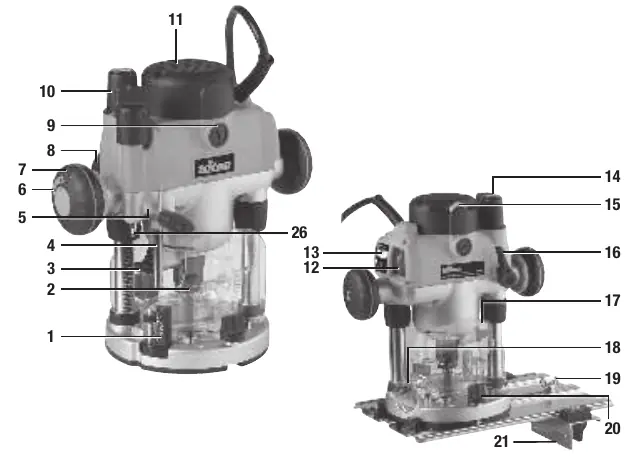
Product Familiarisation
The router features a turret stop system, micro-winder for depth adjustment, and a dual-mode plunge mechanism. Key components include the chuck, shaft lock pin, depth stop, and speed controller.
Before Use
Collet and Cutter Installation
Place the router upside down on a flat surface. Plunge to maximum depth by pressing the Winder Handle Clutch Ring and turning the Winder Handle. Use the provided spanner to loosen the collet. Insert the cutter (at least 20mm or half the shaft) and tighten.
Dust Extraction
The dust extraction port accepts 38mm (1 1/2") outer-diameter hoses and is compatible with Triton dust collection systems.
Operation
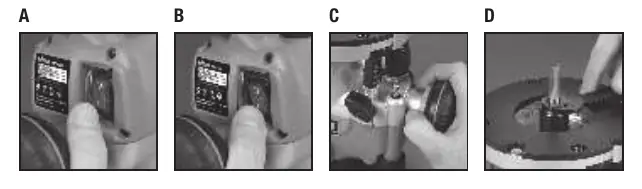
Switching On and Off
The Retracting Power Switch Cover prevents accidental starting. Retract the cover to access the power switch.
Depth Adjustment
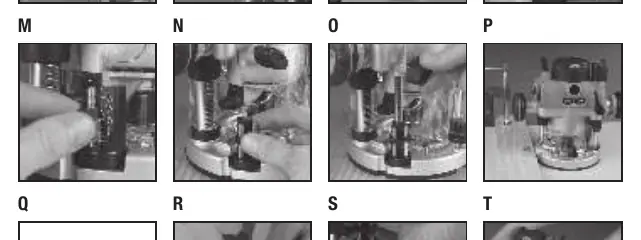
Three methods are available: Free Plunge, Winder Handle, and Micro Winder. Use the turret stops for pre-setting up to three different cut depths.
Maintenance
Regularly check fixing screws and the supply cord. Keep the tool clean and lubricate moving parts. Replace carbon brushes when worn.
Practical help
Common problems
No function when Power Switch is operated
Check power supply; replace switch at authorized service centre.
Inaccurate cutting profile
Adjust Depth Stop; tighten router bit/collet.
Excessive vibration
Refit or tighten router bit; replace if bent.
Micro Winder clicks
Release Plunge Lock Lever; reset Micro Winder.
Before use
- Ensure tool is disconnected from power.
- Wear protective gloves when handling cutters.
- Ensure Depth Stop is fully retracted before collet access.
- Check that the collet size matches the cutter shank.
- Ensure the plunge spring is removed if using in a router table.
Specs in practice
- No-load speed: 8000 to 21,000 min-1
- Variable speed range for different cutter diameters.
- Collet: 1/4" & 8mm
- Supported shank sizes for router bits.
- Max cutter diameter: 55mm
- Maximum size for hand-held use (50mm for table use).
- Plunge Range: 59mm
- Maximum depth of cut.
Images and diagrams
- Page 2 shows the main components (1-26) including Turret Stops, Chuck, and Micro Winder.
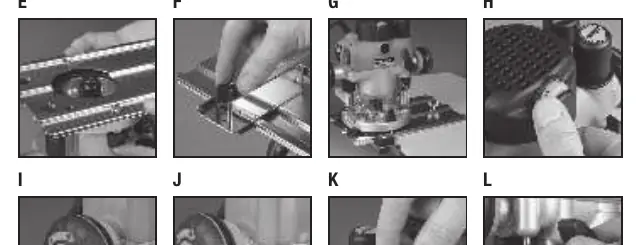
- Page 6-7 images show collet installation (C, D), baseplate installation (E, F, G), and switch operation (A, B).
Model compatibility
- Compatible with Triton Precision Router Table (RTA300) and Workcentre Router Table Module (WX7RT001).
- Dust extraction port accepts 38mm (1 1/2") outer-diameter hose.

Manual page author
Emily Carter
User documentation editor
Prepares concise manual descriptions and highlights the most useful setup, operation, and maintenance information for readers.