Lighting / Fixtures
Utilitech 2-in-1 Magnetic Wireless Charging Pad User Guide
Quick guide for the Utilitech 2-in-1 Magnetic Wireless Charging Pad. Includes setup instructions, technical specifications, safety warnings, and troubleshooting tips.
Quick answers from the manual
Quick answer
- The Utilitech 2-in-1 Magnetic Wireless Charging Pad is designed to charge an iPhone (up to 15W) and a watch (5W) simultaneously using the included 30W USB-C adapter. p. 1
Key actions
- Connect the USB-C cable to the charging pad and the 30W adapter, then plug into a power outlet. p. 1
Problems and fixes
Magnetic attraction is not strong enough
Check for interference between the product and the phone; remove the phone case if it is too thick.
p. 1Maintenance and reset
- Clean the charging port regularly and avoid high/low temperatures. p. 1
Technical specifications
| Parameter | Value | Meaning | Pages |
|---|---|---|---|
| Input | 5V/3A, 9V/3A | Power input requirements | p. 1 |
| Output 1 | 15W | Max output for iPhone | p. 1 |
| Output 2 | 5W | Output for watch | p. 1 |
Where to find it in the PDF
- English User Guide p. 1
- Spanish User Guide p. 2
Table of contents
Manual images
Click an image to enlargeQuick guide from the manual
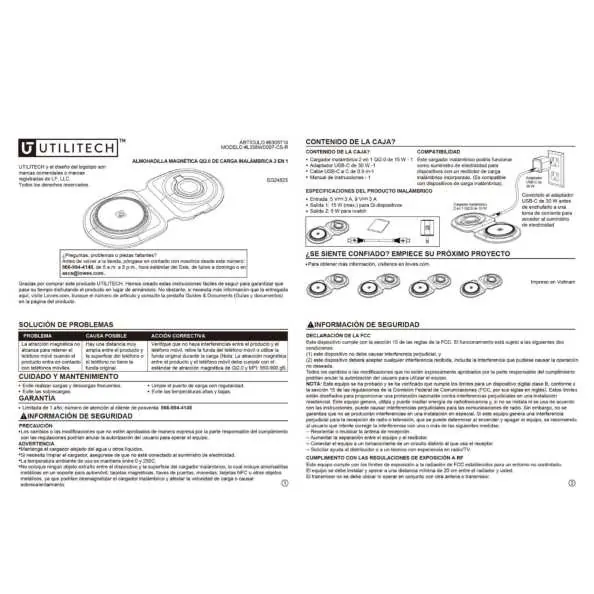
The Utilitech 2-in-1 Magnetic Wireless Charging Pad is designed to charge compatible devices wirelessly. Ensure you have all components from the box before starting: the charging pad, the 30W USB-C adapter, and the USB-C to C cable.
Setup and connection
To set up the device:
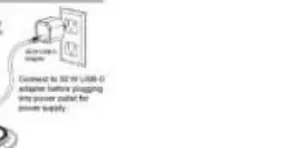
- Connect the USB-C cable to the charging pad.
- Plug the other end of the USB-C cable into the included 30W USB-C power adapter.
- Connect the power adapter to a wall outlet.
- Place your compatible devices on the charging surfaces.
Product specifications
- Input: 5V/3A, 9V/3A
- Output 1 (iPhone): 15W (max)
- Output 2 (Watch): 5W
Safety information
Follow these safety precautions to ensure proper operation and prevent damage:
- Keep the charger away from water or other liquids.
- Do not overcharge the device.
- Avoid exposing the charger to high or low temperatures.
- Do not place foreign objects (metal parts, magnets, credit cards, NFC cards) on the charging surface, as these can cause overheating or demagnetization.
- Ensure the charger is not connected to the power supply when cleaning.
Care and maintenance
- Clean the charging port regularly.
- Avoid frequent charging and discharging cycles.
Troubleshooting
If you experience issues with magnetic attraction:
- Check for interference between the product and the mobile phone.
- Remove the mobile phone case if it is too thick or interferes with the magnetic connection.
Manufacturer information
Utilitech
Practical help
Common problems
Magnetic attraction is weak or phone does not charge
Check for interference between the product and the phone. Remove the phone case if it is too thick or interferes with the magnetic attraction.
Before use
- Ensure you have the charging pad, 30W USB-C adapter, and USB-C to C cable.
- Connect the adapter to a power outlet.
- Ensure the phone case is compatible with magnetic charging.
Images and diagrams
- The diagram illustrates connecting the USB-C cable from the charging pad to the 30W USB-C power adapter.
Model compatibility
- Compatible with devices with built-in wireless charging receivers.

Manual page author
Michael Turner
Technical manual editor
Reviews PDF manuals for structure, safety notes, and practical product details so readers can find the right information quickly.