Electronics / Video Transmission
User Manual for VigilLink VLIP-SDFC-TRX 10G SDVoE Transceiver
Quick guide for the VigilLink VLIP-SDFC-TRX 10G SDVoE HDMI 4K60 transceiver. Includes installation, rack mounting, web GUI configuration, and network switch requirements.
Table of contents
Manual images
Click an image to enlargeQuick guide from the manual
The VigilLink VLIP-SDFC-TRX is a flexible SDVoE-compliant transceiver that can function as either an Encoder or a Decoder. It supports uncompressed 4K60 4:4:4 video over 10G networks. Key setup steps include connecting the device to a 10G managed network switch, configuring the mode (Encoder/Decoder) via the front panel button, and accessing the Web GUI for advanced settings. The device supports PoE, but a 12V power adapter is included if the switch does not support it.
Device Overview
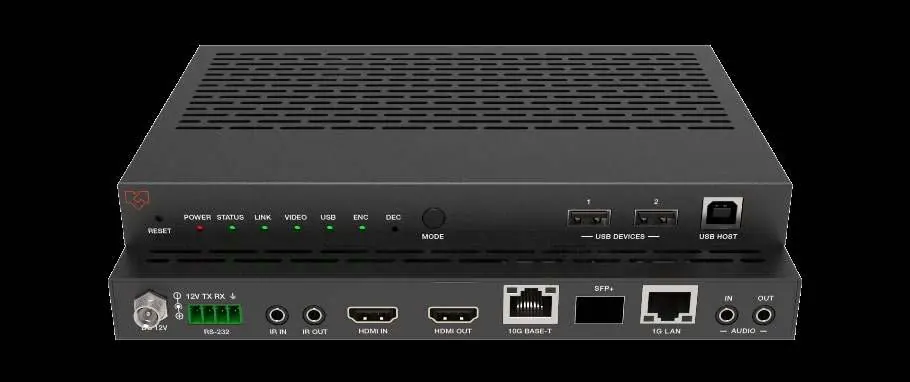
The transceiver features a metal enclosure with various ports for AV and control. The front panel includes status LEDs (Power, Status, Link, Video, USB, ENC, DEC) and a Mode button. The rear panel houses HDMI, Audio, IR, RS-232, and network ports (10G Base-T, SFP+, 1G LAN).
Package Contents
- 1 x SDVoE Transceiver
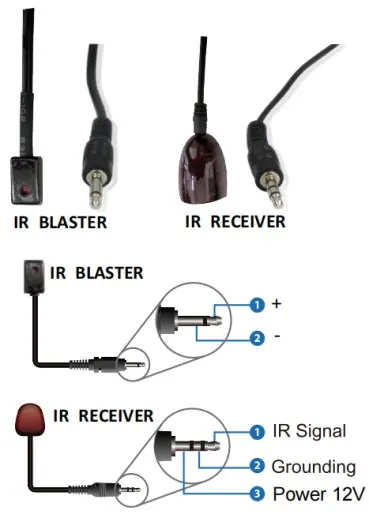
- 1 x 12V IR Receiver cable (1.5 meters)
- 1 x IR Blaster cable (1.5 meters)
- 1 x 4-pin 3.81mm phoenix connector
- 1 x 12V/2.5A Locking power adapter
- 2 x Mounting ears
- 4 x Machine screws (KM3*6)
- 1 x User Manual
Specifications
- HDMI Compliance: HDMI 2.0b, HDCP 2.2
- Video Resolution: Up to 4K@60Hz 4:4:4
- Video Bandwidth: 18Gbps
- Transmission Distance: 100M (CAT6A/7) / 90M (CAT6)
- Power Consumption: Approx. 13.5W
- Dimensions: 204mm x 134mm x 21.5mm
Operation Controls
The front panel allows for mode switching and status monitoring. Press and hold the MODE button for 5 seconds to switch between Encoder (ENC) and Decoder (DEC) modes. The rear panel provides connectivity for HDMI sources/displays, network switches, and control signals (IR/RS-232).
Rack Mounting
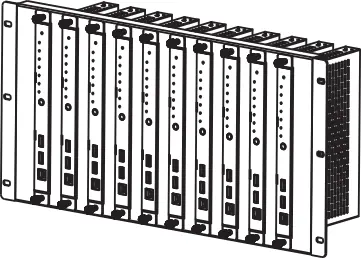
The transceiver supports both 6U and 1U rack mounting. For 6U racks, attach the included mounting ears to the transceiver and secure it into the rack. For 1U racks, stack two transceivers, attach 1U rack panels, and fasten them together to mount up to four units horizontally.
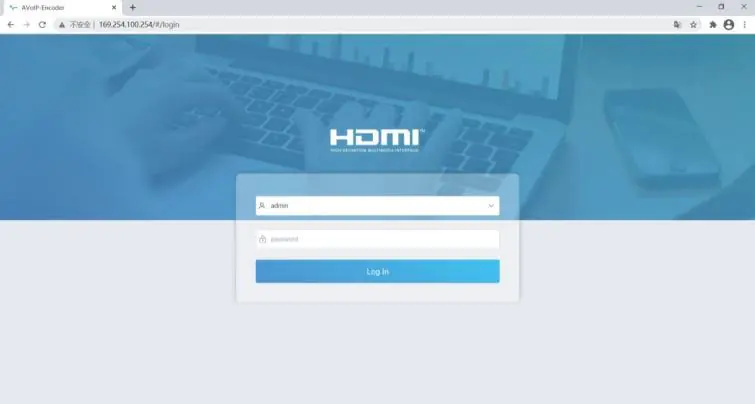
Web GUI and Preview Stream
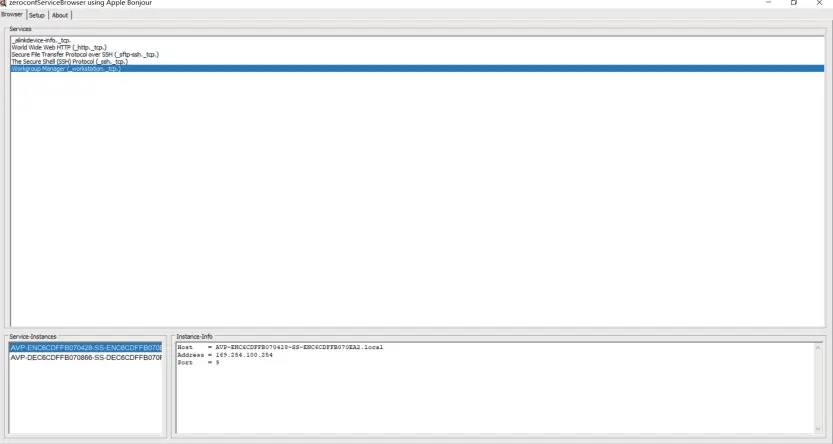
To configure the device, connect a PC to the transceiver. Set the PC's IP address to 169.254.100.100 (Subnet mask 255.255.0.0). Use a Bonjour protocol checking tool to find the Encoder's IP address. Access the Web GUI via a browser using the default credentials (username: admin, password: admin). You can also stream the Secondary Stream using VLC Media Player by entering the network URL (rtsp://169.254.100.254/live/main/av_stream).
Network Switch Requirements
The system requires a 10G managed network switch with the following features: Layer 3 support, 10 Gigabit bandwidth, IGMP version 2 support, IGMP version 2 snooping enabled, filtering/dropping of unregistered multicast traffic, disabling of unregistered multicast flooding, and fast leave support.
Application Example
The transceiver is designed for AV over IP systems, allowing multiple Encoders and Decoders to be connected via a 10G Ethernet switch. A controller box can manage the system, enabling video wall and multiview functions.
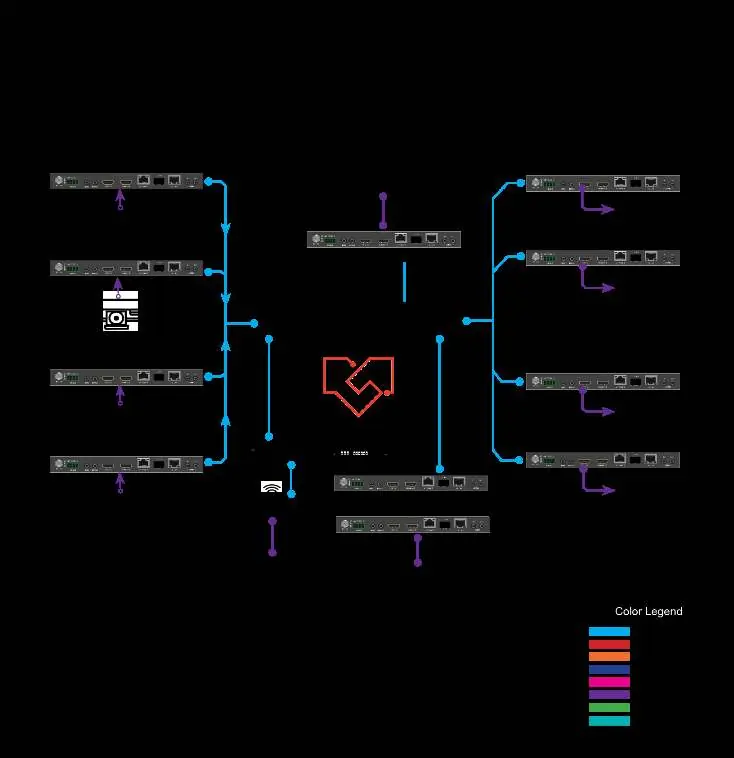
Practical help
Common problems
Cannot access Web GUI
Ensure the PC is on the same network segment (169.254.x.x) or use a Bonjour browser to discover the device IP.
No video signal
Verify the device is in the correct mode (ENC/DEC). Check HDMI cable connections and ensure the network switch supports IGMP v2.
Device not found on network
Check if the network switch is a 10G managed switch with IGMP snooping enabled.
Before use
- Verify 10G managed network switch with IGMP v2 support.
- Ensure Cat6A/7 cables are used for optimal distance.
- Check power source (PoE or included 12V adapter).
- Install a Bonjour protocol checking tool on the PC.
- Set PC IP address to 169.254.100.100 for initial configuration.
Specs in practice
- Encoder/Decoder
- A single unit can be configured as either an input (Encoder) or output (Decoder) device.
- Secondary Stream
- An H.264/H.265 stream used for previewing video on portable devices.
Images and diagrams
- Front panel LEDs indicate power, status, link, and current mode (ENC/DEC).
- Rear panel provides HDMI, Audio, IR, RS-232, and network connectivity.
Model compatibility
- Requires 10G managed network switch.
- Supports PoE (802.3at).
- Compatible with VLC media player for preview streams.

Manual page author
Michael Turner
Technical manual editor
Reviews PDF manuals for structure, safety notes, and practical product details so readers can find the right information quickly.