Baby / Baby Toys
User Manual for VTech My 1st Gift Set
Quick guide for the VTech My 1st Gift Set. Includes battery installation, operation, maintenance, and troubleshooting steps for the electronic piano.
Quick answers from the manual
Quick answer
- The VTech My 1st Gift Set includes an electronic piano, flower mirror, frog rattle, and hippo teether. The piano requires 3 AAA batteries and features volume control and automatic shut-off. p. 3, 4, 5, 7
Key actions
- Install batteries p. 5
- Turn on/off p. 6
First start
- Remove packaging locks p. 4
Problems and fixes
Unit stops working
Turn off, remove batteries, wait, replace batteries, turn on. If it fails, use new batteries.
p. 9Maintenance and reset
- Resetting the unit p. 9
Technical specifications
| Parameter | Value | Meaning | Pages |
|---|---|---|---|
| Batteries | 3 x AAA (AM-3/LR6) | Power source | p. 5 |
Where to find it in the PDF
- Battery Installation p. 5
- Troubleshooting p. 9
Table of contents
Manual images
Click an image to enlargeQuick guide from the manual
The VTech My 1st Gift Set is designed for babies and includes a soft hippo teether, a peek-a-boo mirror, a frog rattle, and an electronic piano. The electronic piano requires 3 AAA batteries and features volume control and automatic shut-off to preserve battery life.
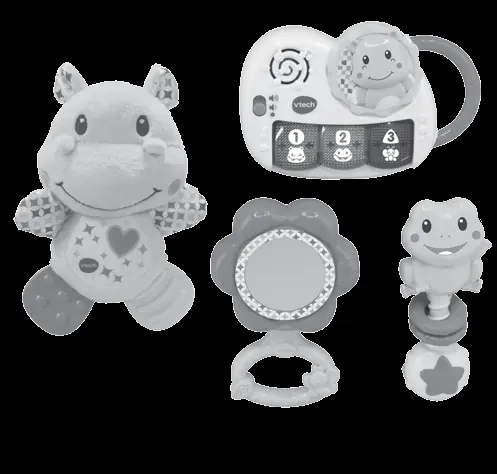
Included in this package
- One electronic piano
- One flower mirror
- One frog rattle
- One hippo teether
- One Parent's Guide
Warning: All packing materials, such as tape, plastic sheets, packaging locks, removable tags, cable ties, and packaging screws are not part of this toy and should be discarded for your child's safety.
Battery installation
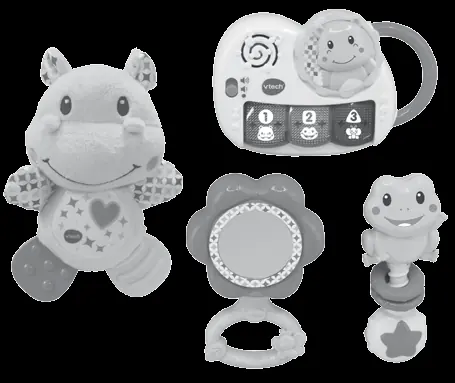
- Ensure the unit is turned Off.
- Locate the battery cover on the bottom of the electronic piano. Use a screwdriver to loosen the screw.
- Install 3 new AAA (AM-3/LR6) batteries following the diagram inside the battery box. New alkaline batteries are recommended for maximum performance.
- Replace the battery cover and tighten the screw to secure it.
Product features
Volume Control: To turn the piano On, slide the Off / Low Volume / High Volume Switch to the Low Volume or the High Volume position. To turn the piano Off, slide the switch to the Off position.
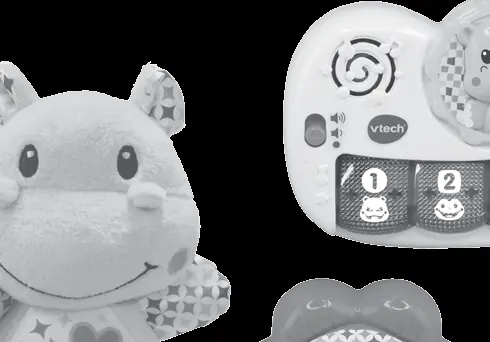
Automatic Shut Off: To preserve battery life, the piano will automatically power down after approximately 50 seconds without input. The unit can be turned on again by pressing any button.
Activities
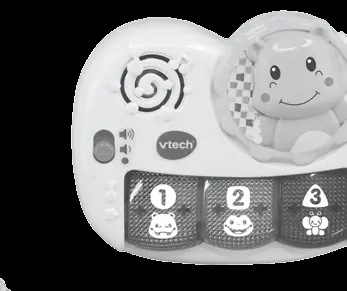
Light Up Piano Keys: Press the Light Up Piano Keys to learn about animals, numbers, colours, and shapes, and to hear playful songs and music. The lights will flash with the sounds.
Care and maintenance
- Keep the unit clean by wiping it with a slightly damp cloth.
- Keep the unit out of direct sunlight and away from any direct heat sources.
- Remove the batteries when the unit will not be in use for an extended period of time.
- Do not drop the unit on a hard surface and do not expose the unit to excess moisture.
Troubleshooting
If the program or activity stops working or malfunctions, follow these steps:
- Turn the unit OFF.
- Interrupt the power supply by removing the batteries.
- Let the unit sit for a few minutes, then replace the batteries.
- Turn the unit ON.
- If the product still does not work, install a brand new set of batteries.
Practical help
Common problems
Unit stops working or malfunctions
Turn off, remove batteries, wait a few minutes, replace batteries, and turn on. If it still fails, install brand new batteries.
Before use
- Remove all packaging materials (tape, plastic sheets, locks, tags, cable ties, screws).
- Ensure the unit is turned off.
- Install 3 new AAA (AM-3/LR6) batteries.
Specs in practice
- Auto Shut-Off
- The unit powers down automatically after approximately 50 seconds of inactivity to save battery life.
Images and diagrams
- The electronic piano features an Off/Low/High volume switch and 3 light-up piano keys.
- Packaging locks can be removed by turning them anticlockwise several times.

Manual page author
Emily Carter
User documentation editor
Prepares concise manual descriptions and highlights the most useful setup, operation, and maintenance information for readers.