Computers / Printers
Zebra 105SLPlus Parts Catalog
Official parts catalog for the Zebra 105SLPlus printer. This document provides detailed exploded view diagrams and part numbers for printer components, including casing, print mechanisms, electronics, sensors, and drive systems, to assist...
Table of contents
Manual images
Click an image to enlargeQuick guide from the manual
This document serves as the official parts catalog for the Zebra 105SLPlus printer. It is designed to help users and technicians identify specific components, assemblies, and hardware required for maintenance and repair. The catalog features exploded view diagrams with numbered items corresponding to detailed parts lists, including part numbers and quantities.
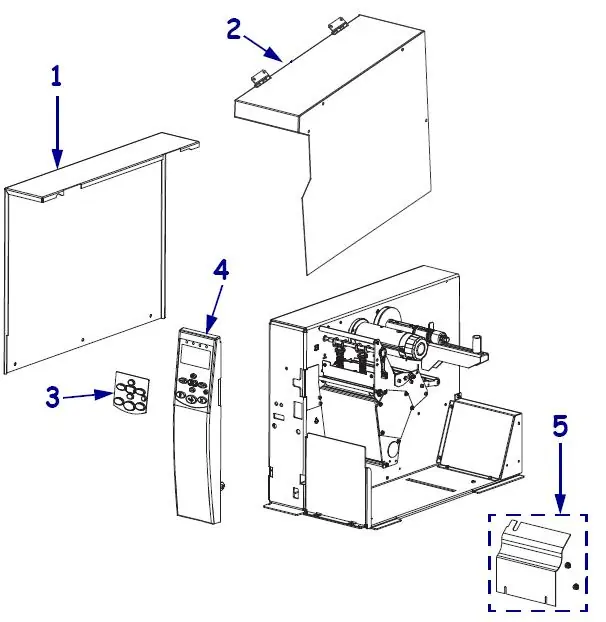
Outer Casing Components
This section covers the external housing of the printer. It includes parts for the electronics cover, media cover, control panel covers, and the front plate for tear-off models. Note that some control panels differ based on whether the printer uses Media Rewind functionality.
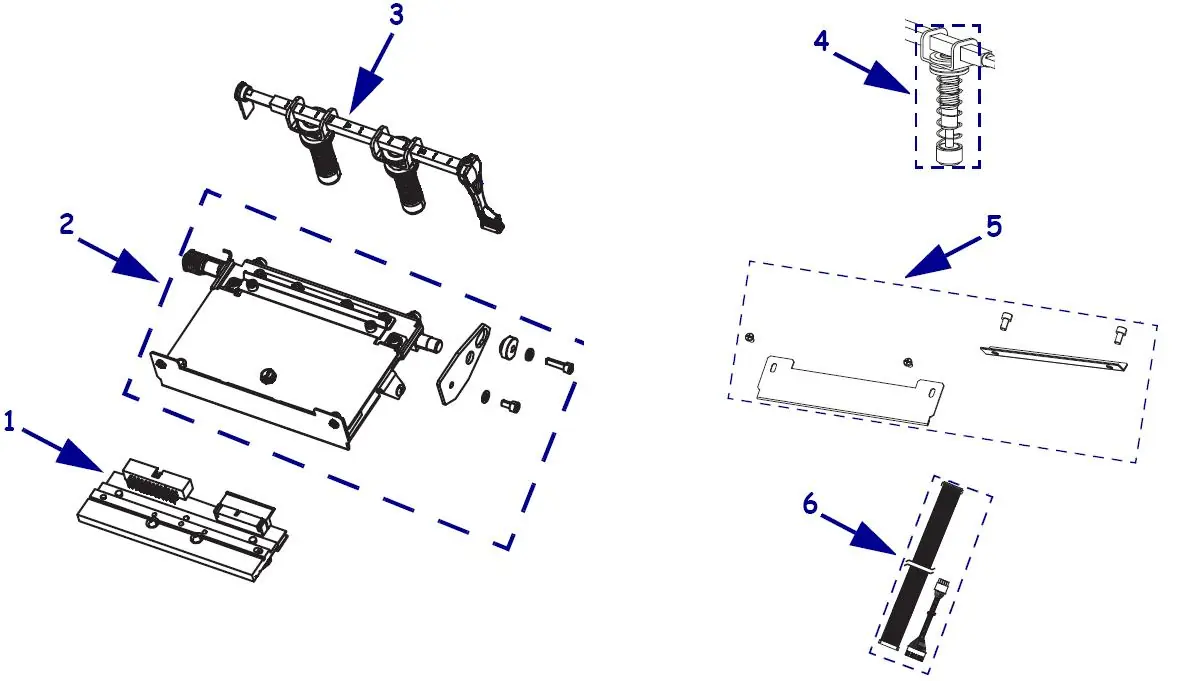
Print Mechanism Components
Details the core printing assembly. Key components include printheads (available in 203 dpi and 300 dpi versions), pivot bar and toggle assemblies, ribbon strip plates, static brushes, and printhead cables for power, data, and ground connections.
Platen Roller
Provides the part number for the platen roller, which is compatible with both 203 dpi and 300 dpi 105SLPlus and 110Xi4 models.
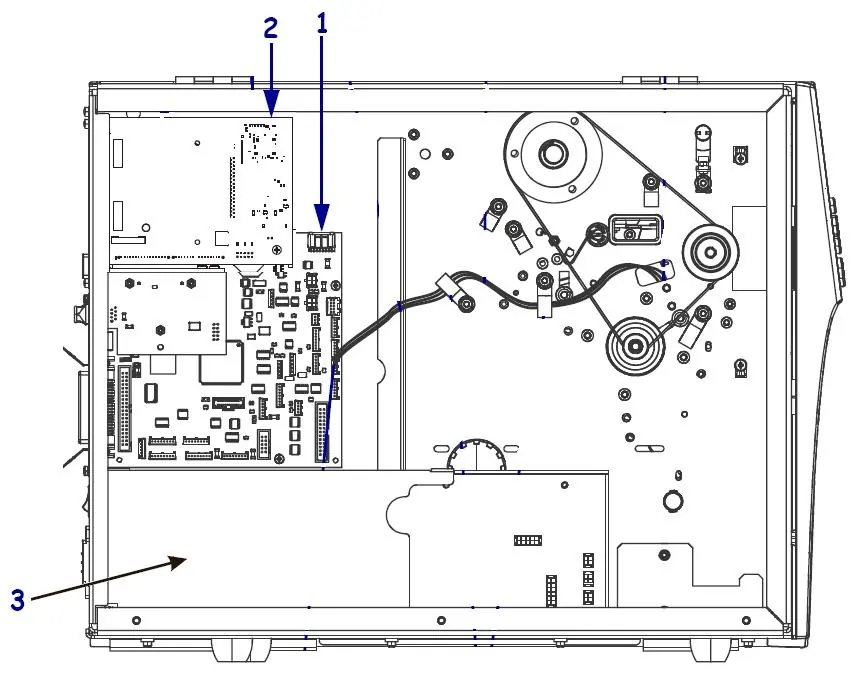
Electronics
Lists internal electronic components, including main logic boards (8MB and 64MB), ZebraNet wireless print servers, power supplies, internal print servers (IPv4/IPv6), and various power cords for different regions (USA, Europe, UK, Japan, China).
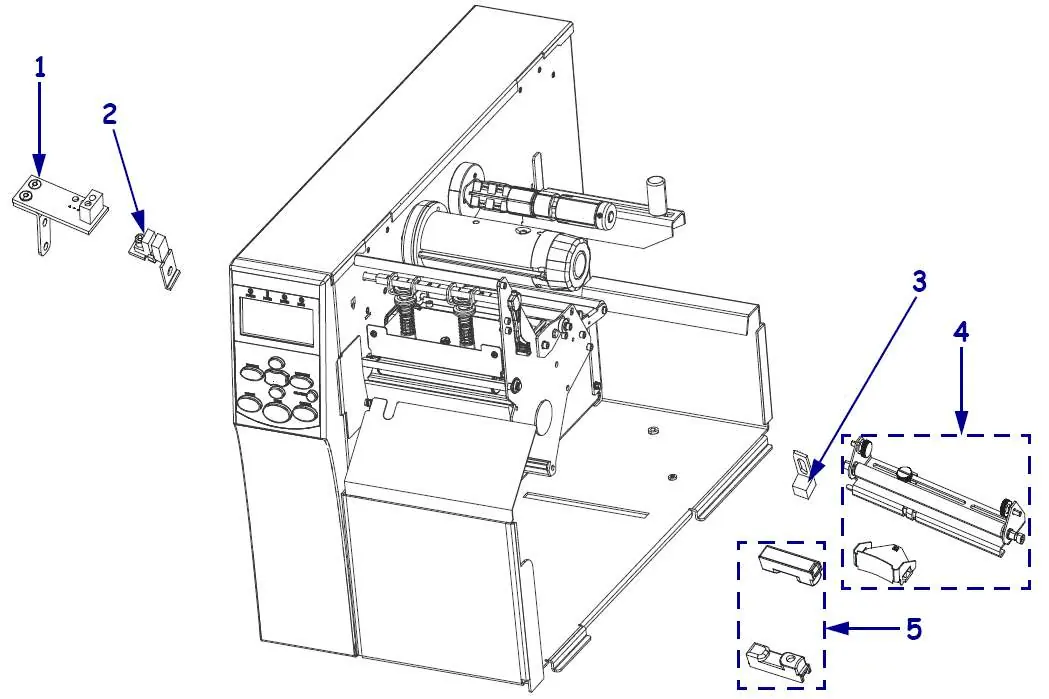
Sensors
Identifies various sensors used in the printer, such as the reflective (black mark) sensor, printhead open sensor, ribbon out sensor, media sensor, and take label sensor.
Drive System Components
Covers the drive system, including the main drive system, main drive belts, drive motors with pulleys (specific to 203 dpi or 300 dpi), and rewind drive systems.
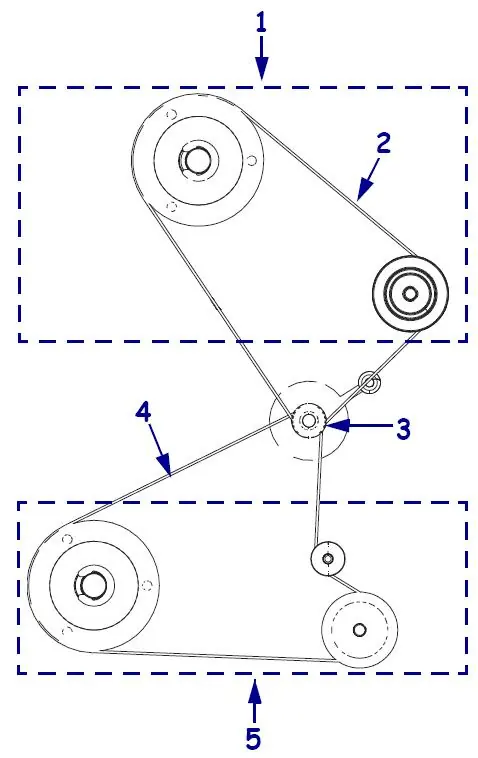
Media and Ribbon Spindles
Lists components for media and ribbon management, including ribbon take-up and supply spindles, media supply hangers, and media rewind spindle replacements.
Dancer, Media Guide, and Ribbon Rollers
Details the dancer assembly, media guide, snap plates, peel tear bars, and ribbon rollers.
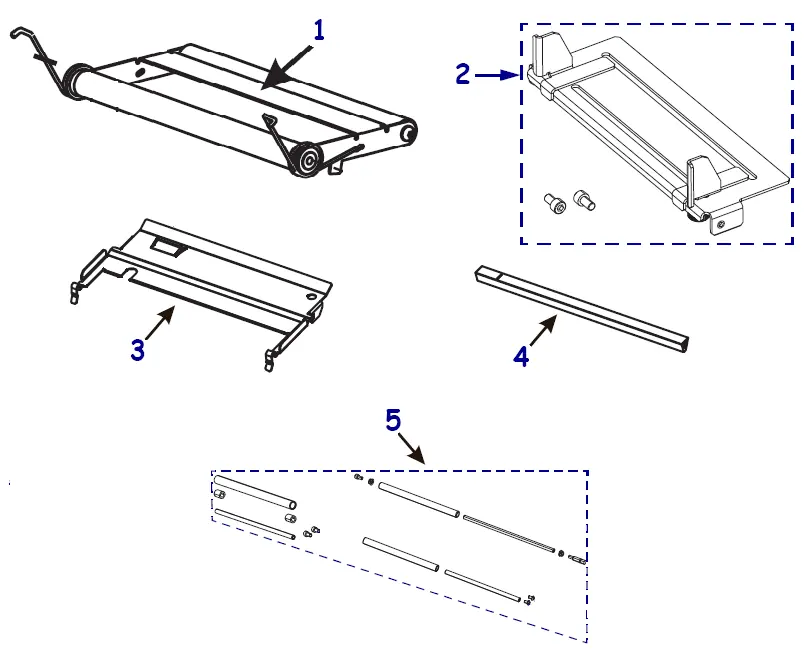
Media Handling Options
Provides parts for optional media handling features, specifically the cutter option and the media rewind option.
Cutter Replacement Components
Lists parts for the cutter module, including the cutter module itself, trays, static brushes, mounting brackets, drive motors, cutter PCBs, and drive linkages.
Hardware
A comprehensive list of miscellaneous hardware, including various cable clamps, nuts, screws, bearings, washers, fuses, and bumper feet.
Support
For assistance, contact Americas Customer Service at +01 877-275-9327.
Manufacturer information
Zebra Technologies
Practical help
Common problems
Identifying correct printhead
Check the printer's DPI (203 or 300) before ordering, as different part numbers apply.
Control panel compatibility
Verify if your printer uses Media Rewind functionality, as the control panel part number differs.
Drive motor mismatch
Ensure the drive motor matches the printer's resolution (203 dpi vs 300 dpi).
Before use
- Identify the specific assembly or component needed using the exploded diagrams.
- Verify the printer model (105SLPlus) and check if parts are shared with the Xi4 series.
- Check the printer resolution (dpi) if ordering printheads, rollers, or motors.
- Confirm if the printer has specific options installed, such as a cutter or media rewind.
Images and diagrams
- Exploded views show the physical relationship between parts.
- Numbers in the diagrams correspond directly to the 'Item Number' column in the adjacent tables.
Model compatibility
- Many parts are compatible with both 105SLPlus and Xi4 series printers.
- Always verify the part number against the specific printer configuration.

Manual page author
David Miller
Documentation analyst
Organizes user manual content into clear summaries, with attention to model details, product context, and everyday usability.