Computers / Mobile Computers
Release Notes for Zebra Android Oreo 02-52-21.00-OG-U16-STD
Quick guide to the Zebra Android Oreo 02-52-21.00-OG-U16-STD release notes. Includes software update details, security patches, resolved issues, installation requirements, and device compatibility.
Table of contents
Manual images
Click an image to enlargeQuick Guide to Release Notes
This document provides release notes for the Android GMS Oreo LifeGuard release 02-52-21.00-OG-U16-STD. These patches are cumulative and include all previous fixes from earlier releases. This update is intended for a specific family of Zebra mobile computers.
Software Update Details
The release includes critical security updates and various bug fixes. Key version information includes:
- Product Build Number: 02-52-21.00-OG-U16-STD
- Android Version: 8.1.0
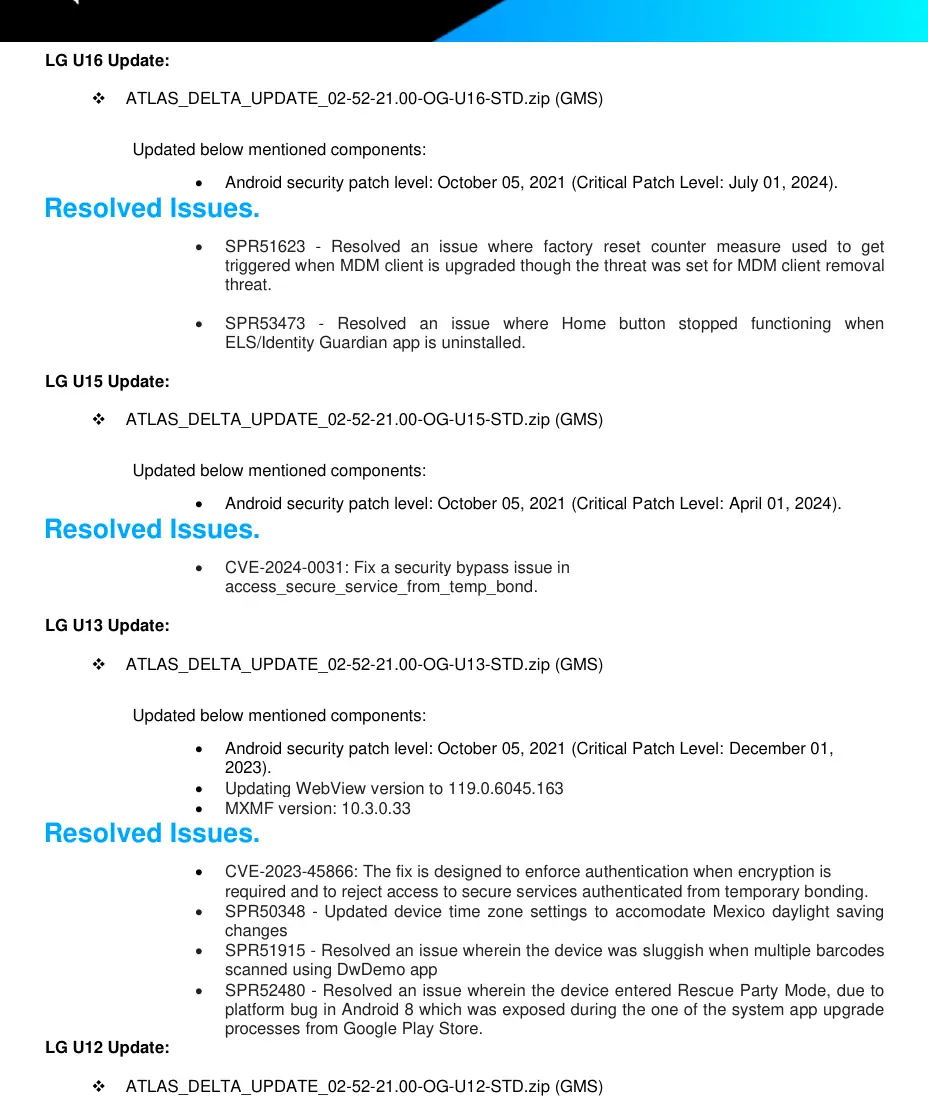
- Security Patch Level: October 05, 2021 (Critical Patch Level: July 01, 2024)
- Linux Kernel: 3.10.84
Installation Requirements
To perform the software update, ensure the following requirements are met:
- ADB (Android Debug Bridge) must be installed on your PC, including necessary drivers.
- USB debugging must be enabled on the device via Developer Options.
- The full update package must be downloaded.
New Features
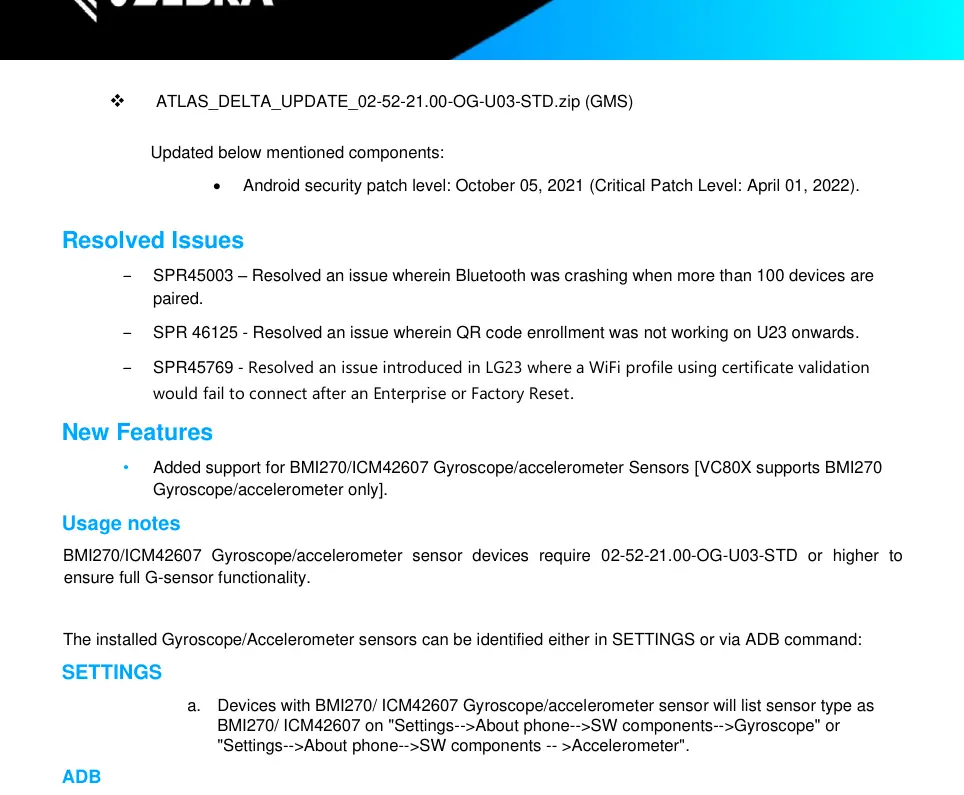
This release adds support for BMI270/ICM42607 Gyroscope/accelerometer sensors. Devices equipped with these sensors require this update (or higher) to ensure full G-sensor functionality. You can verify the installed sensor type via Settings > About phone > SW components or by using the getprop command via ADB.
Device Compatibility
This software release is approved for use on the following Zebra device families:
- TC51 and TC56
- TC70x and TC75x
- MC3300 and MC3300R
- VC80x
Please refer to the detailed compatibility tables in the document for specific device part numbers.
Manufacturer information
Zebra Technologies
Practical help
Common problems
Scanner not working on trigger press
Update to build U05 or higher.
Bluetooth crashing when more than 100 devices are paired
Resolved in U03 update.
Device sluggish when scanning barcodes using DwDemo app
Resolved in U13 update.
Home button stops functioning after uninstalling ELS/Identity Guardian
Ensure the app is installed or update to U16.
Before use
- Ensure ADB is installed on your PC.
- Enable Developer Options on the device.
- Turn on USB Debugging.
- Download the full update package.
- Verify your device part number against the compatibility list.
Specs in practice
- Product Build Number
- 02-52-21.00-OG-U16-STD
- Android Version
- 8.1.0
- Security Patch Level
- October 05, 2021
- Linux Kernel
- 3.10.84
Model compatibility
- Compatible with TC51, TC56, TC70x, TC75x, MC3300, MC3300R, and VC80x series.
- Specific part numbers are listed in the document for each model family.

Manual page author
Michael Turner
Technical manual editor
Reviews PDF manuals for structure, safety notes, and practical product details so readers can find the right information quickly.