HVAC / Air Handlers
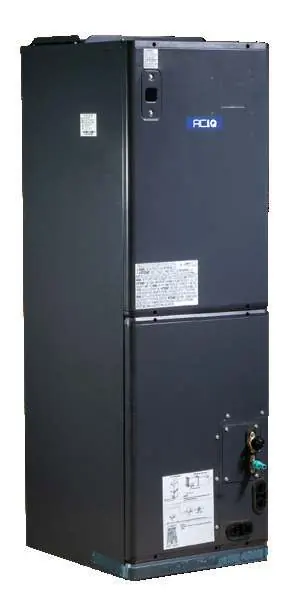
Owner's Manual for ACiQ Extreme+ Ducted Air Handler
Comprehensive owner's manual for the ACiQ Extreme+ Ducted Air Handler series. Includes safety guidelines, operating conditions, maintenance procedures, and troubleshooting steps for models ACiQ-18-PAH through ACiQ-60-PAH.
Quick answers from the manual
Quick answer
- This manual covers the operation, maintenance, and troubleshooting for the ACiQ Extreme+ Ducted Air Handler series (18K-60K). p. 1
Key actions
- Clean air filters every 30 to 90 days. p. 14
- Disconnect power before cleaning or maintenance. p. 15
First start
- Ensure the unit is powered, check for obstructions, and verify doors/windows are closed. p. 14
Problems and fixes
Unit does not turn on
Check power, fuse, or wait 3 minutes for protection feature.
p. 17, 19
Poor cooling performance
Clean filters, remove obstructions, close doors/windows.
p. 18Error codes
| Code | Meaning | Action | Pages |
|---|---|---|---|
| EL0C | System lacks refrigerant | Contact service provider | p. 14 |
| EHC1 | Refrigerant sensor detects leakage | Contact service provider | p. 14 |
| EHC2 | Refrigerant sensor out of range and leakage detected | Contact service provider | p. 14 |
| EHC3 | Refrigerant sensor out of range | Contact service provider | p. 14 |
| ECC1 | Other indoor unit refrigerant sensor detects leakage | Contact service provider | p. 14 |
Technical specifications
| Parameter | Value | Meaning | Pages |
|---|---|---|---|
| Cooling Mode Temp | 16°C - 32°C (60°F - 90°F) | Room temperature range | p. 13 |
| Heating Mode Temp | 0°C - 30°C (32°F - 86°F) | Room temperature range | p. 13 |
Where to find it in the PDF
- Safety Precautions p. 2, 3, 4, 5
- Maintenance p. 14, 15, 16
- Troubleshooting p. 16, 17, 18, 19
Table of contents
Manual images
Click an image to enlargeQuick Guide
This manual provides essential information for the safe operation and maintenance of your ACiQ Extreme+ Ducted Air Handler. Key takeaways include:
- Safety First: Always disconnect power before cleaning or maintenance. Do not use flammable sprays near the unit.
- Maintenance: Regularly inspect and clean air filters every 30 to 90 days.
- Troubleshooting: Most common issues like the unit not starting or poor performance can be resolved by checking power, filters, and obstructions before calling a technician.
- Operating Conditions: Ensure the unit operates within the specified temperature ranges for cooling, heating, and dry modes.
Safety Precautions
Read all safety instructions before operation. Incorrect installation or maintenance can lead to serious injury or property damage.
- Electrical Safety: Ensure the unit is properly grounded. Do not share the electrical outlet with other appliances.
- Flammable Refrigerants: This unit uses flammable refrigerants. Do not use means to accelerate defrosting or cleaning other than those recommended by the manufacturer.
- Leak Detection: The unit is equipped with a leak detection system. If a leak is detected, the unit will display an error code and emit a buzzing sound.
Operating Conditions
For safe and efficient operation, use the system within these temperature ranges:
- COOL mode: Room temperature 16°C - 32°C (60°F - 90°F); Outdoor temperature -30°C - 50°C (-22°F - 122°F).
- HEAT mode: Room temperature 0°C - 30°C (32°F - 86°F); Outdoor temperature -30°C - 24°C (-22°F - 75°F).
- DRY mode: Room temperature 10°C - 32°C (50°F - 90°F); Outdoor temperature 0°C - 50°C (32°F - 122°F).
Note: If the outdoor temperature is below 0°C (32°F), keep the outdoor unit powered at all times to prevent damage.
Maintenance
Regular maintenance ensures the longevity and efficiency of your air conditioner.
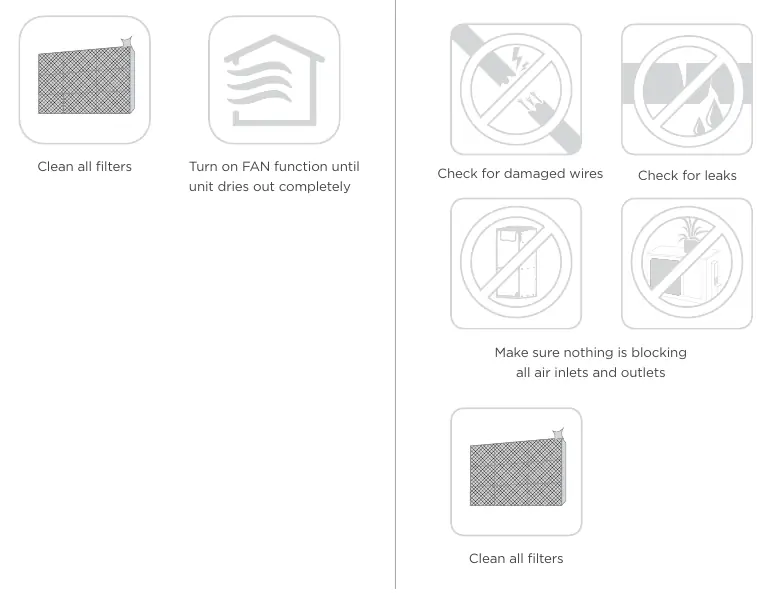
- Cleaning: Turn off and disconnect power before cleaning. Use a soft, dry cloth. Do not use chemicals, benzene, or water hotter than 40°C (104°F).
- Filters: Inspect and clean or replace air filters monthly or as required.
- Pre-Season Inspection: Before frequent use, check for damaged wires, leaks, and ensure air inlets/outlets are not blocked.
Troubleshooting
If you encounter issues, check these common causes before contacting a service provider:
- Unit does not turn on: Check for power failure, blown fuse, or the 3-minute protection feature.
- Poor Cooling/Heating: Check if the air filter is dirty, doors/windows are open, or if there are too many heat sources in the room.
- White Mist: This is normal in humid regions or during defrosting.
Energy Saving Tips
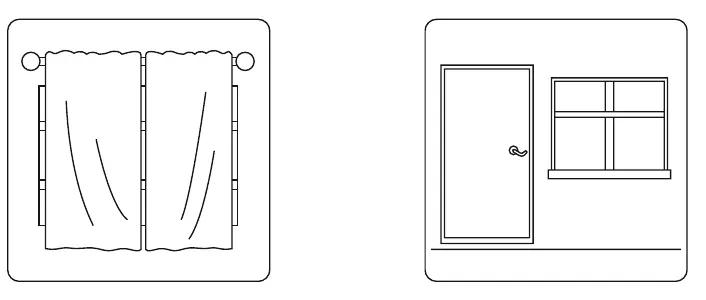
- Keep doors and windows closed.
- Use TIMER ON and TIMER OFF functions.
- Do not block air inlets or outlets.
- Close curtains during cooling to avoid direct sunlight.
Manufacturer information
ACiQ
Practical help
Common problems
Unit does not turn on
Check power supply, replace fuse if blown, or wait 3 minutes for the protection feature to reset.
Poor cooling performance
Clean dirty air filters, remove obstructions from air inlets/outlets, close doors/windows, and reduce heat sources.
Unit emits white mist
This is normal in humid regions or during the defrosting process in heat mode.
Before use
- Ensure doors and windows are closed.
- Check that air inlets and outlets are not blocked.
- Verify the unit is powered on.
- Inspect air filters for cleanliness.
Specs in practice
- Cooling Mode Temp
- Room temperature range: 16°C - 32°C (60°F - 90°F).
- Heating Mode Temp
- Room temperature range: 0°C - 30°C (32°F - 86°F).
- Dry Mode Temp
- Room temperature range: 10°C - 32°C (50°F - 90°F).
Images and diagrams
- The unit parts diagram identifies the air inlet and air outlet locations for proper airflow management.
Model compatibility
- Indoor and outdoor units are designed to be used together; ensure the correct model combination is installed.

Manual page author
Emily Carter
User documentation editor
Prepares concise manual descriptions and highlights the most useful setup, operation, and maintenance information for readers.