Documents / Warranty Safety
AcuRite 06190M Optimus Weather Station User Guide
Quick guide for the AcuRite 06190M Optimus weather station, covering setup, display features, backlight control, weather alerts, and lightning detection.
Table of contents
Manual images
Jump to the sectionQuick guide from the manual
This document provides essential instructions for operating the AcuRite 06190M Optimus weather station display. It covers initial setup, display customization, and the management of weather and lightning alerts.
Initial Setup
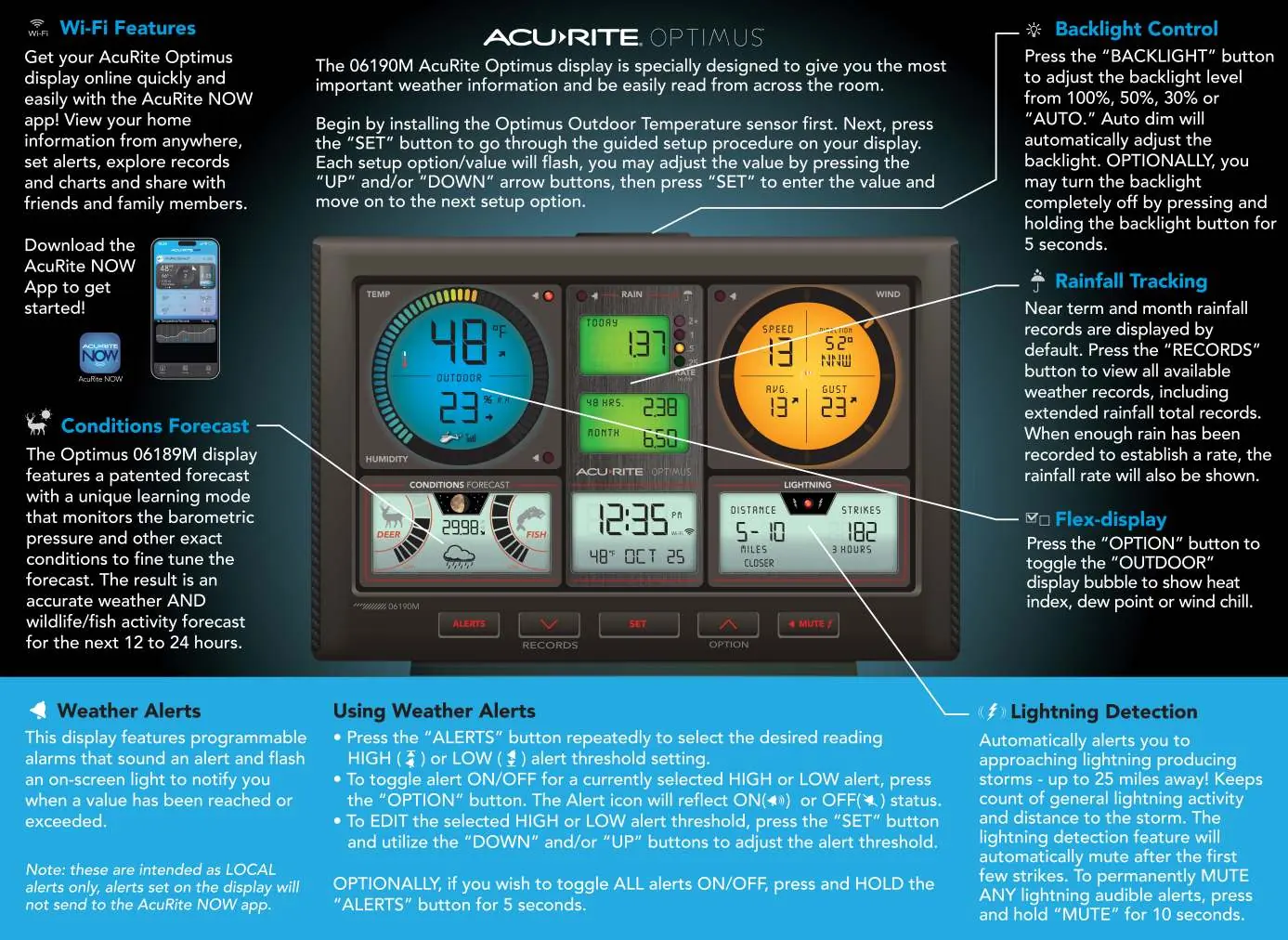
Begin by installing the outdoor temperature sensor first. Once the sensor is active, press the SET button on the display to enter the guided setup procedure. Use the UP and DOWN arrow buttons to adjust values and press SET to confirm each selection and move to the next option.
Display Features and Settings
- Backlight Control: Press the BACKLIGHT button to cycle through brightness levels (100%, 50%, 30%, or AUTO). To turn the backlight off, press and hold the button for 5 seconds.
- Rainfall Tracking: Press the RECORDS button to view near-term and monthly rainfall data, including extended rainfall totals and rates.
- Flex-display: Press the OPTION button to toggle the outdoor display bubble between heat index, dew point, or wind chill.
Weather Alerts
The display features programmable alarms that sound and flash when specific thresholds are reached. Note that these are local alerts only and are not sent to the AcuRite NOW app.
- To select a threshold, press the ALERTS button repeatedly to choose between HIGH or LOW settings.
- To toggle an alert ON or OFF, press the OPTION button. The alert icon will indicate the current status.
- To edit a threshold, press the SET button and use the UP or DOWN buttons to adjust the value.
- To toggle all alerts ON or OFF, press and hold the ALERTS button for 5 seconds.
Lightning Detection
The device automatically detects lightning storms up to 25 miles away and tracks the distance and frequency of strikes. The system will automatically mute after the first few strikes. To permanently mute all lightning audible alerts, press and hold the MUTE button for 10 seconds.
Manufacturer information
AcuRite
Practical help
Common problems
Audible lightning alerts are too frequent
Press and hold the MUTE button for 10 seconds to permanently mute lightning audible alerts.
Backlight is too bright or dim
Press the BACKLIGHT button to cycle through 100%, 50%, 30%, or AUTO settings.
Before use
- Install the outdoor temperature sensor first.
- Ensure the display is powered and ready for setup.
- Download the AcuRite NOW app for remote monitoring features.
Specs in practice
- Lightning Detection
- Monitors storm activity up to 25 miles away.
- Conditions Forecast
- Uses barometric pressure to predict wildlife/fish activity for the next 12-24 hours.
Images and diagrams
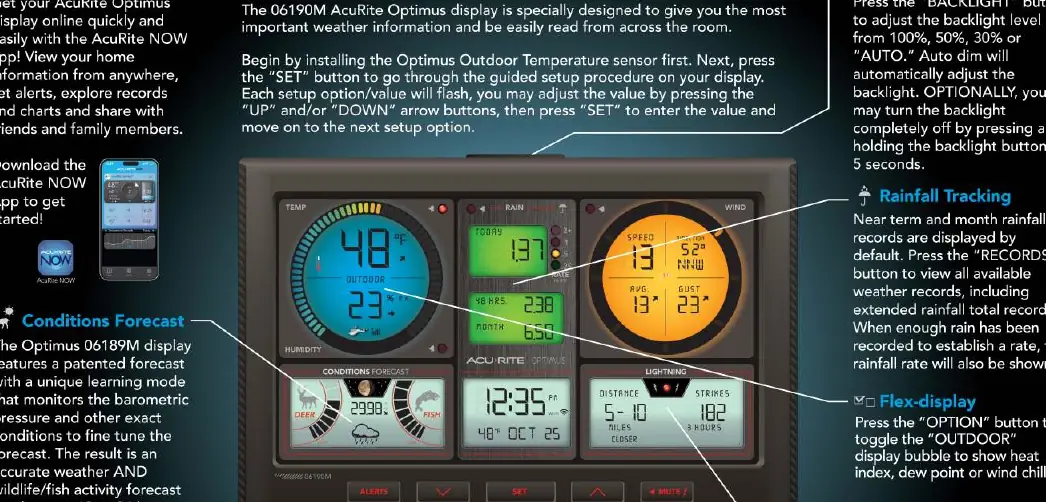
- The main display shows outdoor temperature, humidity, rainfall, wind speed/direction, barometric pressure, and lightning strike distance.
Model compatibility
- Weather alerts set on the display are local only and are not transmitted to the AcuRite NOW app.

Manual page author
David Miller
Documentation analyst
Organizes user manual content into clear summaries, with attention to model details, product context, and everyday usability.