Documents / Warranty Safety
AcuRite 01031W Wireless Thermometer Instruction Manual
Quick guide for the AcuRite 01031W wireless thermometer, covering battery installation, sensor placement, atomic clock setup, and troubleshooting reception issues.
Table of contents
Manual images
Jump to the sectionQuick guide from the manual
This document provides instructions for the AcuRite 01031W wireless thermometer. The system consists of a display unit and a wireless outdoor sensor. Key requirements include using fresh AA batteries and maintaining a distance of less than 165 feet (50 meters) between the sensor and the display unit. For temperatures below -4°F (-20°C), lithium batteries are required for the outdoor sensor to ensure continued operation.
Installing Batteries
Wireless Sensor: Remove the battery compartment cover and install 2 fresh AA batteries. Ensure correct polarity.
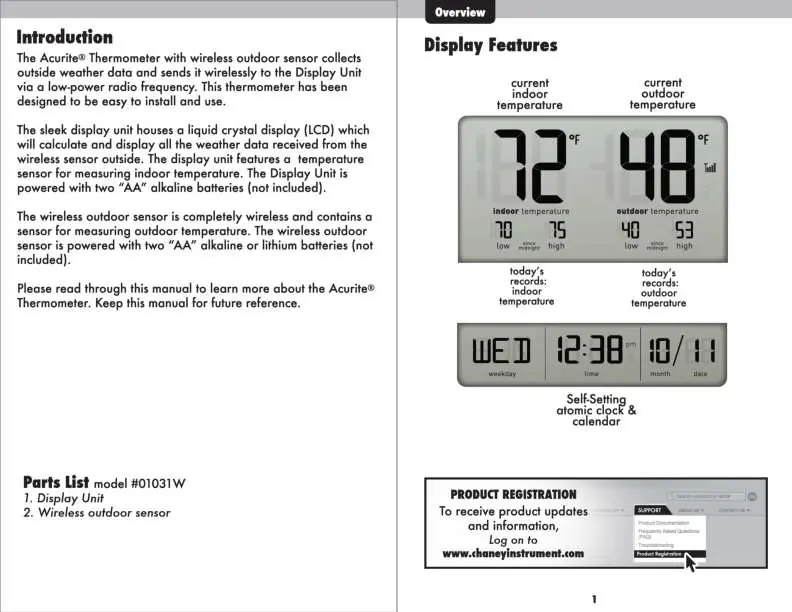
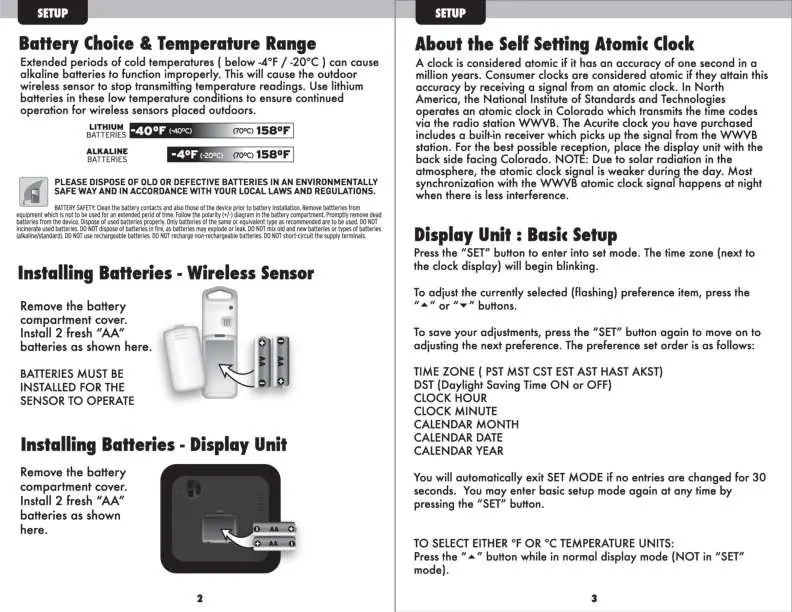
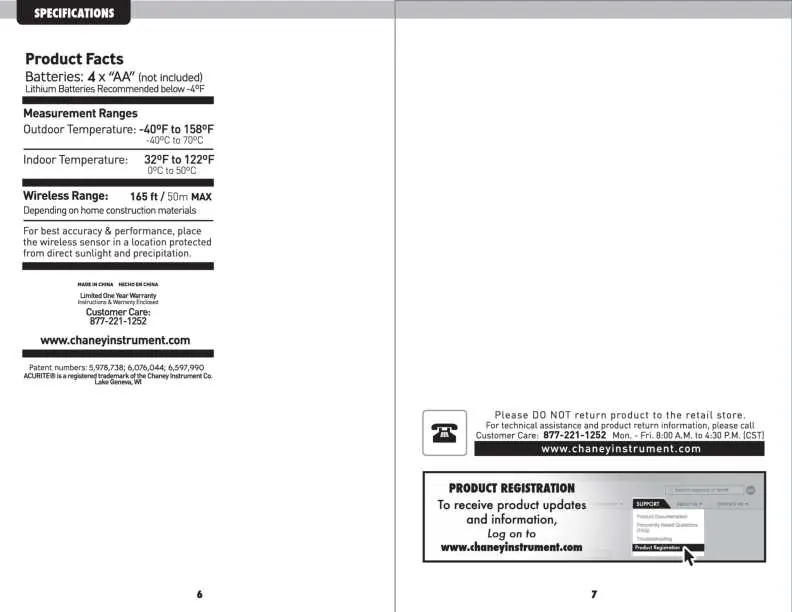
Display Unit: Remove the battery compartment cover and install 2 fresh AA batteries.
Basic Setup
Press the SET button to enter setup mode. The time zone will blink. Use the arrow buttons to adjust settings and press SET to confirm and move to the next preference. The order is: Time Zone, DST (Daylight Saving Time), Clock Hour, Clock Minute, Calendar Month, Calendar Date, and Calendar Year. The device will automatically exit setup mode if no entries are made for 30 seconds. To toggle between °F and °C, press the arrow button while in normal display mode.
Placement
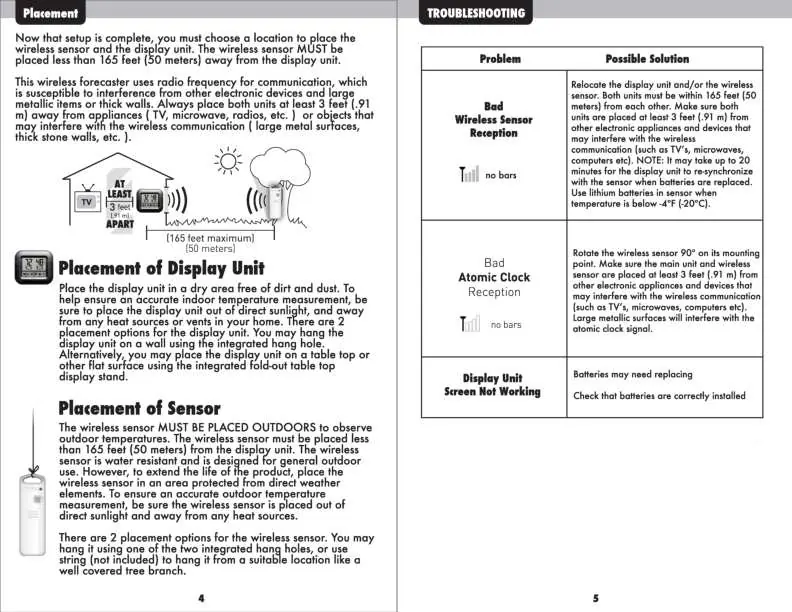
For accurate readings, place the display unit in a dry area away from direct sunlight and heat sources. The wireless sensor must be placed outdoors, protected from direct weather elements, and away from heat sources. Both units should be at least 3 feet away from appliances like TVs, microwaves, or radios, and away from large metal surfaces or thick walls that may interfere with wireless communication.
Atomic Clock
The display unit features a self-setting atomic clock that synchronizes with the WWVB radio station in Colorado. For best reception, place the display unit with the back side facing Colorado. Synchronization is more effective at night when atmospheric interference is lower.
Troubleshooting
If you experience bad wireless sensor reception, ensure both units are within 165 feet of each other and away from electronic interference. It may take up to 20 minutes for the display unit to re-synchronize after battery replacement. If the atomic clock reception is poor, rotate the sensor 90 degrees.
Manufacturer information
AcuRite
Practical help
Common problems
Bad wireless sensor reception (no bars)
Relocate units within 165 feet of each other, ensure they are at least 3 feet away from electronic appliances, and wait up to 20 minutes for re-synchronization.
Bad atomic clock reception
Rotate the wireless sensor 90 degrees and ensure the unit is away from large metallic surfaces or electronic interference.
Display unit screen not working
Check that batteries are correctly installed or replace them with fresh ones.
Before use
- Ensure you have 4 fresh AA batteries (2 for display, 2 for sensor).
- Use lithium batteries for the outdoor sensor if temperatures are expected to drop below -4°F (-20°C).
- Verify that the sensor and display unit are within 165 feet of each other.
- Check that both units are at least 3 feet away from appliances like TVs or microwaves.
Specs in practice
- Outdoor Temperature Range
- -40°F to 158°F (-40°C to 70°C).
- Indoor Temperature Range
- 32°F to 122°F (0°C to 50°C).
- Wireless Range
- 165 feet (50 meters) maximum, depending on home construction materials.
Images and diagrams
- The display unit shows indoor/outdoor temperatures, daily high/low records, and the atomic clock time/date.
- The wireless sensor features integrated hang holes for mounting.
Model compatibility
- The atomic clock signal is transmitted via radio station WWVB in North America.
- The device is designed for residential use and complies with FCC Part 15 rules.

Manual page author
Emily Carter
User documentation editor
Prepares concise manual descriptions and highlights the most useful setup, operation, and maintenance information for readers.