Electronics / Remote Controls
Cloudy Bay CBRC Bluetooth Remote Controller User Manual
Quick guide for the Cloudy Bay CBRC Bluetooth Remote Controller. Learn how to pair, disconnect, set timers, and save favorite settings with your smart lighting.
Quick answers from the manual
Quick answer
- The Cloudy Bay CBRC is a Bluetooth remote controller. To pair, hold button A or B for 5 seconds. To add to the app, pair the remote first, then toggle the wall switch 3 times. p. 1
Key actions
- Pairing the remote p. 1
- Setting the timer p. 1
- Saving favorite setting p. 1
Problems and fixes
Cancel timer
Long-press the Timer button until the indicator light flashes four times.
p. 1Where to find it in the PDF
- Remote Controller Instructions p. 1
Table of contents
Quick Guide
The Cloudy Bay CBRC is a Bluetooth remote controller designed to manage smart lighting. This guide covers the essential operations including pairing, app integration, timer settings, and saving favorite scenes.
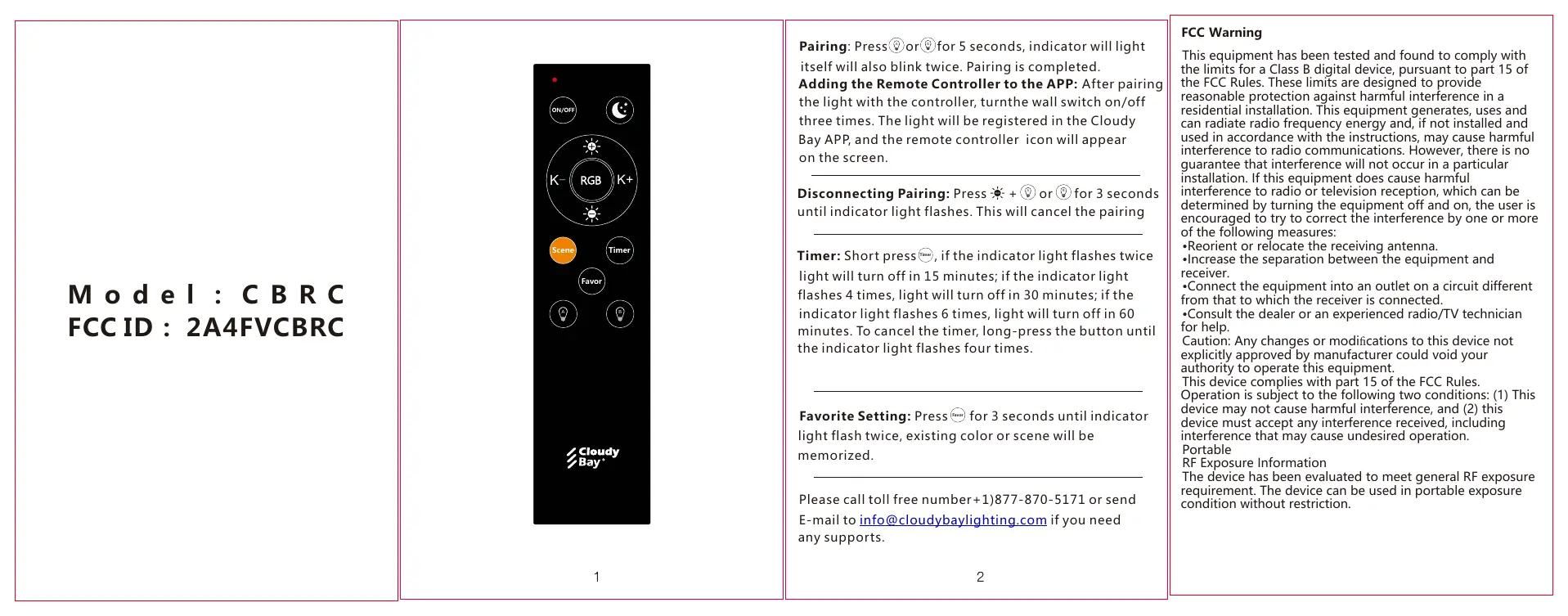
Pairing and App Connection
To pair the remote with your light:
- Press the A or B button for 5 seconds. The indicator light will flash twice to confirm pairing is complete.
- To disconnect pairing, press the + or - button for 3 seconds until the indicator light flashes.
To add the remote to the Cloudy Bay App:
- Pair the light with the controller first.
- Turn the wall switch on and off three times.
- The light will be registered in the Cloudy Bay App, and the remote controller icon will appear on the screen.
Timer and Favorite Settings
The remote features a built-in timer function:
- Set Timer: Short press the Timer button. The indicator light will flash to indicate the duration:
- 2 flashes: Light turns off in 15 minutes.
- 4 flashes: Light turns off in 30 minutes.
- 6 flashes: Light turns off in 60 minutes.
- Cancel Timer: Long-press the Timer button until the indicator light flashes four times.
To save a favorite setting:
- Press the Favor button for 3 seconds until the indicator light flashes twice. The existing color or scene will be memorized.
Support
If you need assistance, you can contact Cloudy Bay support:
- Toll-free number: 1-877-870-5171
- E-mail: [email protected]
Practical help
Common problems
Remote not pairing with light
Ensure you are holding the A or B button for a full 5 seconds until the indicator flashes twice.
Timer not working as expected
Ensure you are using a short press for setting the timer. If you need to cancel, use a long press until the indicator flashes four times.
Remote not appearing in App
Ensure the light is paired with the remote first, then toggle the wall switch on/off three times to register it in the app.
Before use
- Ensure the smart light is installed and powered on.
- Verify the remote has fresh batteries (if applicable).
- Keep the remote within range of the light during the pairing process.
Images and diagrams
- The remote features dedicated buttons for A/B grouping, RGB control, brightness adjustment (K+/K-), Timer, and Favor (Favorite) settings.
- The indicator light provides visual feedback for pairing, timer duration, and favorite setting confirmation.
Model compatibility
- Requires Cloudy Bay App for app-based control features.
- Compatible with smart lights supporting the Cloudy Bay Bluetooth protocol.

Manual page author
Michael Turner
Technical manual editor
Reviews PDF manuals for structure, safety notes, and practical product details so readers can find the right information quickly.