Power / Power Banks
User Manual for Comsol WFC15 15W Fast Wireless Charging Pad
Quick guide for the Comsol WFC15 15W Fast Wireless Charging Pad. Learn how to set up, charge your Qi-enabled devices, and understand LED indicators and safety precautions.
Table of contents
Quick guide from the manual
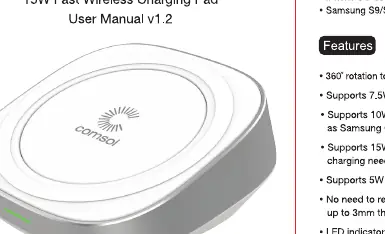
The Comsol WFC15 is a wireless charging pad designed for Qi-enabled devices. To begin using the charger, connect the included micro USB cable to the provided Quick Charge 3.0 wall charger. Place your Qi-enabled device on the pad to initiate charging. The device supports fast charging for compatible smartphones and standard 5W charging for other Qi-enabled devices.
Compatibility
This charger is compatible with Qi-enabled devices, including:
- iPhone X, iPhone 8, iPhone 8 Plus
- Samsung S9/S9+, S8/S8+, S7/S7 Edge, Note 8, Note 5
- Sony Xperia XZ2
- Nokia 8 Sirocco
- LG G7 ThinQ, LG V30+
Note: Check with your device manufacturer for specific Qi wireless charging compatibility.
Wireless Charger Operation
Follow these steps to operate the charging pad:
- Connect the included micro USB cable to the Quick Charge 3.0 wall charger.
- The red LED will illuminate for 3 seconds to indicate the charging pad is powered on and in stand-by mode.
- Place your Qi-enabled phone on the charging pad. Charging should start automatically.
- The LED will turn green to indicate that the device is charging.
- When the phone is fully charged, the Smart IC enables energy saving trickle charge mode.
Important Note: To achieve 7.5W fast charging for Apple devices or 10W fast charging for Android devices, the charging pad must be connected to the included Quick Charge 3.0 wall charger or an equivalent.
Specifications
- Wireless Standard: WPC/Qi (v1.2.3)
- Charging Coils: One Coil
- Input: DC 5V 2A, 9V 2A, or 12V 2A
- Output: 5W / 7.5W / 10W / 15W (Max)
- Working Frequency: 110 to 205KHz
- Charging Distance: 3 to 8mm
- Charging Efficiency: >72%
- Dimensions: 77 x 77 x 26.5mm
- Weight: 100g
Important Safety Instructions
- Use only original or reputable third-party chargers and cables.
- Do not get the device wet to avoid short circuit damage and leakage.
- Do not use in extreme hot, humid, or corrosive environments.
- Do not place too close to magnetic strips or chip ID cards to avoid magnetic failure.
- Keep at least 20cm away from implantable medical devices (pacemakers, cochlear implants, etc.) to avoid potential interference.
- Do not clean with harmful chemicals or detergents.
- Misuse, dropping, or excessive force may cause damage to the charging pad.
Practical help
Common problems
Device not charging
Ensure the phone is correctly positioned on the pad. If it does not start charging, adjust the position until the LED turns green.
Slow charging speeds
Ensure you are using the included Quick Charge 3.0 wall charger. Fast charging (7.5W/10W) requires this specific power source.
Before use
- Verify your device is Qi-enabled.
- Use the included Quick Charge 3.0 wall charger for optimal performance.
- Ensure the charging surface is flat.
- Remove any obstructions between the phone and the pad (cases up to 3mm thick are supported).
Specs in practice
- Charging Distance
- The pad can charge through cases up to 3mm thick.
- LED Indicator
- Red indicates standby; Green indicates active charging.
Images and diagrams
- The LED indicator provides visual feedback on the charging status (Red for standby, Green for charging).
Model compatibility
- Compatible with various Qi-enabled smartphones including iPhone 8/X series and Samsung S/Note series.
- Always check with your device manufacturer for specific Qi wireless charging compatibility.

Manual page author
Emily Carter
User documentation editor
Prepares concise manual descriptions and highlights the most useful setup, operation, and maintenance information for readers.