Electronics / Cables & Adapters
User Manual for Digitus USB 3.0 Type-C to VGA Adapter
Quick guide for the Digitus USB 3.0 Type-C to VGA Adapter (DA-70837). Learn how to connect your device, check system compatibility, and view technical specifications.
Table of contents
Manual images
Click an image to enlargeQuick guide from the manual
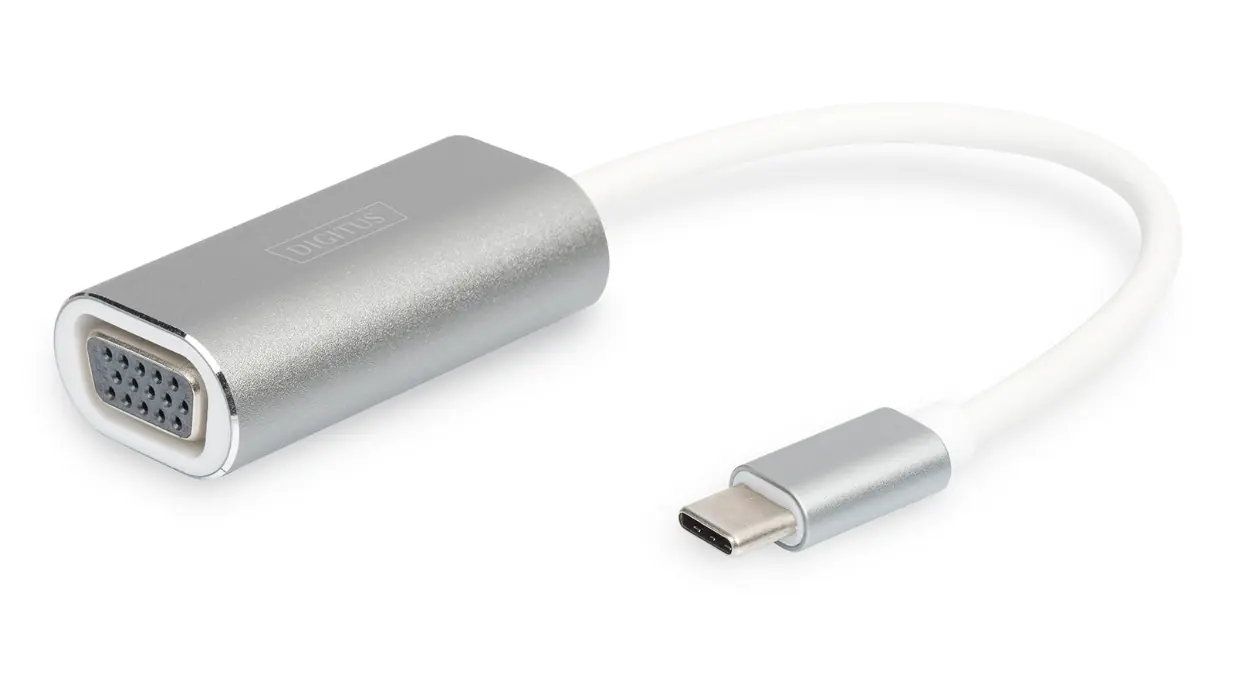
The Digitus USB 3.0 Type-C to VGA Adapter is designed to connect a USB-C enabled device, such as a 2015/2016 MacBook or Chromebook Pixel, to a VGA monitor or projector. The device is plug-and-play, meaning it does not require any external software drivers or external power to function.
How to connect
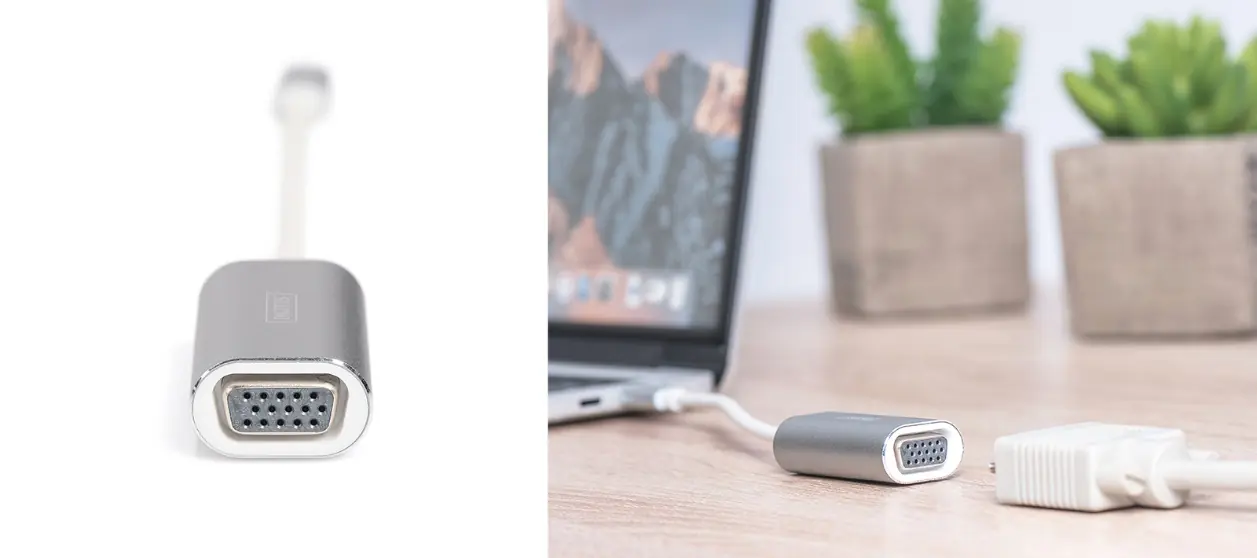
To use the adapter, simply plug the USB-C connector into your computer's USB-C port and connect your VGA cable from the monitor or projector to the VGA port on the adapter. You can use the external display to either mirror your primary screen or extend your desktop workspace.
Supported Systems
- MacBook (USB Type-C) with OS X
- Chromebook Pixel
- Windows 10, 8, 8.1, and 7
Product Features
- VGA Output: 1080p at 75Hz
- Material: Aluminum
- Cable Length: 20cm
- Dimensions: 47 x 26 x 14.5 mm
- Weight: 28g
- Chipset: RTD2169U
- Operating Temperature: 0°C to 40°C (35°F to 100°F)
- Operating Humidity: 20% RH to 80% RH
Package Content
- 1x USB 3.0 Type-C 1080p VGA Graphic Adapter
- 1x Manual
Manufacturer Information
Assmann Electronic GmbH, Auf dem Schüffel 3, 58513 Lüdenscheid, Germany. For further information, visit www.assmann.com.
Official resources from the manual
Practical help
Common problems
No display output
Ensure the USB-C port on your laptop supports video output (DisplayPort Alt Mode) and that the VGA cable is securely connected to both the adapter and the display device.
Before use
- Verify your laptop has a USB-C port.
- Ensure your monitor or projector supports VGA input.
- Check that your operating system is compatible (Windows 7/8/8.1/10, Mac OS X, or Chrome OS).
Specs in practice
- Operating Temperature
- The device is designed to operate safely between 0°C and 40°C.
Images and diagrams
- The adapter features a USB-C male connector for the host device and a VGA female port for the display cable.
- The device is compact and lightweight, featuring an aluminum housing.
Model compatibility
- Compatible with MacBook (USB-C), Chromebook Pixel, and Windows 7/8/8.1/10.

Manual page author
Emily Carter
User documentation editor
Prepares concise manual descriptions and highlights the most useful setup, operation, and maintenance information for readers.