Lighting / Stage Lighting
User Manual for Elation Professional MAGMA FOG 1500 IP Fog Machine
Comprehensive user guide for the Elation Professional MAGMA FOG 1500 IP. Includes setup, installation, DMX control, maintenance, and safety instructions for this professional fog machine.
Table of contents
Manual images
Click an image to enlargeQuick Guide from the Manual
The MAGMA FOG 1500 IP is a professional fog machine designed for high-output performance. Before operation, ensure the unit is placed on a flat, dry surface and filled with approved Atmosity Extreme Filtered Fog Fluid. The unit requires a 14-minute warm-up period before it can emit fog. Always ensure the unit is properly grounded and never operate it with the cover removed.
Safety Guidelines
This device is for professional use only. Key safety precautions include:
- Protection Class 1: The fixture must be properly grounded.
- No User Serviceable Parts: Do not attempt to open or repair the unit; doing so voids the warranty.
- IP65 Rating: The unit is dust-tight and protected against low-pressure water jets.
- Operation: Never point the fog output at people or clothing. Do not tilt the machine more than 30 degrees while in use.
- Maintenance: Always disconnect power before adding fluid or performing maintenance.
Overview and Installation
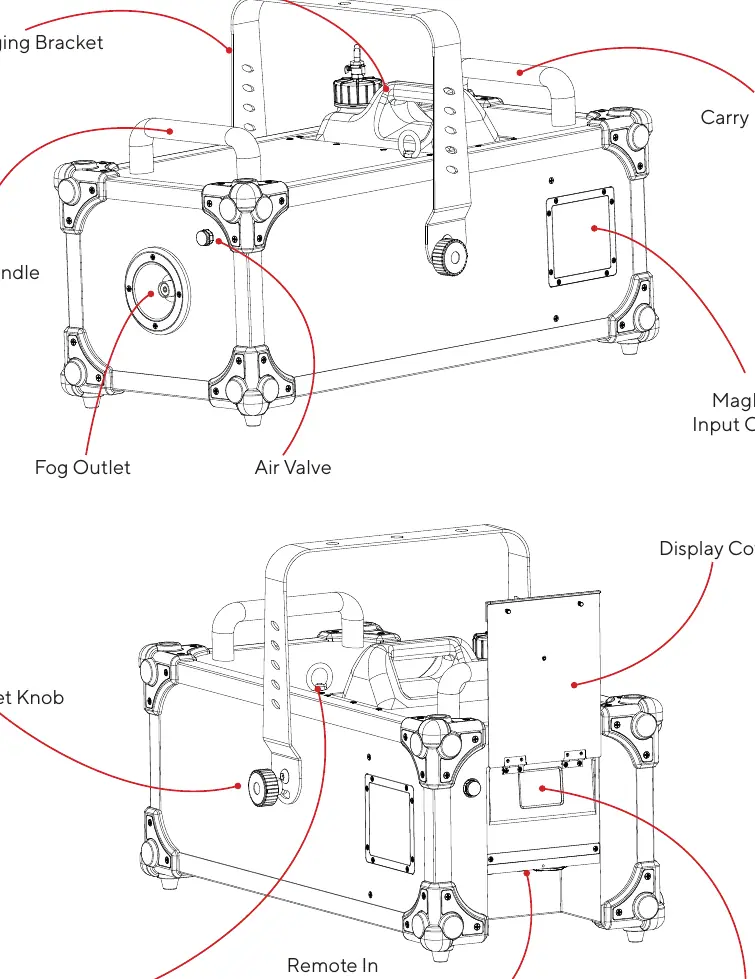
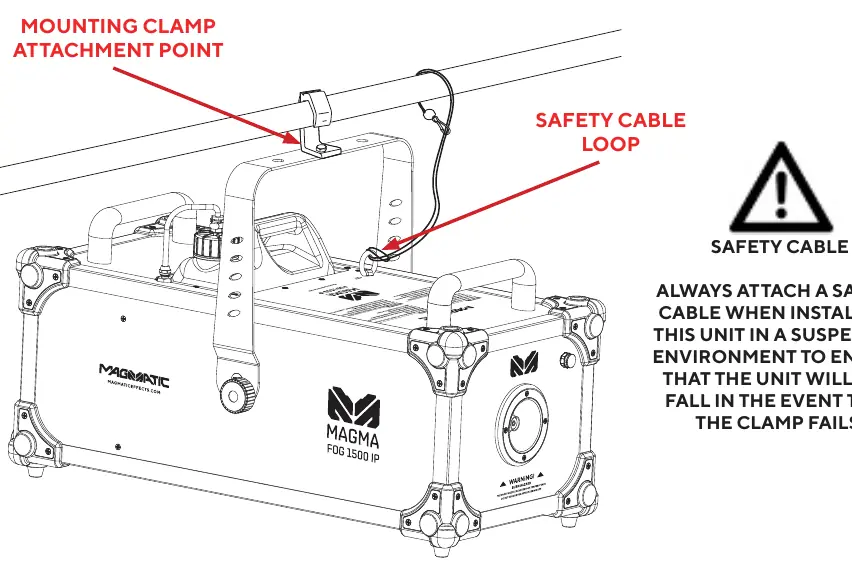
The unit features a rugged design with carry handles and a mounting yoke. For overhead rigging, use the integrated clamp attachment points and always attach a safety cable to the designated safety cable loop to prevent the unit from falling if the clamp fails.
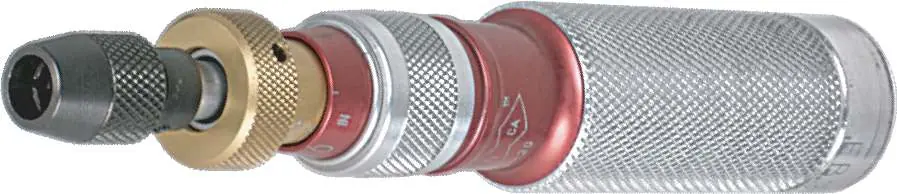
Optional MagFly Wireless Card: The unit has two card slots located behind the MagFly input cover. To install, remove the 8 screws, insert the cards, and re-install the cover. Ensure screws are tightened correctly to maintain IP65 integrity.
Setup and Operation
1. Remove all packing material, especially around the fog outlet vent.2. Fill the reservoir with approved Atmosity Extreme Filtered Fog Fluid (AEF-2L, AEF-4L, AEF-20L). Never use plain water, vinegar, or other liquids.3. Connect the power cable and allow the unit to warm up for at least 14 minutes.4. Use the touch screen control panel to navigate settings.
Control Panel and System Menu
The touch screen provides access to several menus:
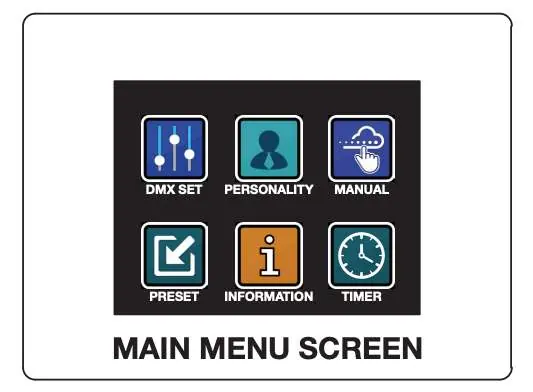
- DMX SET: Configure DMX address and channel mode (1-ch, 2-ch, 4-ch).
- PERSONALITY: Adjust LCD settings, MagFly channel, No Fluid warning, and factory reset.
- MANUAL: Manual fog control (1%-100% output).
- TIMER: Set fog output, duration, and interval.
- PRESET: Select from 5 pre-configured settings.
- INFORMATION: View system status, software version, and sensor data.
DMX and RDM
The device supports DMX-512 and RDM protocols. It offers three DMX channel modes (1, 2, or 4 channels) to control fog output, volume, duration, and interval. RDM allows for remote monitoring and configuration of settings like DMX address and personality.
Maintenance and Troubleshooting
If you experience low output, pump noise, or no output, check the fluid level, the breaker, and the power source. If the issue persists, contact Magmatic Effects for assistance. For long-term storage, keep the device in a cool area and run it at least once every 3-4 months to prevent inactivity damage. Always allow the self-cleaning procedure to complete (indicated by a flashing cleaning icon) before disconnecting power.
Specifications
Performance: 1500W rated power, 60,000 CFM max output, 1.32 gallons (5 liters) fluid capacity.Electrical: AC120V 60Hz (US) or AC230V 50Hz (EU).Dimensions: 25.5" x 13.3" x 16.2" (648mm x 337mm x 411mm).Weight: 55.1 lbs (25kg).
Practical help
Common problems
Low output, pump noise, or no output
Check fluid level, breaker, and wall outlet. If these are fine, the unit requires service.
Cleaning icon flashing on screen
Do not disconnect power. The device is performing a self-cleaning procedure; wait until the icon stops flashing.
Before use
- Check shipping carton for damage.
- Ensure unit is on a flat, dry surface.
- Fill reservoir with approved Atmosity Extreme Filtered Fog Fluid.
- Ensure proper grounding.
- Allow 14 minutes for warm-up before use.
Specs in practice
- Fluid Capacity
- 1.32 gallons (5 liters) reservoir size.
Images and diagrams
- Overview diagram identifies the fluid tank, carry handles, fog outlet, and control panel.
- Installation diagram shows the safety cable loop and mounting clamp attachment point.
Model compatibility
- Compatible with Atmosity Extreme Filtered Fog Fluid (AEF-2L, AEF-4L, AEF-20L).
- Supports optional MagFly wireless receiving cards.
- Supports optional MagRF wireless and MagRemote wired remotes.

Manual page author
Michael Turner
Technical manual editor
Reviews PDF manuals for structure, safety notes, and practical product details so readers can find the right information quickly.