Electronics / Special Effects
User Manual for Magmatic SIDEWINDER Fog Machine
Quick guide for the Magmatic SIDEWINDER fog machine. Includes setup, operation, DMX settings, maintenance, and wireless module installation.
Table of contents
Manual images
Click an image to enlargeQuick Guide
The Magmatic SIDEWINDER is a professional fog machine. Before use, ensure the unit is placed on a flat, dry surface. Always disconnect the power before adding fluid. Use only Magmatic Atmosity fluid (SKU# AFF). After powering on, allow the unit to warm up for at least 9 minutes before beginning fog emission.
Overview
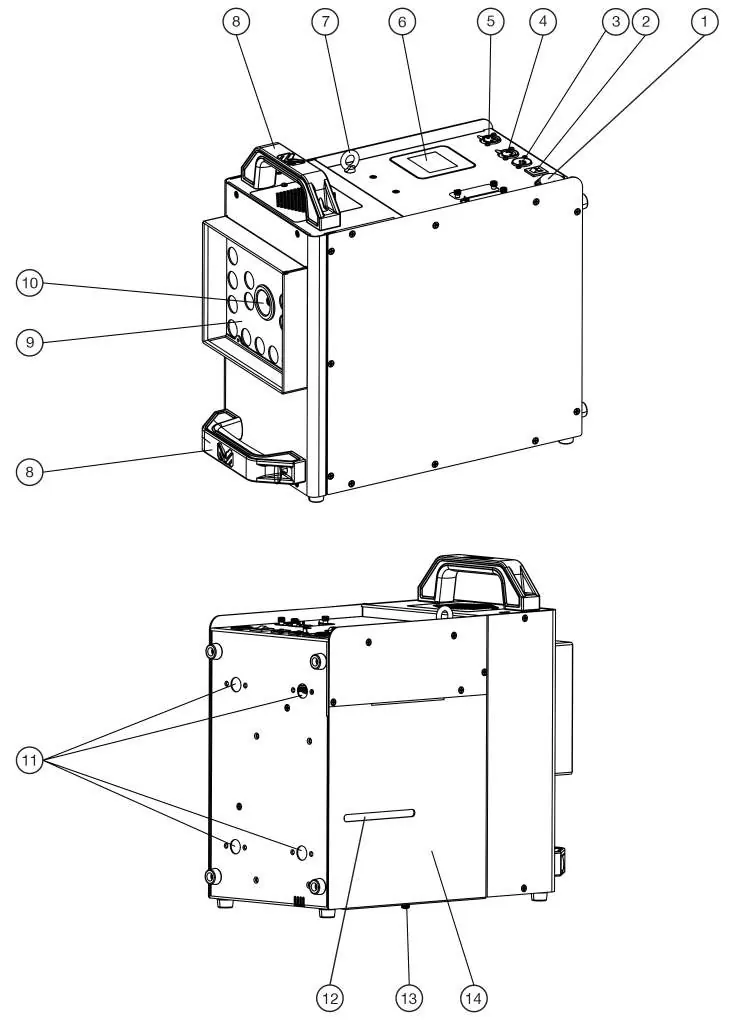
The device features a touch display screen, DMX input/output, a wired remote port, and a fog outlet. It includes mounting clamp points for installation and a tank level gauge to monitor fluid levels.
Operation
To fill the tank, unscrew the latch screw on the back of the unit to open the access panel. Remove the tank, unscrew the cap, and fill with approved Magmatic fluid. When replacing the tank, ensure the feed tube is not pinched or twisted. Secure the access panel by tightening the latch screw.
Control Panel and System Menu
The touch screen allows for full configuration of the device. Key menu sections include:
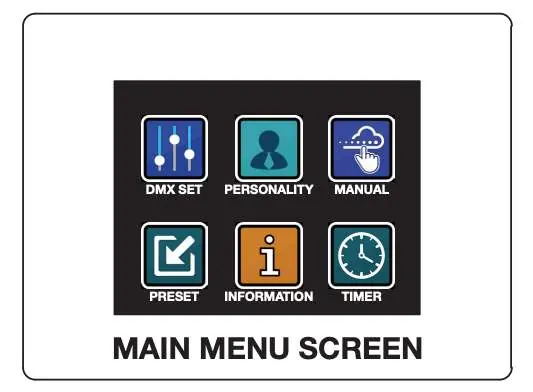
- DMX SET: Configure DMX address (1-512) and mode (1-CH, 4-CH, 7-CH).
- PERSONALITY: Adjust LCD settings, display flip, and wireless module settings.
- MANUAL: Manually trigger fog output, adjust intensity, and select LED effects.
- TIMER: Set interval and duration for automated fog bursts.
- PRESET: Adjust fog hang time and LED styles.
- INFORMATION: View system status, software versions, and module connectivity.
Wireless Modules
The SIDEWINDER supports optional wireless modules:
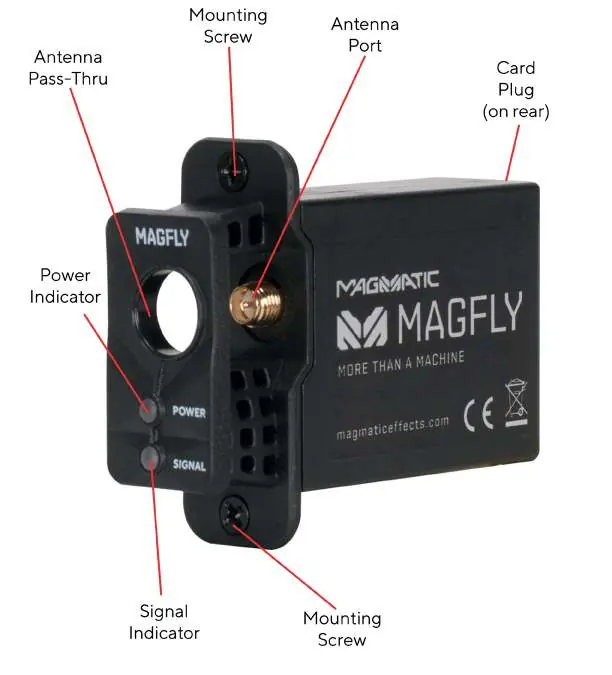
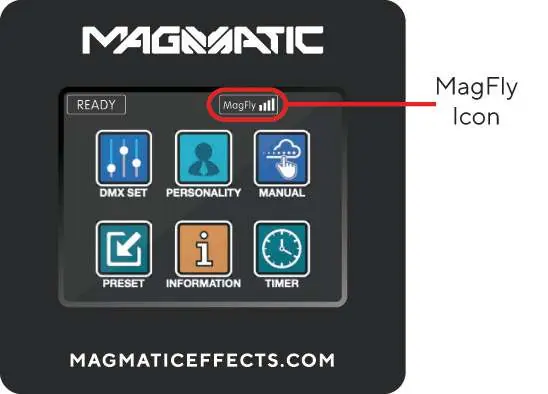
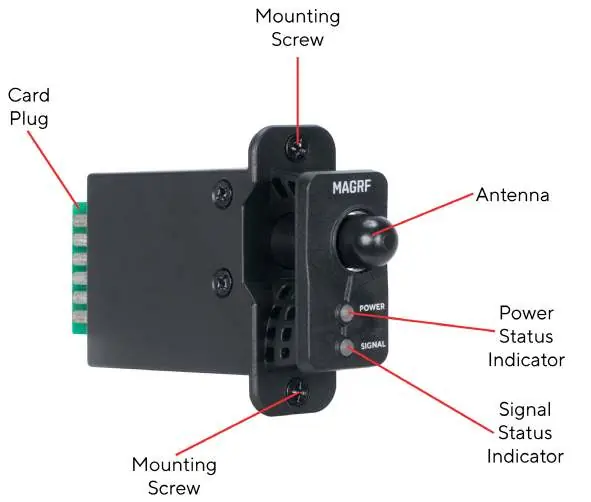
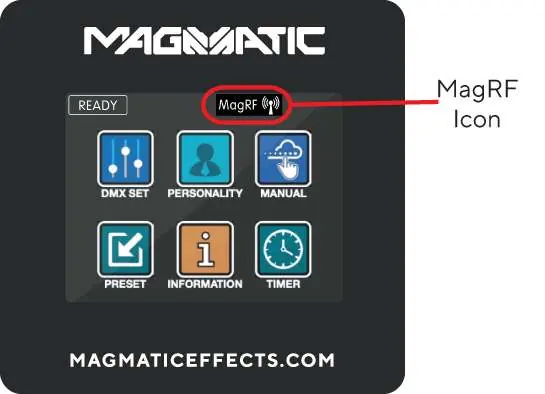
- MagFly Module: Provides wireless DMX functionality. Install into the card input slot, configure via the Personality menu, and set the MagFly channel (0-14).
- MagRF Module: Provides wireless remote control. Install into the card input slot, use the MagRF Learn function to pair the transmitter, and control the device using the remote buttons.
Maintenance and Troubleshooting
If you experience low output, pump noise, or no output, check the fluid level, the breaker, and the power connection. If the issue persists, contact Magmatic Effects support. For storage, keep the device in a cool area and cover it to prevent dust buildup. Run the device at least once every 3-4 months to maintain longevity. Never run plain water, vinegar, or other non-approved liquids through the machine.
Specifications
The unit features a 1450W heater, 50,000 CFM output, and a 2.5L fluid capacity. It supports DMX-512 and RDM protocols. The device operates on 120V, 230V, or 240V power.
Practical help
Common problems
Low output, pump noise, or no output
Disconnect the device immediately. Check fluid level, breaker, and power source. If the issue persists, contact support.
MagRF pairing failed
Ensure pairing is attempted within 20 seconds of selecting the MagRF Learn option.
Before use
- Check shipping carton for damage.
- Place unit on a flat, level, hard surface.
- Ensure unit is disconnected from power before adding fluid.
- Use only Magmatic Atmosity fluid (SKU# AFF).
- Allow 9 minutes for warm-up before use.
- Ensure adequate ventilation (40 inches/100cm clearance).
Specs in practice
- Fluid Capacity
- 2.5 Liters
Images and diagrams
- The overview diagram identifies the power input, DMX ports, touch screen, and tank access panel.
- Wireless modules (MagFly/MagRF) are installed into the card input slots on the rear of the unit.
Model compatibility
- Compatible with Atmosity Flash Fog Fluid (AFF-4L) and Atmosity Extreme Filtered Fog Fluid (AEF-4L).

Manual page author
Michael Turner
Technical manual editor
Reviews PDF manuals for structure, safety notes, and practical product details so readers can find the right information quickly.