Computers / PC Components
Gigabyte Motherboard Installation Guide
A comprehensive installation guide for Gigabyte motherboards. This manual covers the step-by-step process of installing your CPU, memory, motherboard, expansion cards, power supply, storage drives, and connecting internal and external...
Table of contents
Manual images
Click an image to enlargeQuick guide from the manual
This document provides a general installation sequence for Gigabyte motherboards. Please note that the specific sequence may vary depending on your computer case and components. Always refer to the specific manual for your motherboard model for detailed instructions.
Installation steps
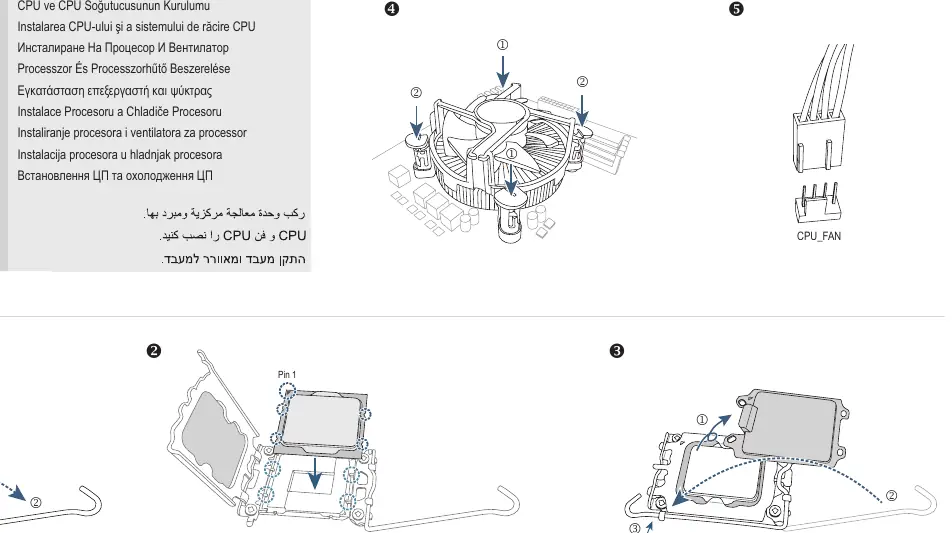
Step 1: CPU and CPU Cooler
Install the CPU into the LGA1700 socket, ensuring correct orientation with Pin 1. Attach the CPU cooler according to the manufacturer's instructions.
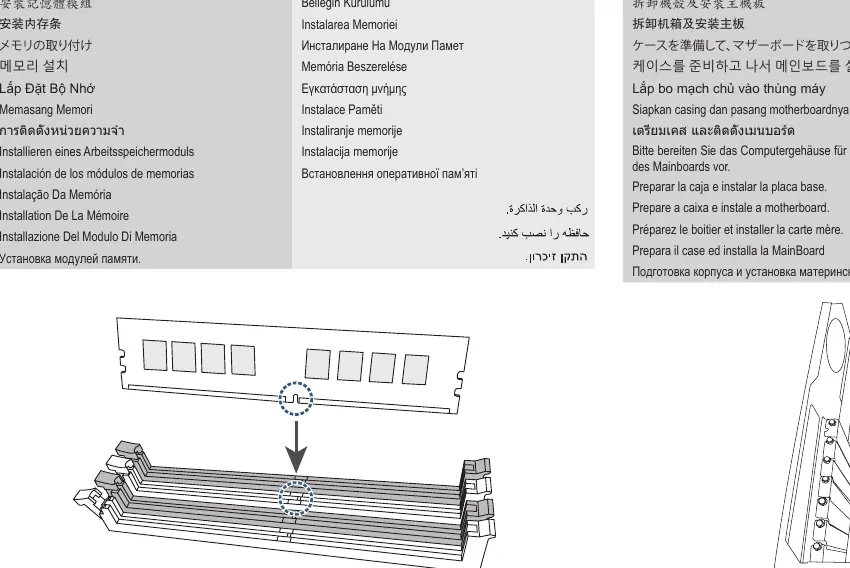
Step 2: Memory
Install the memory modules into the DIMM slots on the motherboard.
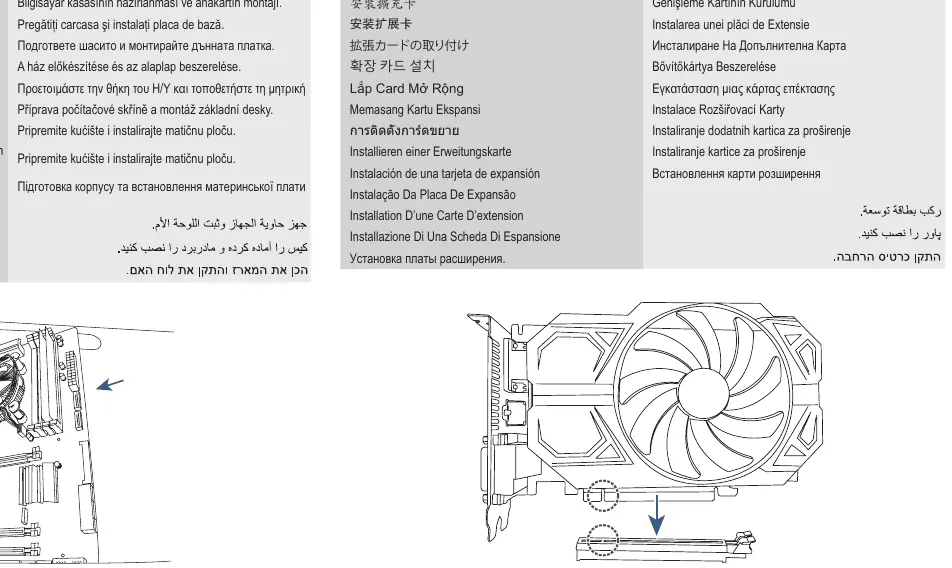
Step 3: Case and Motherboard
Prepare the computer case by installing the necessary standoffs, then mount the motherboard securely into the case.
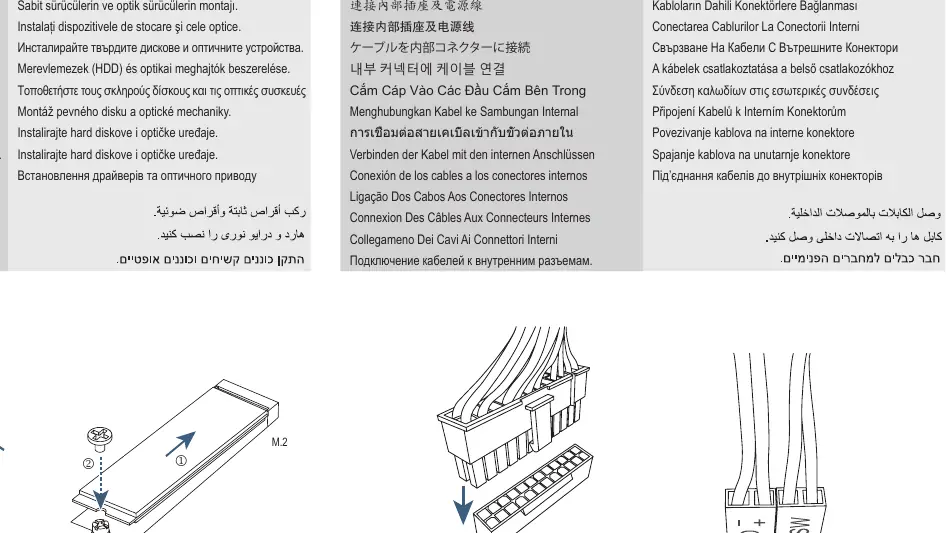
Step 4: Expansion Card
Install any necessary expansion cards, such as graphics cards, into the PCIe slots.
Step 5: Power Supply
Install the power supply unit (PSU) into the designated area of the computer case.
Step 6: Storage Devices
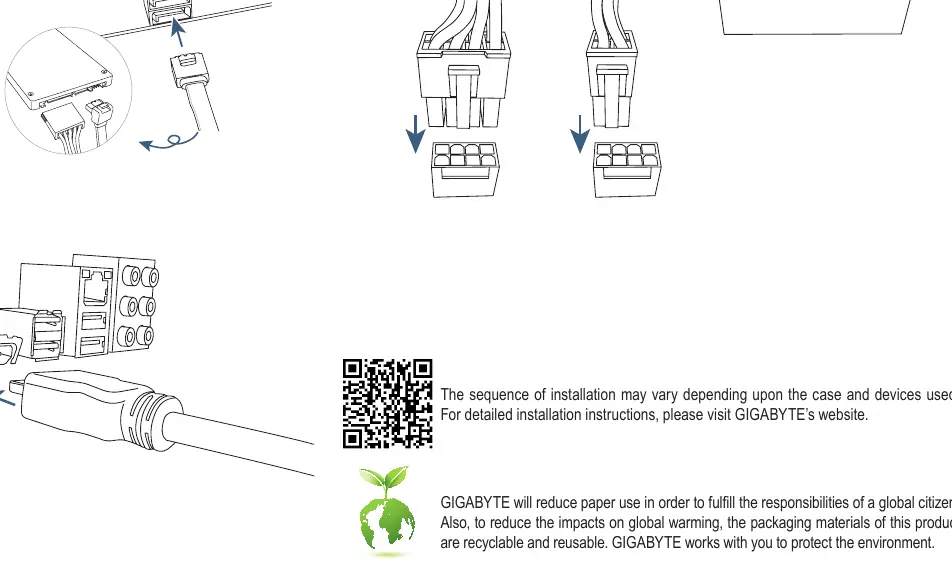
Install hard drives (HDD) and optical drives into the drive bays. Connect the necessary SATA or M.2 cables.
Step 7: Internal Connectors
Connect all internal cables to the motherboard, including power cables, front panel connectors, and data cables.
Step 8: Peripherals
Connect external peripherals such as a keyboard, mouse, and monitor to the rear I/O panel of the motherboard.
Important notes
The sequence of installation may vary depending upon the case and devices used. For detailed installation instructions, please visit the GIGABYTE website. GIGABYTE promotes environmental responsibility by reducing paper use and encourages the recycling of packaging materials.
Manufacturer information
Gigabyte Technology Co., Ltd.
Practical help
Before use
- Ensure the computer case is prepared for the motherboard installation
- Verify CPU compatibility with the motherboard socket
- Have all necessary cables and components ready
- Ensure the power supply is compatible with the system requirements
Images and diagrams
- Step 1 illustrates CPU and cooler installation with LGA1700 socket orientation
- Step 6 highlights M.2 and SATA drive connection points
- Step 7 shows the location of internal motherboard connectors
Model compatibility
- Installation sequence may vary based on the specific case and devices used
- Refer to the GIGABYTE website for detailed, model-specific installation instructions

Manual page author
Michael Turner
Technical manual editor
Reviews PDF manuals for structure, safety notes, and practical product details so readers can find the right information quickly.