Tools / Power Tools
User Manual for Warrior 18V Lithium 3/8 Inch Cordless Drill/Driver 58389
Comprehensive user guide for the Warrior 18V Lithium 3/8" Cordless Drill/Driver (Model 58389). Includes instructions for battery charging, drill bit installation, torque settings, operation, and maintenance.
Quick answers from the manual
Quick answer
- The Warrior 18V 3/8" Cordless Drill/Driver (58389) is a battery-powered tool for drilling and fastening. It features a keyless chuck, adjustable torque settings, and a variable speed trigger. Always ensure the battery is charged and the direction switch is in the center position when not in use. p. 6, 8, 9
Key actions
- Install a drill bit p. 8
- Charge the battery p. 6
- Adjust torque p. 8
First start
- Charge the battery pack fully before the first use. p. 6
- Test run the tool for at least 30 seconds. p. 8
Problems and fixes
Tool will not start
Check battery connection and charge level.
p. 10
Excessive noise or rattling
Internal damage or wear; have technician service tool.
p. 10Technical specifications
| Parameter | Value | Meaning | Pages |
|---|---|---|---|
| Battery Type | Li-ion | Lithium-ion battery chemistry. | p. 6 |
| No Load Speed | 0-900/min | Maximum rotational speed without load. | p. 6 |
Where to find it in the PDF
- Safety Information p. 2, 3, 4, 5
- Specifications p. 6
- Operating Instructions p. 8, 9
- Parts List and Diagram p. 11
Table of contents
Manual images
Click an image to enlargeQuick guide from the manual
The Warrior 18V 3/8" Cordless Drill/Driver is designed for drilling and driving screws. Before using the tool, ensure the battery is fully charged and the work area is clear. Always wear eye protection and follow safety guidelines regarding battery handling and vibration.
Safety information
- Battery Safety: Keep the battery pack dry. Do not open, drop, short-circuit, puncture, incinerate, or expose the battery to temperatures above 265°F.
- Operation Safety: Always wear ANSI-approved eye protection. Keep hair, clothing, and jewelry away from moving parts. Do not change the direction of rotation while the chuck is rotating.
- Vibration Safety: If you experience tingling or numbness, seek medical advice. Grip the tool lightly and allow the tool to do the work.
Specifications
- Battery: 18V / 1300mAh Li-ion
- No Load Speed: 0-900 RPM
- Chuck Size: 3/8" (10mm)
- Charger Input: 120VAC / 60Hz / 300mA
Setup and charging
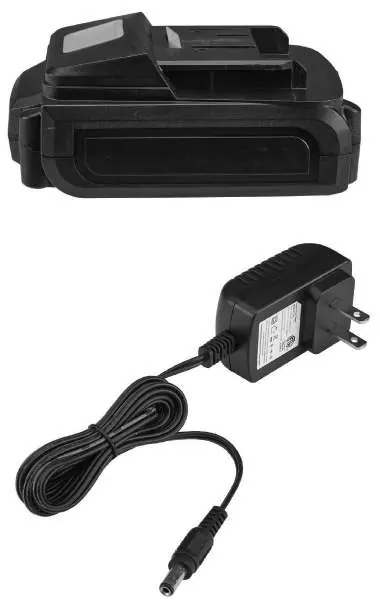
Before first use, charge the battery pack. Place the battery on a dry, fireproof surface in a room with a temperature between 50–104°F. A fully discharged battery takes about 3 to 5 hours to charge. The red LED on the battery pack lights up during charging and turns off when fully charged.
Operation
Drill bit installation
- Ensure the trigger is in the off-position and the battery is removed.
- Rotate the chuck counterclockwise to open the jaws.
- Insert the drill bit or screwdriver bit.
- Rotate the chuck clockwise to secure the bit.
Torque and direction
- Torque Adjustment: Use settings 1-20 for driving screws, bolts, and nuts. Use the drill icon setting for drilling.
- Direction Switch: Slide the switch to the left for forward (drilling/fastening) and to the right for reverse (removing screws/jammed bits). Always center the switch to lock the trigger when not in use.
Maintenance
Before each use, inspect the tool for damage, loose hardware, or battery issues. After use, wipe the tool with a clean cloth. If the tool operates slowly or makes excessive noise, check for battery issues or internal wear. Do not attempt to repair the tool yourself; have it serviced by a qualified technician.
Manufacturer information
Harbor Freight Tools
Practical help
Common problems
Tool will not start
Check if the battery pack is properly connected and charged. If the battery is burnt out, replace it.
Tool operates slowly
Do not force the tool; allow it to work at its own rate. If the battery is wearing out, replace it.
Overheating
Ensure motor housing vents are not blocked. Allow the tool to work at its own rate and keep bits sharp.
Before use
- Inspect the tool for cracked or broken parts.
- Ensure the battery pack is fully charged.
- Check that the drill bit is sharp and undamaged.
- Clear the work area of children and pets.
- Secure workpieces with a vise or clamps.
Images and diagrams
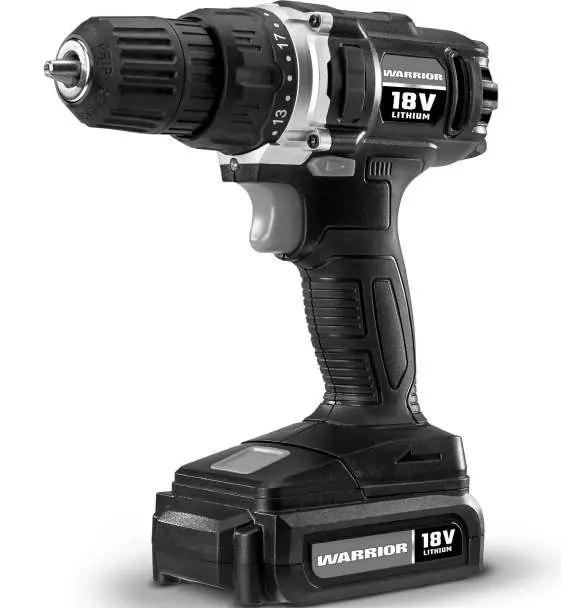
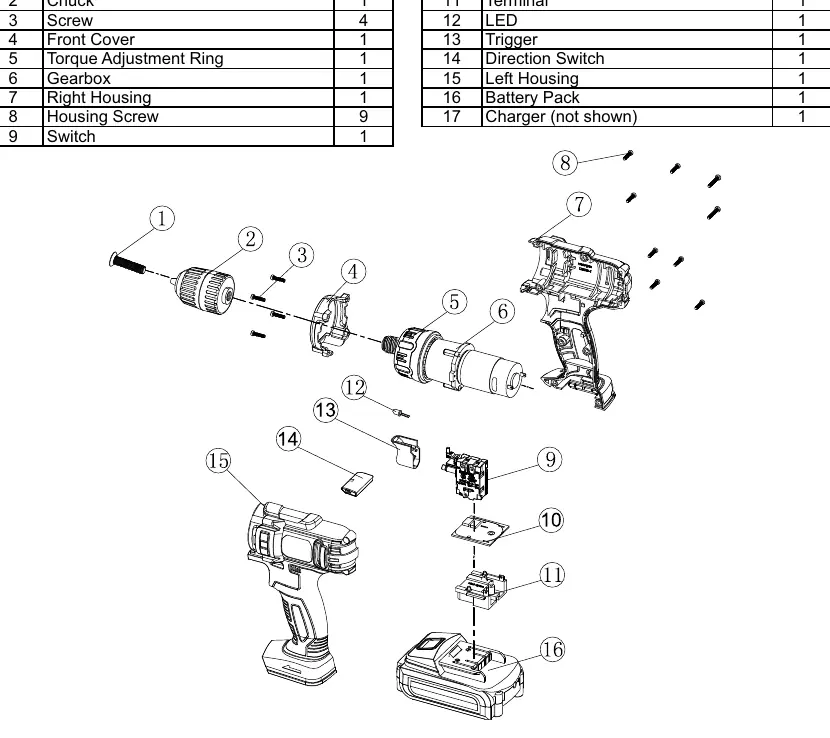
- Keyless Chuck: Used to hold drill bits or screwdriver bits.
- Torque Adjustment Ring: Allows selection of torque settings for different fasteners.
- Direction Switch: Controls the rotation direction (forward/reverse) and locks the trigger.
- Work Light: Illuminates the work area when the trigger is pressed.
Model compatibility
- Use only Warrior 18V Li-ion battery packs.
- Do not use extension cords with the charger.
- The drill accepts up to 3/8" standard drill bits.

Manual page author
Michael Turner
Technical manual editor
Reviews PDF manuals for structure, safety notes, and practical product details so readers can find the right information quickly.