Computers / Laptops
Product Datasheet for HP Chromebook 11A G8 EE
Quick guide and technical specifications for the HP Chromebook 11A G8 EE. Learn about hardware features, connectivity, display options, and supported accessories.
Table of contents
Manual images
Click an image to enlargeQuick guide from the manual
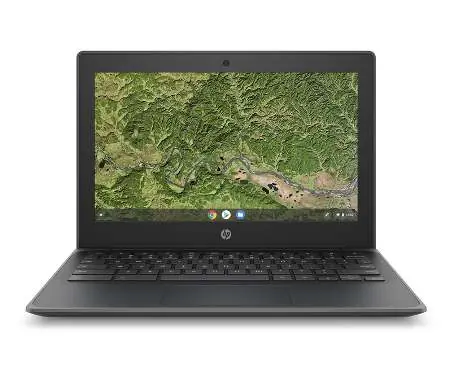
The HP Chromebook 11A G8 EE is a durable laptop designed for educational environments. It features a spill-resistant keyboard, reinforced corners, and a design tested to MIL-STD 810H standards. This device runs on Chrome OS and is optimized for cloud-first learning.
Key Features
- Durability: Built to withstand school environments with rubber bumpers, an anchored keyboard, and drop-tested construction.
- Performance: Powered by AMD A6 or A4-Series APU processors with integrated Radeon graphics.
- Display: 11.6-inch diagonal HD (1366 x 768) anti-glare WLED-backlit display, with optional touchscreen models available.
- Management: Compatible with HP Classroom Manager, Chrome Education Upgrade, and Chrome Enterprise Upgrade for easy IT deployment.
Technical Specifications
- Processor: AMD A6-9220C or AMD A4-9120C APU.
- Memory: 8 GB DDR4-1866 SDRAM.
- Storage: 16 GB up to 32 GB eMMC 5.0.
- Graphics: Integrated AMD Radeon R5 or R4 Graphics.
- Audio: HD audio, dual speakers, and integrated microphone.
- Camera: 720p HD camera.
Connectivity and Ports
- Wireless: Qualcomm Wi-Fi 5 (2x2) and Bluetooth 4.2 Combo or Realtek 802.11ac (2x2) Wi-Fi and Bluetooth 5 Combo.
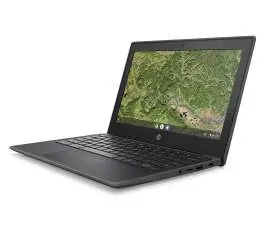
- Ports: 2 x USB 3.1 Type-C Gen 1 (supports power delivery, data transfer, and DisplayPort), 2 x USB 2.0, 1 x Stereo headphone/microphone combo jack.
- Expansion: 1 x microSD slot (supports SD, SDHC, SDXC).
Power and Battery
- Battery: HP Long Life 2-cell, 47.36 Wh Li-ion polymer battery.
- Charging: Supports HP Fast Charge, which recharges the battery to 90% in 90 minutes when the system is off or in standby mode.
- Adapter: HP Smart 45 W USB Type-C adapter.
Accessories
The device supports various optional accessories, including the HP 17.3 Business Backpack, HP Comfort Grip Wireless Mouse, and HP Slim USB Keyboard and Mouse. Extended hardware support is available via HP Care Pack services.
Manufacturer information
HP Inc.
Practical help
Common problems
Battery charging speed slows down
Charging speed returns to normal after reaching 90% capacity. This is expected behavior.
Limited user storage
Actual formatted capacity is less than the nominal GB; up to 8.1 GB is not user available.
Performance variations
Processor speed denotes maximum performance mode; processors will run at lower speeds in battery optimization mode.
Before use
- Ensure the device is charged using the provided HP Smart 45 W USB Type-C adapter.
- Check for available software updates via Chrome OS.
- Verify internet connectivity for initial setup.
- Ensure the environment is suitable for the device.
Model compatibility
- Supports Chrome Education Upgrade and Chrome Enterprise Upgrade (sold separately).
- Compatible with HP Classroom Manager (sold separately).
- Supports microSD cards (SD, SDHC, SDXC).

Manual page author
David Miller
Documentation analyst
Organizes user manual content into clear summaries, with attention to model details, product context, and everyday usability.