Electronics / Antenna Accessories
User Manual for Matchmaster 12MM-DSTM2 Combination Signal Meter
Quick guide for the Matchmaster 12MM-DSTM2 combination signal meter. Learn how to operate satellite, terrestrial, and cable signal finding, spectrum analysis, and system settings.
Table of contents
Manual images
Click an image to enlargeQuick Guide
The 12MM-DSTM2 is a portable HD digital signal meter designed for installing and adjusting satellite and terrestrial antennas. Before first use, it is recommended to fully charge the device for 6 hours. Ensure the device is used in a ventilated environment and kept away from heat sources, direct sunlight, and dusty areas. The default password for system settings is 000000.
Overview
The device supports DVB-T/T2/C and DVB-S/S2 standards. Key features include a 5-inch TFT LCD, spectrum analysis, real-time constellation display, TP search, blind search, and PVR functionality. It also supports 8MP camera input (AHD, TVI, CVI, CVBS) and includes a built-in LED light and 4000mAh battery.
Panel Functions
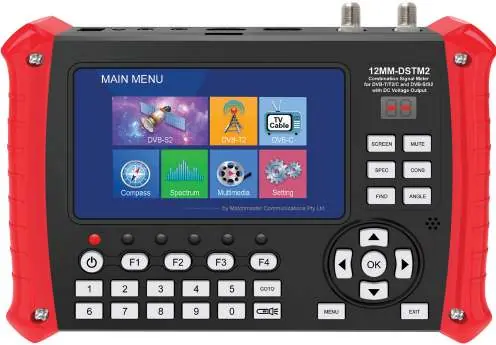
Front Panel: Features the LCD screen, navigation keys (Up, Down, Left, Right, OK), and dedicated shortcut keys for Screen, Mute, Spectrum (SPEC), Constellation (CONS), Satellite Finding (FIND), and Angle calculation. The power switch is located on the front panel; press for 3-4 seconds to turn on/off.
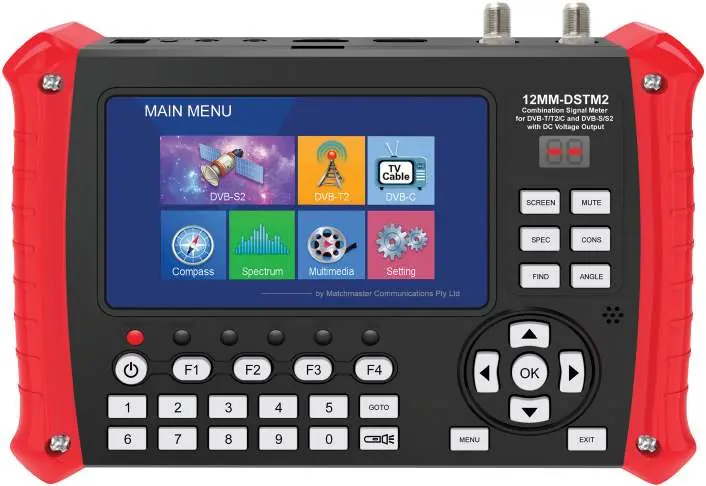
Top Panel: Contains the F-connector for Satellite Input, F-connector for Terrestrial/Cable Input, USB connector, HDTV OUT, AV OUT/IN (3.5mm), Reset key, DC jack for charging, and HD IN.
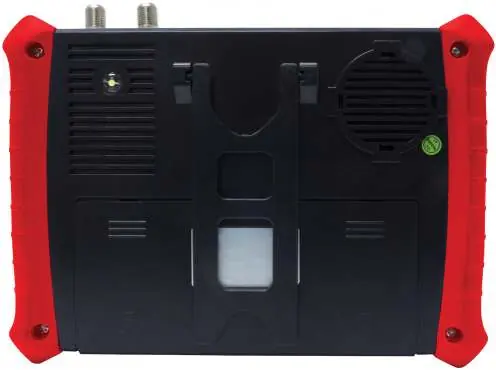
Rear Panel: Includes the LED floodlight, holder, loudspeaker, battery compartment, and hand grips.
Operation Guide
Satellite Finding: Navigate to the Satellite Finding interface. Select the satellite, LNB type, frequency, symbol rate, and polarity. When the signal is locked, the buzzer will sound, the signal quality bar will display, and the LOCK LED will light up. You can perform a scan using Default, Blind, or Network modes.
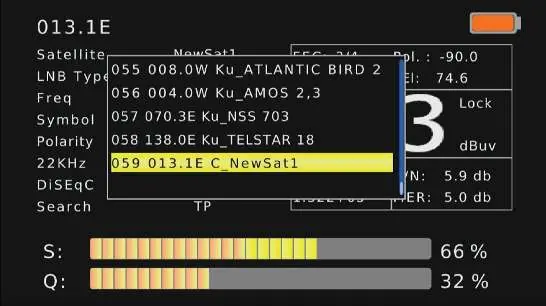
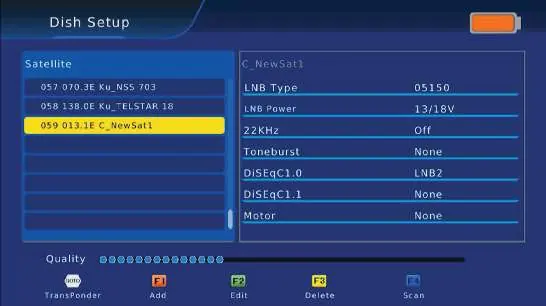
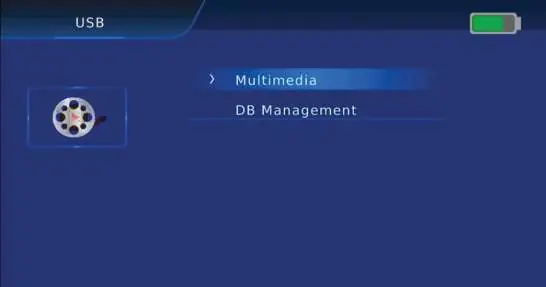
Dish Setup: Use this menu to add, edit, or delete satellites. You can configure LNB type, LNB power (13V/18V), 22KHz tone, Toneburst, DiSEqC 1.0/1.1, and Motor settings.
Angle Calculation: Input the satellite longitude and your local latitude/longitude to automatically calculate the required elevation and azimuth for antenna alignment.
Constellation Analyzer: Select a satellite and transponder to view the constellation diagram, which helps in analyzing signal quality and modulation.
Terrestrial and Cable (DVB-T/T2/C): Access the respective interfaces to perform Auto Search, Manual Search, or Full Scan. You can monitor signal strength, quality, and SNR.
Compass: Calibrate the compass by pressing F1 and rotating the device horizontally. Set your local latitude and longitude first for accurate readings.
Spectrum Analyzer: View the frequency spectrum. Use F1 to switch the span, F4 to pause, and arrow keys to move the cursor and check signal strength at specific frequencies.
Settings
Program: Manage channels (move, skip, lock, delete, rename). Requires password 000000.
Device Setup: Configure keypad backlight, keypad tone, LED display, and units (dBuV).
System: Access parental guidance, change password, restore factory defaults, and view hardware/software information.
Picture: Adjust aspect ratio, resolution, TV format, and PQ level.
Time: Set time offset (Auto/Manual), time zone, date, and time.
USB Upgrade: Update software by saving the file onto a FAT32 formatted USB drive and selecting it in the USB Upgrade menu.
Technical Specifications
Power: 12.6V/4000mAh battery, 3-6 hours charging time, >5 hours discharge time. Input voltage 100-240V AC.
Display: 5-inch TFT LCD.
Dimensions: 210 x 150 x 52 mm.
Weight: 0.93 kg.
Operating Temperature: 0°C to +45°C.
Manufacturer information
Matchmaster Communications Pty Ltd
Practical help
Common problems
Device does not turn on
Ensure the device is fully charged. It is recommended to charge for 6 hours before the first use.
Battery performance issues
Do not use the battery near heat sources or in direct sunlight. Ensure the charging environment is between 0-45°C.
Signal not locking
Verify that the LNB type, frequency, symbol rate, and polarity settings match the satellite/transponder parameters.
Before use
- Charge the device for 6 hours before first use.
- Ensure the device is in a well-ventilated area.
- Verify all cables are connected to the correct ports (Satellite vs Terrestrial/Cable).
- Set local latitude and longitude in the Compass/Angle Calculation menu for accurate alignment.
- Ensure the battery is not exposed to static electricity (100V or above).
Specs in practice
- Satellite Input Frequency
- 950MHz to 2150MHz range.
- Terrestrial Input Frequency
- UHF: 470-866MHz, VHF: 170-230MHz.
Images and diagrams
- Front panel includes navigation keys, shortcut keys for Spectrum, Constellation, and Satellite finding, and the LCD screen.
- Top panel features F-connectors for inputs, USB, and AV ports.
Model compatibility
- Supports DVB-S/S2, DVB-T/T2, and DVB-C standards.
- Supports 8MP camera input (AHD, TVI, CVI, CVBS).

Manual page author
Michael Turner
Technical manual editor
Reviews PDF manuals for structure, safety notes, and practical product details so readers can find the right information quickly.