Automotive / Car Audio
User Manual for Matchmaster Profinesse 14MM-PR08-MH Smart Masthead Processor
Quick setup guide and user manual for the Matchmaster Profinesse 14MM-PR08-MH smart masthead processor. Learn how to install, configure channels, and adjust settings for optimal TV signal processing.
Table of contents
Manual images
Click an image to enlargeQuick guide from the manual
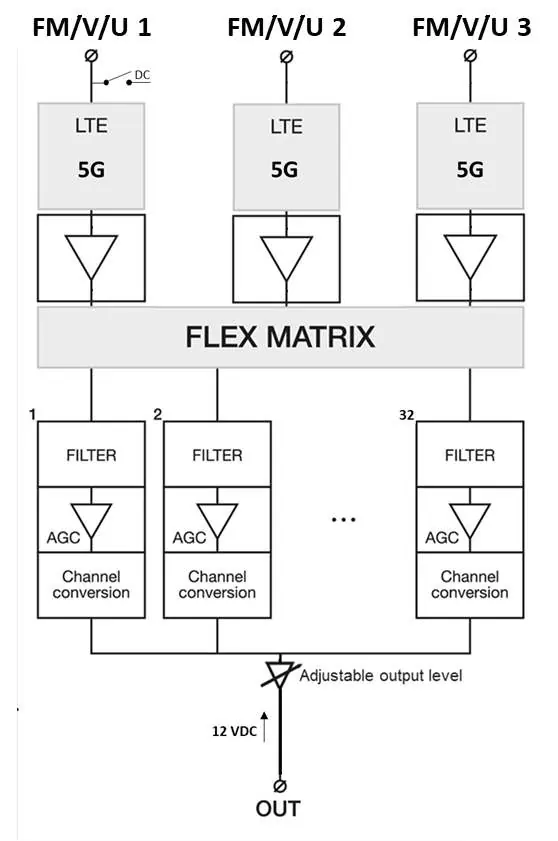
The Matchmaster Profinesse 14MM-PR08-MH is a programmable filter amplifier designed to process and convert TV signals. It features auto-programming, 3 universal inputs (FM/VHF/UHF), and LTE/5G protection. The device is configured using a rotary button with a flat screwdriver.
Hardware installation
The module can be installed indoors or outdoors. Ensure you use a cable drip loop for outdoor installations to prevent water ingress.
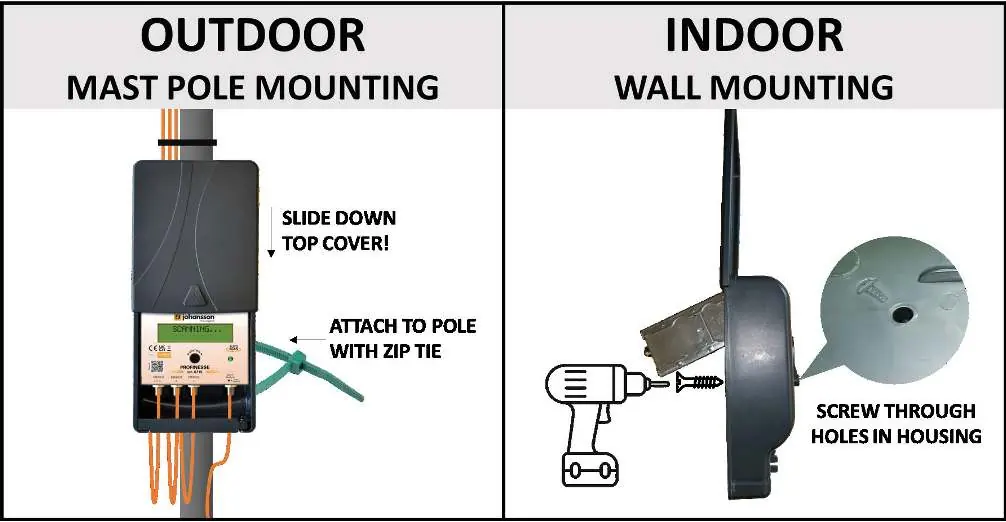
- Outdoor mounting: Attach to a mast pole using a zip tie. Slide down the top cover to access connections.
- Indoor mounting: Mount to a wall using screws through the holes in the housing.
- Connections: Connect your antennas to the inputs. Connect a coaxial cable to the output connector for signal distribution.
- Power: Power the device via the output using the Matchmaster Power Supply ref. 14MM-PSF1A (sold separately) with the supplied power inserter.
Configuring the device
Use a flat screwdriver to operate the rotary button:

- Enter configuration: Push the button for 2 seconds.
- Navigate: Rotate the button to scroll through screens.
- Confirm: Push the button to select options.
Region and country settings
Important: Before starting configuration, set the correct region. Unpower the unit, push and hold the button, then repower the unit. Release when the display shows "RESET FINISHED". Select your country/region to automatically set the correct channel frequency plan and DC voltage for input 1.
Channel scan
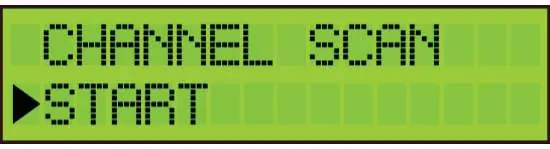
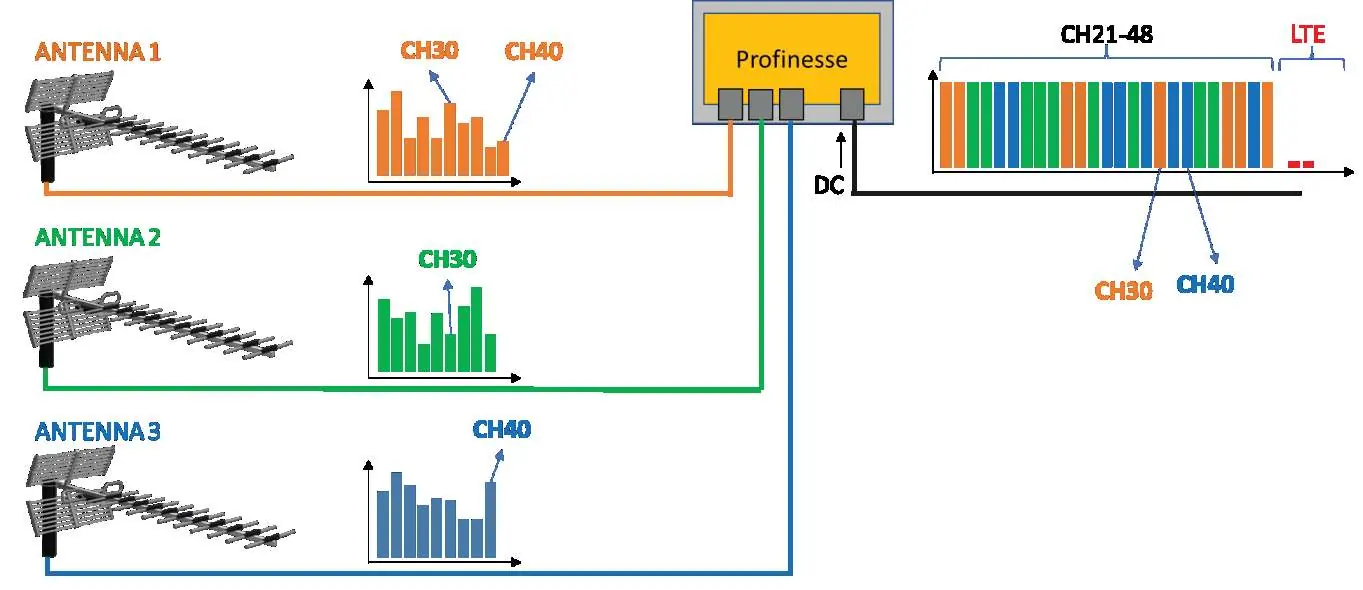
Access the menu and select CHANNEL SCAN. Scroll to START and tap the button. The device will scan for channels (takes up to 1 minute). You can enable DUPLICATCH to convert weaker duplicate channels to the LTE band or disable it to reject them.
Input and output settings
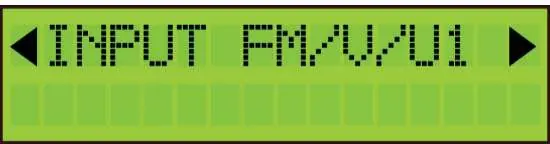
- Input settings: Configure DC power (OFF or 12V) for external amplifiers and add/delete channels.
- Output settings: Adjust the output level (70-90 dBµV) and use VHF ATTN to compensate for cable losses.
Advanced settings
Access advanced options to change the language, toggle channel conversion, adjust filter bandwidth (default -750 kHz), or check firmware and serial numbers.
Safety instructions
- Do not expose the unit to rain, moisture, or dripping liquids.
- Install in a well-aired location with at least 15 cm of clearance for ventilation.
- Do not cover ventilation holes or place naked flames on the apparatus.
- Connect only to sockets with protective earth connections.
- Clean only with a dry soft cloth; do not use solvents.
Manufacturer information
Matchmaster Communications Pty Ltd
Practical help
Common problems
Forgot the lock code
Use the master code 50. This code is fixed and cannot be changed.
Duplicate channels detected
Enable 'DUPLICATCH' in the menu to convert the weaker channel to the LTE band, or disable it to reject the weaker channel.
No signal or incorrect channel plan
Perform a hard reset (unpower, hold button, repower) and ensure the correct region/country is selected.
Before use
- Ensure the unit is installed in a dry location.
- Verify the power supply (12-18V DC) is compatible.
- Use a flat screwdriver for the rotary button.
- Set the correct region/country before starting configuration.
- Use a cable drip loop for outdoor installations.
Specs in practice
- Output level
- Adjustable between 70 dBµV and 90 dBµV.
- LTE protection
- Filters out 5G signals above 694 MHz.
- Operating temperature
- Safe operation between -20°C and +50°C.
Images and diagrams
- Hardware installation diagram shows connections for FM, DAB+, and DVB-T/T2 antennas.
- Mounting diagram illustrates both mast pole (zip tie) and wall (screws) installation methods.
- Menu navigation diagram shows how to use the rotary button to scroll and confirm.
Model compatibility
- Requires Matchmaster Power Supply ref. 14MM-PSF1A (sold separately).
- Compatible with indoor and outdoor mounting.

Manual page author
Michael Turner
Technical manual editor
Reviews PDF manuals for structure, safety notes, and practical product details so readers can find the right information quickly.