Electronics / Audio Interfaces
User Manual for MuxLab 12G-SDI to HDMI 2.0 Converter 500744
Quick guide for the MuxLab 12G-SDI to HDMI 2.0 Converter (500744). Includes setup instructions, port descriptions, technical specifications, and application diagrams.
Table of contents
Manual images
Click an image to enlargeQuick guide from the manual
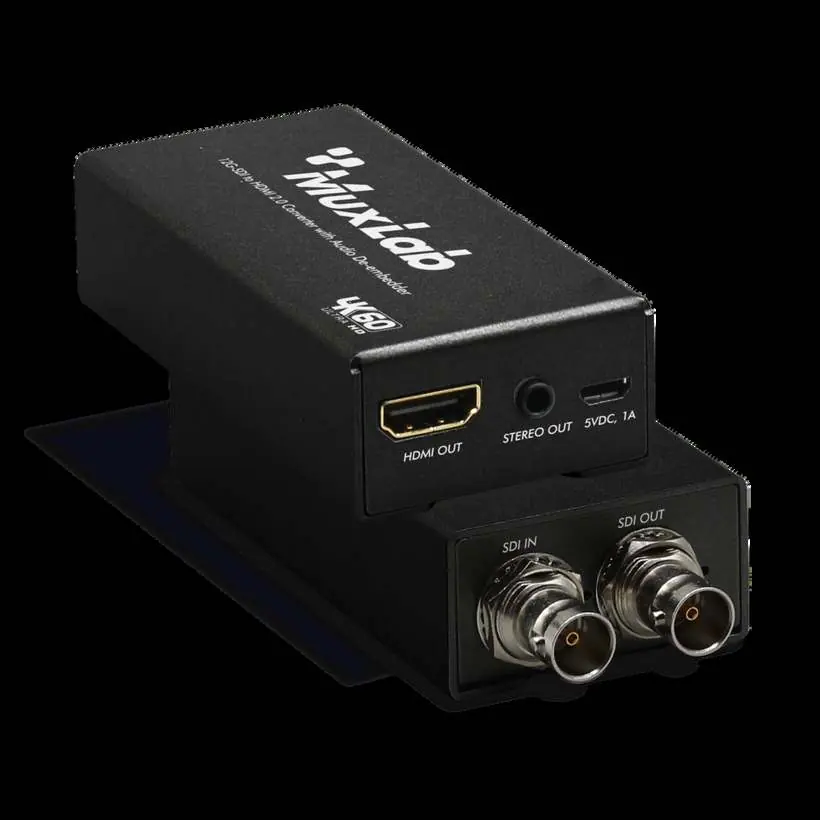
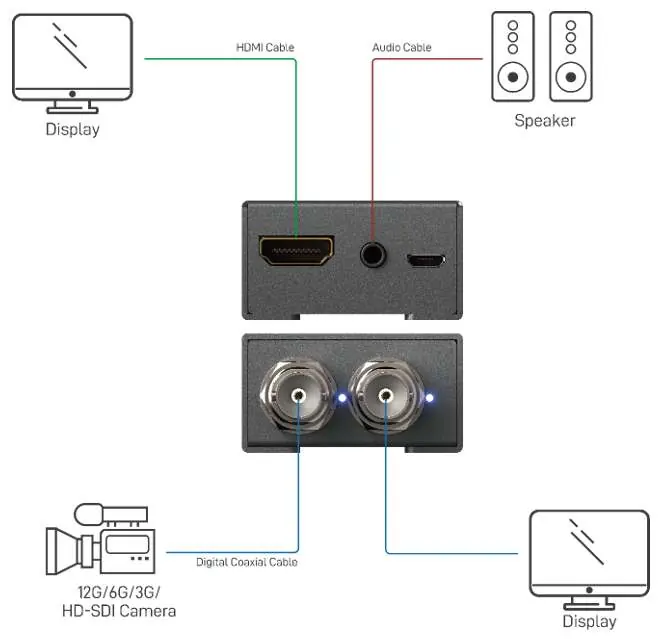
The MuxLab 500744 is a 12G-SDI to HDMI 2.0 converter with audio extraction. To set up the device, connect your SDI source to the SDI IN port and your display to the HDMI OUT port. Connect the provided 5VDC power adapter to the 5V DC port. The device automatically detects the SDI signal format.
Package Contents
- 12G-SDI to HDMI 2.0 Converter
- 5VDC Power Adapter
- Rack-mounting ears set
- User manual
Panel Description
The device features the following ports and indicators:
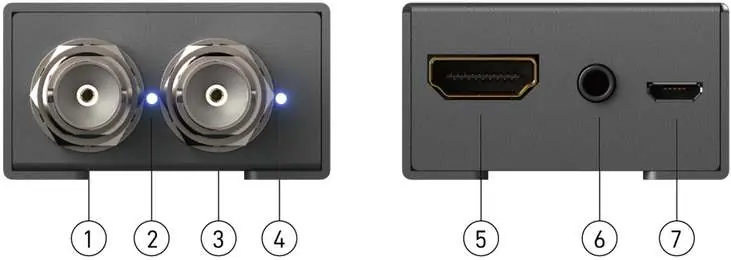
- SDI IN: Input for 12G/6G/3G/HD-SDI signals.
- Signal LED: Indicates active signal.
- SDI OUT: Loopout for SDI signals.
- Power LED: Indicates power status.
- HDMI OUT: Output for HDMI 2.0.
- Stereo Audio: 3.5mm analog audio output.
- 5V DC: Power input port.
Specifications
Key technical parameters include:
- Video Bandwidth: SDI up to 11.88 Gbps, HDMI up to 18 Gbps.
- Supported Resolutions: Up to 4K/60Hz.
- Audio Support: Analog 2ch, SDI up to 7.1ch.
- Dimensions: 92mm x 45mm x 23mm.
- Weight: 175g.
- Power Supply: 5VDC.
Safety Precautions
- Do not dismantle or modify the housing.
- Keep away from water and moisture to prevent fire or shock.
- Use only the specified power supply.
- Ensure adequate ventilation to prevent overheating.
- Unplug the device if not in use for long periods.
Practical help
Common problems
No signal or image on display
Check all cable connections, ensure the SDI source is active and outputting a compatible format, and verify the display supports HDMI 2.0.
Device overheating
Ensure the device is installed in a location with adequate ventilation.
Before use
- Verify all items in package (Converter, 5VDC adapter, rack-mounting ears).
- Ensure SDI source is compatible (12G/6G/3G/HD-SDI).
- Check that the display supports HDMI 2.0.
- Ensure power supply is 5VDC.
Images and diagrams
- Connect SDI source to SDI IN.
- Connect display to HDMI OUT.
- Connect speakers to Stereo Audio jack.
- Connect power supply to 5V DC port.
Model compatibility
- Supports 12G/6G/3G/HD-SDI signals.
- Supports HDMI 2.0 and below.
- Supports up to 8-channel audio.

Manual page author
Michael Turner
Technical manual editor
Reviews PDF manuals for structure, safety notes, and practical product details so readers can find the right information quickly.