Plumbing / Toilet Flushers
User Manual for Sanela SLW 10NKB Automatic Toilet Flushing Unit
Quick guide for the Sanela SLW 10NKB and SLW 10NKBX automatic toilet flushing unit. Includes installation steps, wiring diagrams, battery replacement, and sensor settings.
Table of contents
Manual images
Click an image to enlargeQuick guide from the manual
The Sanela SLW 10NKB and SLW 10NKBX are automatic toilet flushing units designed for touchless operation. The system uses an infrared sensor to detect user presence and trigger the flush automatically.
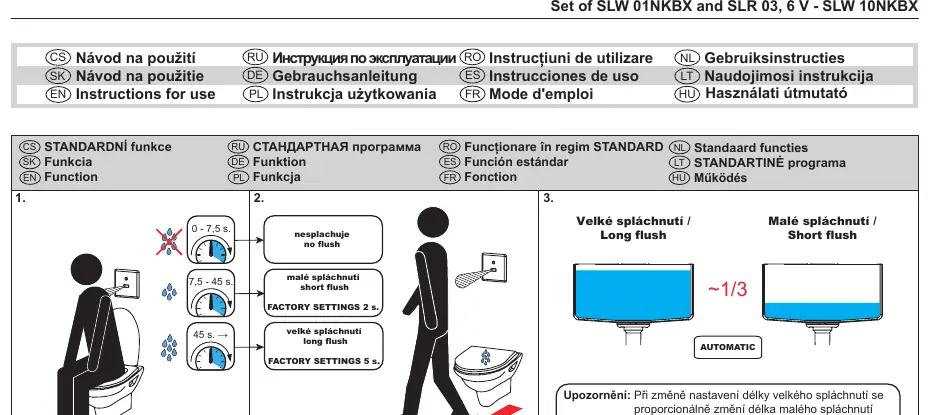
- No flush: User presence 0 - 7.5 seconds.
- Short flush: User presence 7.5 - 45 seconds (Factory setting: 2s).
- Long flush: User presence over 45 seconds (Factory setting: 5s).
- Automatic flush: Occurs after the user leaves the detection zone.
Installation
Before installation, ensure the water pressure is between 0.15 and 0.6 MPa and the sieve dimension is ≤ 90 µm. Read the attached Safety Instructions thoroughly before beginning.
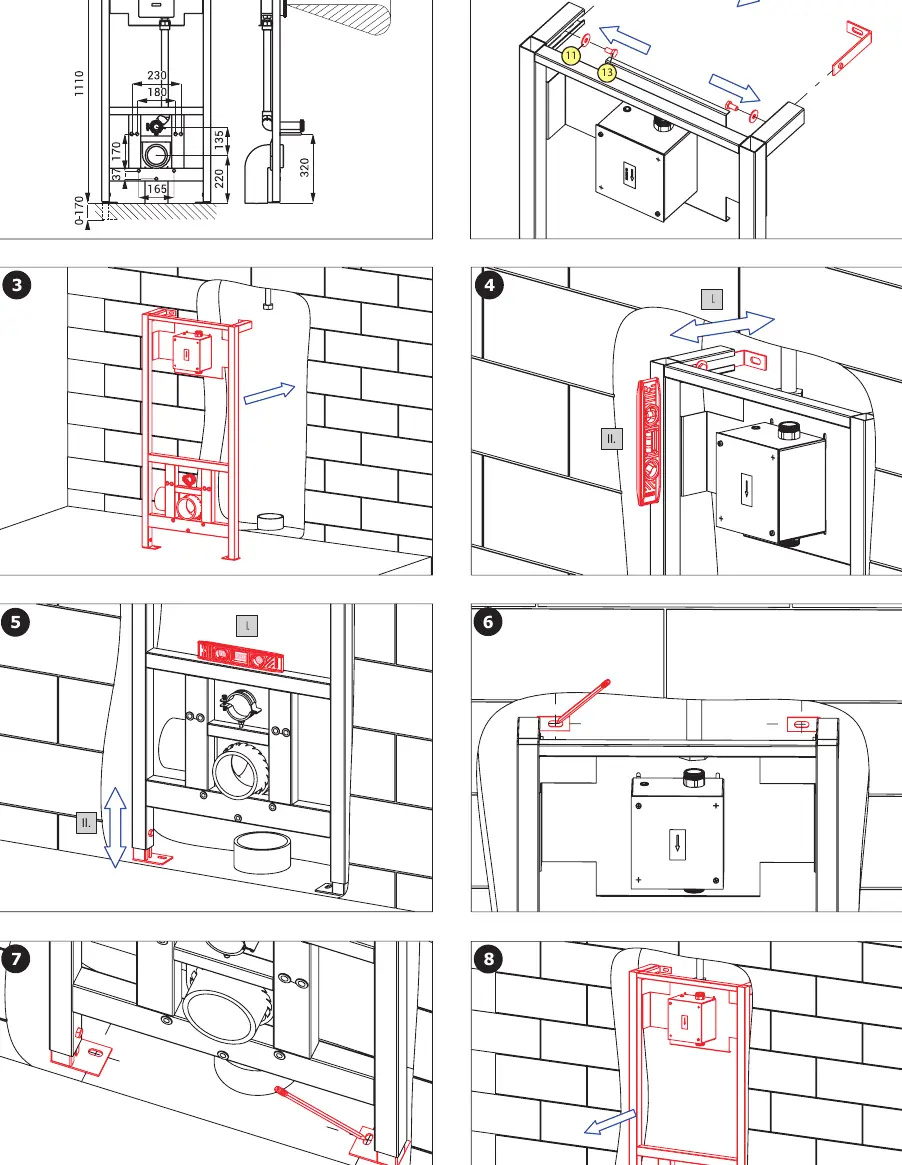
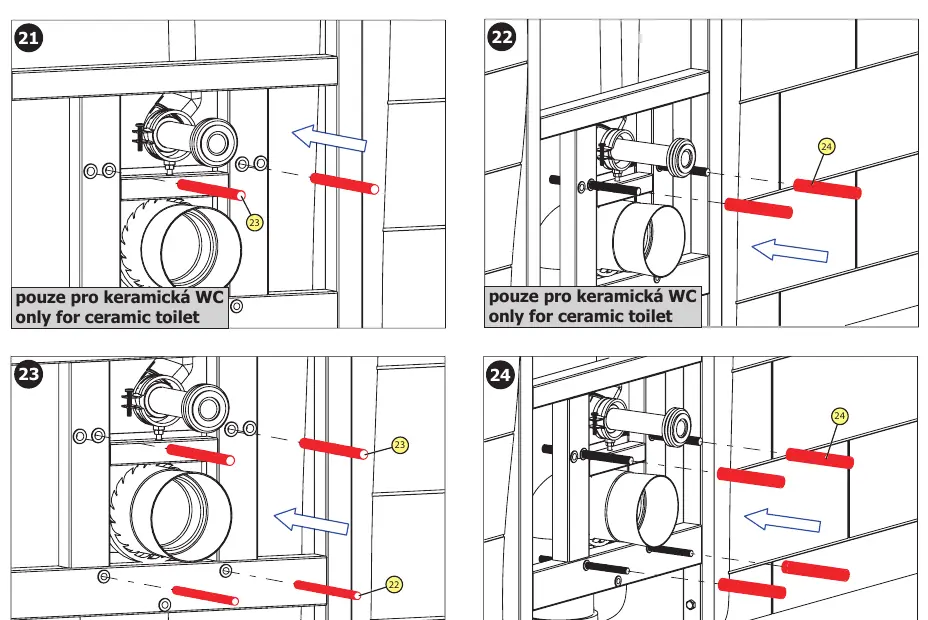
- Assemble the mounting frame according to the supplied equipment list.
- Secure the frame to the wall using the provided anchors and screws.
- Connect the water supply and the flushing unit components.
- Ensure the correct mounting parts are used for either ceramic or stainless steel toilets as indicated in the diagrams.
Settings and Adjustments
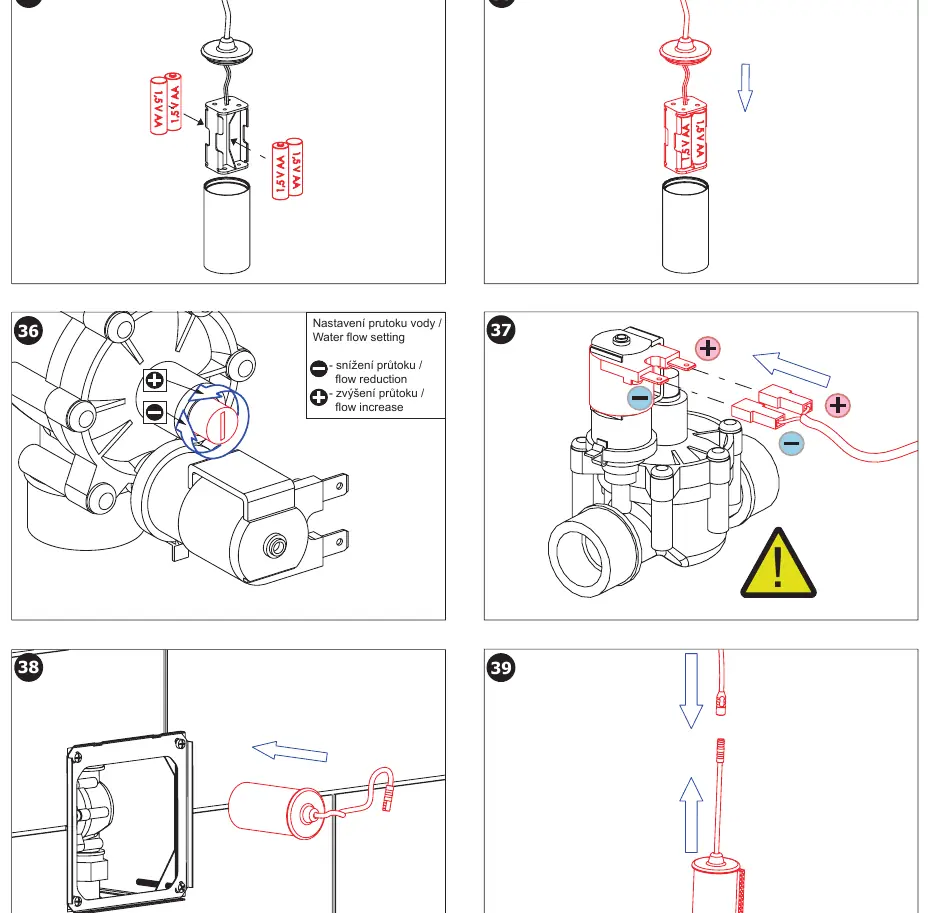
The sensor range is adjustable between 0.3 and 0.7 meters. The flush duration can be modified; note that changing the long flush duration will proportionally change the short flush duration. Water flow can be adjusted manually using the flow valve located on the flushing unit.
Battery Maintenance
The unit is powered by 4x AA alkaline 1.5V batteries. Battery status is indicated by the LED on the sensor:
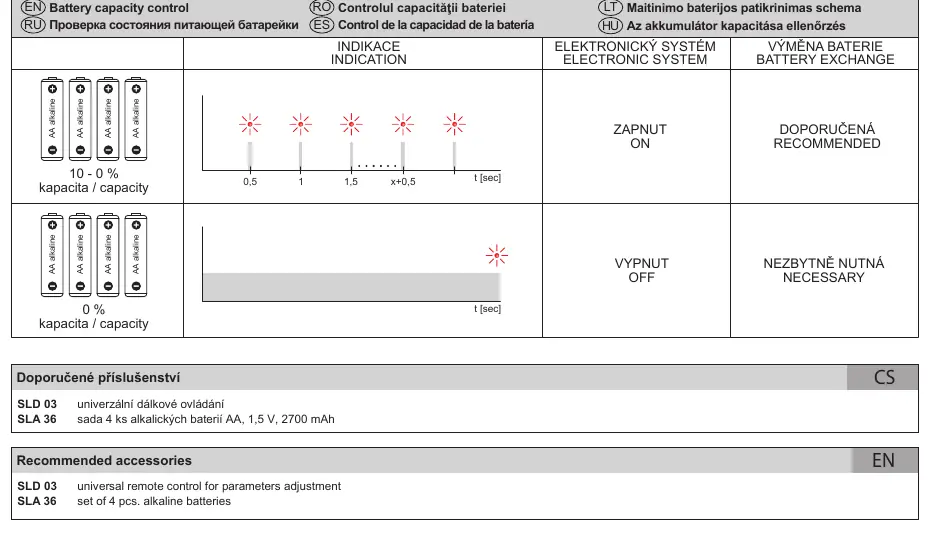
- 10-0% capacity: LED flashes during operation (Battery exchange recommended).
- 0% capacity: LED flashes continuously (Battery exchange necessary).
To replace batteries, remove the cover, disconnect the battery pack, replace the batteries, and reconnect.
Technical Support
For technical support, service intervention, or fault resolution, contact your installation company or visit www.sanela.eu/service. Regular maintenance is recommended according to the maintenance instructions available at www.sanela.eu/service-download.
Official resources from the manual
Manufacturer information
SANELA spol. s r. o.
Practical help
Common problems
Unit does not flush
Check battery status. If the LED flashes continuously, replace the 4x AA batteries.
Incorrect flush duration
Adjust settings using the universal remote control (SLD 03).
Low water flow
Manually adjust the flow valve on the flushing unit to increase flow.
Before use
- Verify water pressure is within 0.15 - 0.6 MPa.
- Ensure the sieve dimension is ≤ 90 µm.
- Check that all components from the supplied equipment list are present.
- Read the attached Safety Instructions.
- Ensure the correct mounting hardware is selected for your toilet type (ceramic vs. stainless steel).
Specs in practice
- Operating Pressure
- 0.15 - 0.6 MPa
- Sensor Range
- 0.3 - 0.7 meters
- Power Supply
- 4x AA alkaline 1.5V batteries
Images and diagrams
- Page 1: Sensor logic diagram showing flush behavior based on user presence duration.
- Page 3-6: Step-by-step mounting instructions for the frame and toilet connection.
- Page 7: Battery replacement and water flow adjustment procedure.
- Page 8: Battery status indication and remote control usage.
Model compatibility
- Compatible with both ceramic and stainless steel toilets; specific mounting parts are required for each type.

Manual page author
David Miller
Documentation analyst
Organizes user manual content into clear summaries, with attention to model details, product context, and everyday usability.