Home Appliances / Vacuum Cleaners
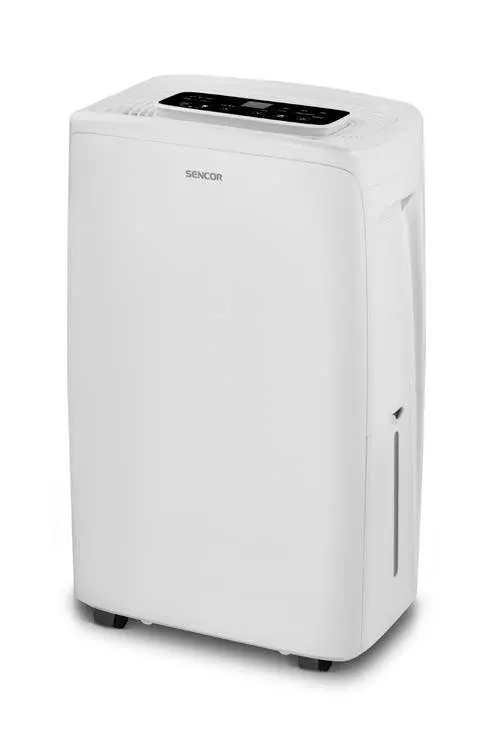
User Manual for Sencor SDH 1028WH Smart Mobile Dehumidifier
Quick guide for the Sencor SDH 1028WH Smart Mobile Dehumidifier. Includes setup, operating modes, Wi-Fi connectivity, maintenance, and troubleshooting steps.
Table of contents
Manual images
Click an image to enlargeQuick guide from the manual
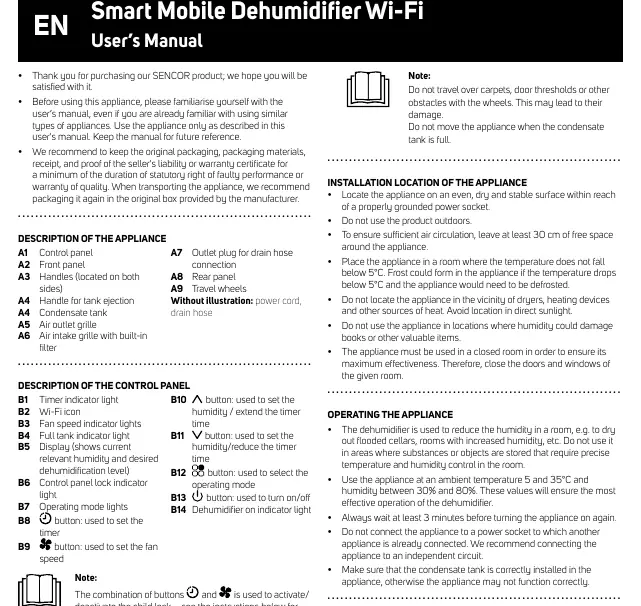
The Sencor SDH 1028WH is a smart mobile dehumidifier designed to reduce humidity in indoor environments. Before first use, remove all packaging, let the unit stand upright for 2-3 hours to allow the refrigerant to settle, and ensure the condensate tank is correctly installed. The device requires a 30 cm clearance on all sides for proper air circulation and should be operated in rooms with temperatures between 5°C and 35°C.
Description of the appliance
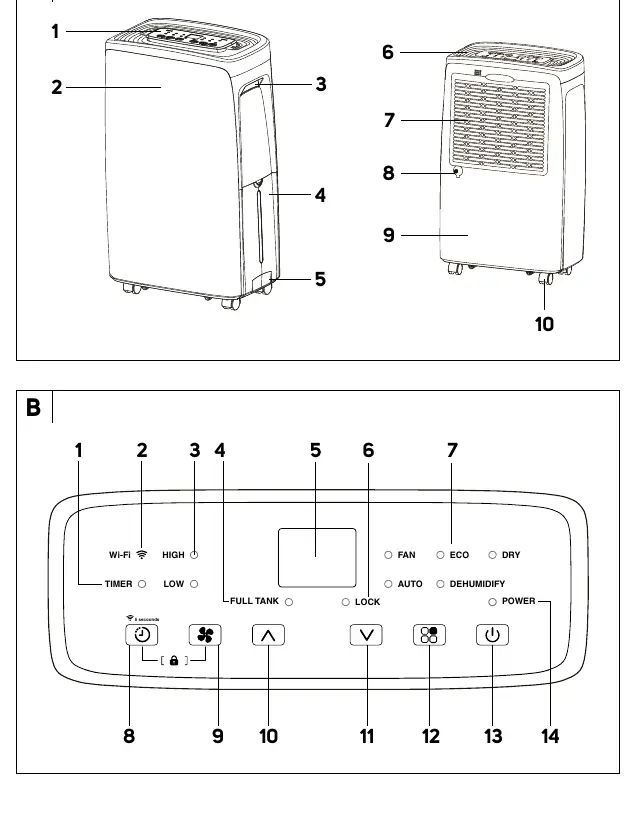
The unit features a control panel (A1), front panel (A2), side handles (A3), condensate tank (A4), air outlet (A5), and air intake with filter (A6). The control panel includes indicators for Wi-Fi, fan speed, full tank, and operating modes, along with buttons for timer, fan speed, humidity adjustment, mode selection, and power.
Installation location
Place the dehumidifier on a dry, stable, and horizontal surface. Do not use it outdoors or in areas with direct sunlight, heat sources, or where humidity could damage valuable items. Ensure the power socket is properly grounded and accessible. Keep doors and windows closed during operation for maximum effectiveness.
Operating the appliance
Turn the unit on using the power button. It starts in default dehumidification mode (40% humidity). You can select from five operating modes: Fan, Auto, Eco, Dehumidify, and Dry. Use the arrow buttons to adjust humidity levels (35-85%) or timer settings (1-24 hours). A child lock can be activated by holding the timer and fan buttons simultaneously.
App connectivity
The dehumidifier can be controlled via the Sencor HOME app. You can add the device via Bluetooth or by scanning the QR code provided in the manual. Ensure your phone's Bluetooth is on and the device is in pairing mode (hold the timer button for 5 seconds until the Wi-Fi light flashes).
Cleaning and maintenance
Disconnect the power before cleaning. Empty the condensate tank after each use and clean it monthly with a damp cloth and neutral detergent. Clean the protective filter grille at least every two weeks using a vacuum or by washing it in warm water (max 40°C). Ensure the filter is completely dry before reinstallation. Do not use abrasive agents or submerge the unit in water.
Troubleshooting
If the unit emits hot air, this is normal as it passes through a heating element. If it fails to turn on, check the power connection and ensure the condensate tank is correctly inserted. If humidity is not being removed, check for blockages in the air inlet/outlet or verify room temperature/humidity conditions. If the unit is noisy, ensure it is on a flat, stable surface.
Safety instructions
This appliance contains flammable refrigerant R290. It must be stored in a well-ventilated room with a floor area greater than 2m². Do not puncture or burn the cooling circuit. Maintenance involving the cooling circuit must be performed by qualified personnel authorized to handle flammable refrigerants.
Manufacturer information
Sencor
Practical help
Common problems
Dehumidifier is emitting hot air
This is a normal occurrence; dehumidified air passes through a heating element.
Dehumidifier does not turn on
Check if the power plug is connected to a grounded socket and ensure the condensate tank is inserted correctly.
Not removing humidity from the room
Check if the air outlet or inflow is blocked. Also, verify that room temperature and humidity are within the operating range.
Noisy operation
Ensure the unit is placed on a flat, firm, and stable surface and that the filter grille is clean.
Before use
- Remove all promotional labels and packaging.
- Check for any damage to the appliance or components.
- Let the unit stand upright for 2 to 3 hours after unpacking.
- Ensure the condensate tank is correctly installed.
- Verify the power socket is properly grounded.
- Ensure at least 30 cm of free space around the unit.
Specs in practice
- Dehumidification capacity
- 10 liters per 24 hours (at 30°C/80% humidity).
- Rated power input
- 235W power consumption.
- Condensate tank capacity
- 1.5 liters.
- Operating temperature
- 5°C to 35°C.
Images and diagrams
- Diagram A: Overview of appliance parts including control panel, handles, tank, and grilles.
- Diagram B: Detailed view of the control panel buttons and indicators.
- Diagram C: Instructions for removing and emptying the condensate tank.
- Diagram D: Instructions for connecting the drain hose for continuous drainage.
Model compatibility
- Requires Sencor HOME application for smart features.
- Compatible with 220-240V, 50Hz power supply.
- Recommended room area: 18-35 m².

Manual page author
Michael Turner
Technical manual editor
Reviews PDF manuals for structure, safety notes, and practical product details so readers can find the right information quickly.