Lighting / Controllers & Dimmers
User Manual for Somfy Situo 5 Variation RTS Remote Control
Quick guide for the Somfy Situo 5 Variation RTS remote control. Learn how to install, program, operate, and replace the battery for your 5-channel wireless controller.
Table of contents
Manual images
Click an image to enlargeQuick Guide
The Somfy Situo 5 Variation RTS is a 5-channel wireless remote control designed to operate RTS-compatible motors and receivers. It features a scroll wheel for precise control of tilting slats or dimming lights. Before use, ensure the remote is within range of the receiver and the battery is correctly installed.
Safety and Liability
This product must be installed by a professional in the motorization and home automation field. The installer must inform customers of the operating and maintenance conditions. Never install the product without first checking the compatibility with the associated equipment. Do not expose the remote to humidity or liquids.
Device Overview
The remote includes:
- Up/On/Open button
- Down/Off/Close button
- Stop/My button
- Variation scroll wheel (for tilting slats or dimming lights)
- Group selection buttons (1-5)
- LED indicators for group selection
- Wall mounting support
Installation
To mount the remote on a wall:
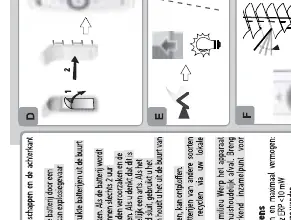
- Remove the wall mounting support from the remote.
- Mark the screw holes on the wall.
- Drill and secure the support to the wall using appropriate screws.
- Clip the remote onto the wall mounting support.
Operation
Selecting Groups: Press the group selection buttons (1-5) to choose the desired channel. The corresponding LED will light up.
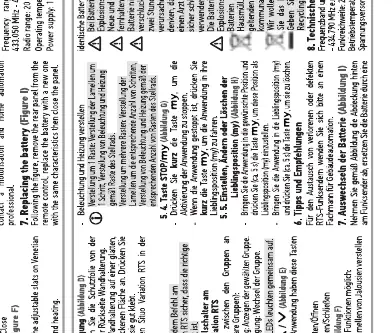
Basic Commands:
- Up/On/Open: Press the Up button.
- Down/Off/Close: Press the Down button.
- Stop/My: Press the Stop button to stop the movement.
Variation Control: Use the scroll wheel to adjust the tilt of slats or the intensity of lights. Scroll up to open/increase, scroll down to close/decrease.
Programming
Adding/Deleting a Remote:
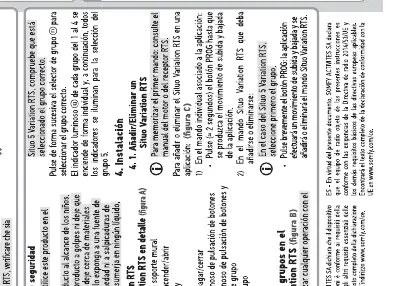
- Press the PROG button on the existing remote (or the receiver) for 2 seconds until the motor moves.
- Select the group on the new Situo 5 Variation RTS remote.
- Press the PROG button on the new remote briefly. The motor will move to confirm the addition or deletion.
Battery Replacement
If the remote stops working or the LED does not light up, replace the battery:
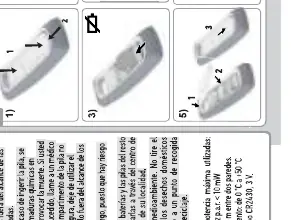
- Unscrew the back cover of the remote.
- Remove the old battery.
- Insert a new CR2430 3V battery, ensuring the polarity (+/-) is correct.
- Replace the cover and screw it back in.
Technical Data
- Radio Frequency: 433.42 MHz
- Battery Type: CR2430 3V
- Operating Temperature: 0°C to +50°C
- Range: 20 meters through two concrete walls
Practical help
Common problems
Remote does not control the device
Check if the correct group (1-5) is selected. Ensure the battery is not depleted.
Variation wheel does not adjust tilt or light
Ensure the connected motor or receiver supports RTS variation functionality.
Before use
- Verify the remote is within range of the receiver.
- Check that the battery is installed with the correct polarity.
- Ensure the correct group (1-5) is selected before sending commands.
- Confirm the motor/receiver is compatible with RTS technology.
Images and diagrams
- The scroll wheel is used for precise adjustments like tilting slats or dimming lights.
- LED indicators show which of the 5 groups is currently active.
Model compatibility
- Compatible with all Somfy RTS motors and receivers.

Manual page author
Michael Turner
Technical manual editor
Reviews PDF manuals for structure, safety notes, and practical product details so readers can find the right information quickly.