Lighting / LED Drivers
Sunricher Homeelife 2.4G Mesh Smart Home System User Guide
A comprehensive user guide for the Sunricher Homeelife 2.4G Mesh smart home system. This guide covers the installation, configuration, and specifications for various devices including LED controllers, dimmers, relays, sensors, and smart...
Quick answers from the manual
Quick answer
- The Homeelife 2.4G Mesh system is a smart home lighting control solution supporting app, remote, and voice control. It uses a mesh network to extend signal range up to 30m between devices. p. 4, 5
Key actions
- Pairing devices p. 12, 14, 15
Problems and fixes
Device not responding
Check power supply and ensure the device is within 30m of another mesh device.
p. 6Technical specifications
| Parameter | Value | Meaning | Pages |
|---|---|---|---|
| Transmission Range | 30m | Distance between every two neighbor devices in open area. | p. 6, 15 |
Where to find it in the PDF
- System Overview p. 4, 5
- Product Specifications p. 6, 16
Table of contents
Manual images
Click an image to enlargeQuick guide from the manual
The Homeelife 2.4G Mesh system is a wireless smart home solution designed for lighting control. It utilizes a mesh network where devices transmit signals to each other, extending the range up to 30 meters between neighbors. The system supports control via the Homeelife App, physical remotes, and voice assistants (Amazon Alexa, Google Assistant).
System Overview
The system offers several key features:
- Local and Remote Control: Manage devices via the app or dedicated remotes.
- Mesh Network: Reliable, encrypted two-way communication with status feedback.
- Automation: Timer schedules, smart scenes, and group control.
- Compatibility: Supports various protocols and platforms, including DALI, 0-10V, and third-party voice assistants.
Device Categories
The Homeelife system includes a wide range of compatible hardware:
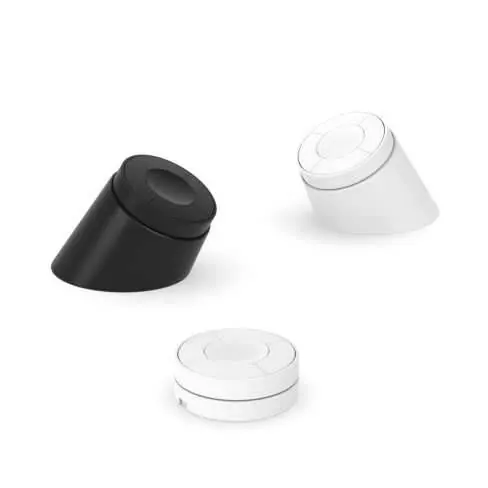
- LED Controllers: DC-DC controllers for single color, CCT, RGBW, and RGB+CCT strips.
- LED Drivers: Dimmable drivers for linear and magnetic track lights.
- Phase Dimmers: Leading and trailing edge dimmers, including versions with power metering.
- Relay Modules: Smart switches for load control, with power metering and overload protection options.
- Blinds Controllers: For roller blinds, shutters, and drapes.
- Sensors: Door/window sensors, flood sensors, and PIR/microwave motion sensors with photocells.
- Smart Panels & Remotes: Wall-mounted panels, handheld remotes, and rotary dimmers.
- Accessories: Push button couplers, DIN rail energy meters, signal amplifiers, and gateways.
- DALI/0-10V Converters: Interfaces to integrate 2.4G Mesh with DALI or 0-10V lighting systems.
Installation and Configuration
Most devices are designed for easy installation in standard wall boxes or on DIN rails. Pairing is generally achieved by pushing buttons on the device or using the Homeelife App. For specific wiring, refer to the device-specific sections: many controllers support both L/N and Only L wiring configurations. Ensure the power supply matches the device requirements (e.g., 12-48Vdc or 100-240Vac).


Practical help
Common problems
Device not responding
Ensure the device is powered correctly and is within 30m of another mesh device to maintain the network connection.
Pairing failure
Verify the device is in pairing mode and within range of the gateway or remote. Ensure the correct pairing procedure for the specific model is followed.
Before use
- Verify the power supply voltage (12-48Vdc or 100-240Vac) matches your device.
- Download and install the Homeelife App.
- Check if your installation requires a neutral wire (some models support 'Only L' wiring).
- Ensure the LED strip or light fixture is compatible with the controller's output type (Constant Voltage/Current).
Specs in practice
- Leading/Trailing Edge
- Dimming methods; ensure your light source is compatible with the selected method.
- Constant Voltage/Current
- Output type for LED drivers; must match the requirements of your LED lights.
Images and diagrams
- The system diagram shows the Homeelife App connecting to a Gateway or directly to devices via Bluetooth.
- Devices can be controlled directly after configuration or via the mesh network.
Model compatibility
- Supports Amazon Alexa and Google Assistant.
- Some devices require specific wiring (L/N or Only L).
- DALI/0-10V converters allow integration with professional lighting protocols.

Manual page author
David Miller
Documentation analyst
Organizes user manual content into clear summaries, with attention to model details, product context, and everyday usability.