Power / Uninterruptible Power Supplies
User Manual for Tripp Lite SmartPro SMART2200RM2U UPS
Quick guide for the Tripp Lite SmartPro SMART2200RM2U UPS. Includes installation, operation, battery maintenance, and technical specifications.
Table of contents
Quick Guide for Tripp Lite SmartPro SMART2200RM2U
The Tripp Lite SmartPro SMART2200RM2U is a 2U rack/tower line-interactive UPS designed to provide network-grade power protection. It features Automatic Voltage Regulation (AVR) to correct brownouts and overvoltages, an interactive LCD interface, and hot-swappable battery modules.
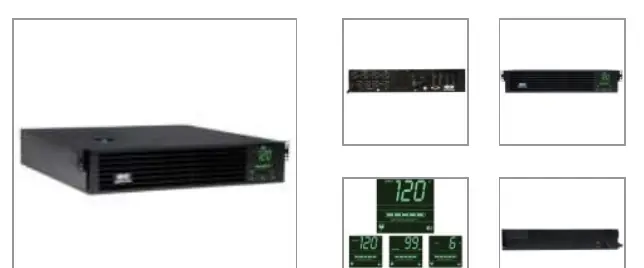
- Capacity: 2200VA / 1920W.
- Input: 120V AC, NEMA 5-20P plug.
- Output: 4 NEMA 5-15R & 4 NEMA 5-15/20R receptacles.
- Management: USB, RS-232, EPO, and network card slot.
Installation
The unit is designed for 2U rackmount installation. The package includes a 4-post rackmount kit. For other configurations, optional accessories are required:
- 2-Post Rack/Wallmount: Requires optional 2POSTRMKITWM.
- Tower Placement: Requires optional 2-9USTAND.
- Short-depth Racks: Requires optional 4POSTRAILKITWM.
Ensure the rack depth is at least 25 inches (63.50 cm) for proper installation.
Operation and LCD Interface
The front panel LCD provides real-time status and configuration options:
- Buttons: Use the MODE and ENTER buttons to navigate through 7 selectable screens of detailed UPS and site power information.
- Status: The display shows operating mode, battery charge (5-bar graphic), and load levels.
- Alarms: The UPS features an audible alarm for startup, power failure, low battery, overload, and UPS fault conditions. The alarm can be temporarily silenced using the alarm-cancel switch.
Battery Maintenance
The SMART2200RM2U features hot-swappable, user-replaceable internal batteries. This allows for battery replacement without disrupting connected equipment.
- Access: Batteries are accessible via the front panel battery access door.
- Replacement: Use the specified replacement battery cartridge (RBC94-2U).
- Recharge: Typical recharge time is less than 4.5 hours from 10% to 90% charge.
Connectivity and Management
The UPS supports various management options:
- PowerAlert Software: Available for free download from the Tripp Lite website for local monitoring.
- Communication Ports: Includes USB (HID-compliant), RS-232, and an EPO (Emergency Power Off) interface.
- Network Cards: An expansion slot is available for optional network management cards (e.g., WEBCARDLX, SNMPWEBCARD).
Technical Specifications
- Efficiency: 96% in line-mode.
- Runtime: Approximately 12 minutes at 50% load (960W) and 4.5 minutes at 100% load (1920W).
- Operating Temperature: 32° to 104°F (0° to 40°C).
- Humidity: 0 to 95%, non-condensing.
Practical help
Common problems
UPS not starting or no power to outlets
Check input power connection, verify the input circuit breaker is not tripped, and ensure the UPS is turned on.
Audible alarm sounding
The alarm indicates a specific condition (power failure, low battery, overload, or fault). Check the LCD display for the specific error message.
Overload condition
Reduce the number of connected devices to ensure the total load does not exceed 1920W.
Before use
- Verify the input voltage is 120V AC.
- Ensure the rack or tower location has sufficient space (2U height).
- Confirm all required mounting hardware is present (4-post kit included).
- Download the PowerAlert software for advanced monitoring.
- Check that the battery is connected (if applicable).
Specs in practice
- 2200VA / 1920W
- The maximum power capacity the UPS can support.
- AVR (Automatic Voltage Regulation)
- Automatically corrects brownouts and overvoltages without switching to battery power.
- Hot-swappable
- Batteries can be replaced while the UPS is running and powering connected equipment.
- 2U Rack Height
- The physical space the unit occupies in a standard server rack.
Images and diagrams
- Front Panel: Contains the LCD screen, MODE button, and ENTER button for system configuration.
- Rear Panel: Contains the output receptacles, USB/Serial communication ports, EPO port, and the network card expansion slot.
Model compatibility
- Requires 120V AC input.
- Optional kits (2-9USTAND, 2POSTRMKITWM) are required for tower or 2-post rack mounting.
- Auto Probe feature requires a WEBCARDLX network interface with firmware 15.5.2 or later.

Manual page author
Emily Carter
User documentation editor
Prepares concise manual descriptions and highlights the most useful setup, operation, and maintenance information for readers.