Lighting / Work Lights
User Manual for Trotec PSCS 11-20V Cordless Drill Driver
Quick guide for the Trotec PSCS 11-20V Cordless Drill Driver. Learn how to operate, charge, change bits, adjust torque, and troubleshoot your tool.
Table of contents
Manual images
Click an image to enlargeQuick guide from the manual
The Trotec PSCS 11-20V is a cordless drill driver designed for screwing and drilling in wood, plastic, ceramic, and metal. It features a 2-speed gear, 25+1 torque settings, and an integrated LED work lamp. Always ensure the battery is charged before use and wear appropriate personal protective equipment, including safety glasses and a dust mask.
Device description
The device consists of the following main components:
- Keyless drill chuck: For tool-free bit exchange.
- Torque selection: Adjustable ring for different materials.
- Gear selection: Switch between 2 speed levels.
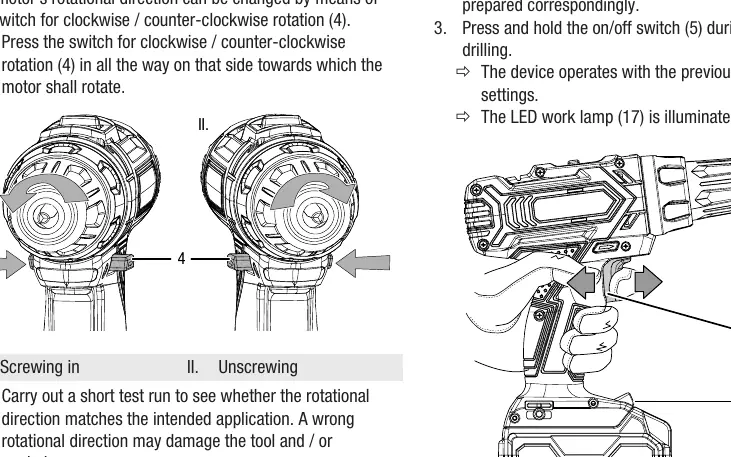
- Rotation switch: Controls clockwise/counter-clockwise rotation and locks the trigger.
- Battery: Rechargeable Li-ion battery with level indication.
- LED work lamp: Illuminates the working area.
Start-up and charging
The battery is partially charged upon delivery. To charge:
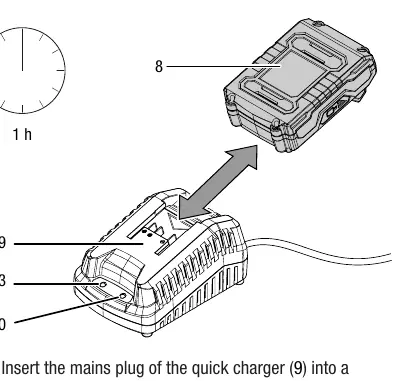
- Slide the battery onto the quick charger upside down until it locks.
- Connect the charger to a mains socket. The red LED indicates charging (approx. 1 hour).
- When the green LED lights up, the battery is fully charged.
- Remove the battery by pressing the release button.
To insert the battery into the tool, slide it onto the device until it locks in place. Always set the rotation switch to the center (locked) position before inserting or removing the battery.
Operation
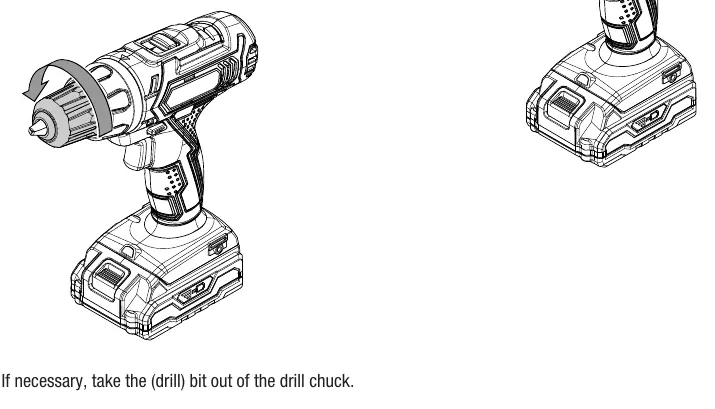
Tool change: Set the rotation switch to the center position. Turn the keyless drill chuck counter-clockwise to open, insert the bit, and turn clockwise to tighten.
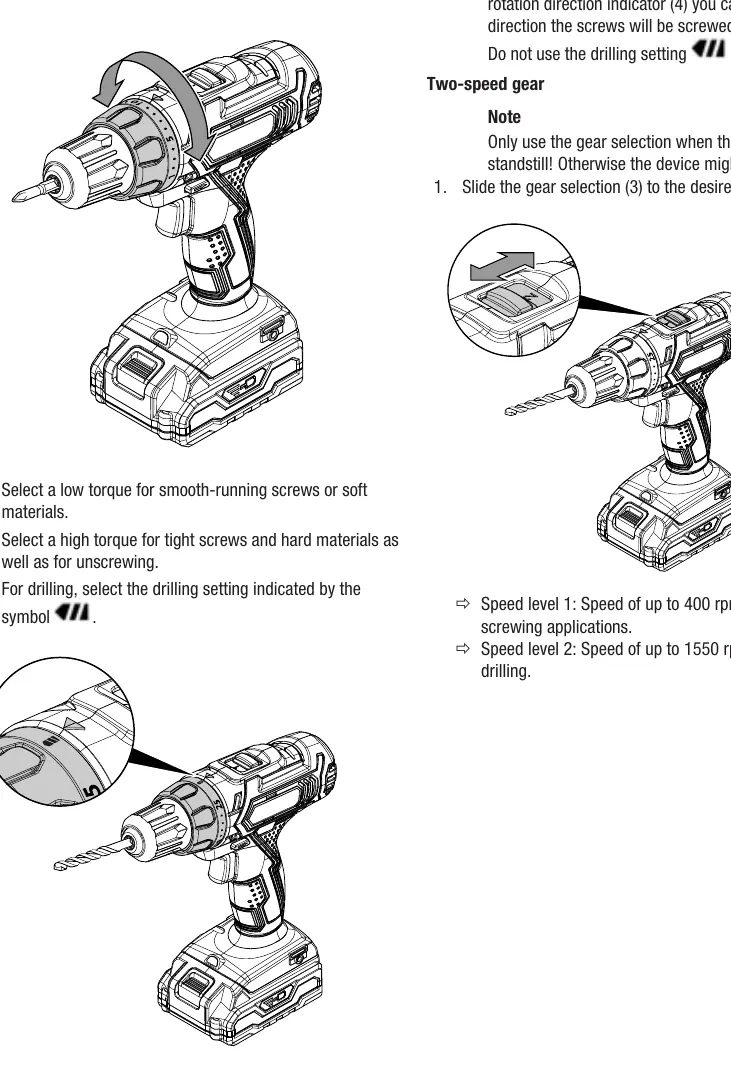
Torque and gear selection: Use the torque ring to select the appropriate setting (low for soft materials, high for hard materials). Use the drilling symbol for drilling. Slide the gear selector to position 1 (up to 400 rpm) for screwing or position 2 (up to 1550 rpm) for drilling.
Switching on/off: The device has infinitely variable speed control. Press the on/off switch to start; the more firmly you press, the higher the speed. Release the switch to stop.
Maintenance and cleaning
Clean the device before and after each use with a soft, damp, lint-free cloth. Do not use aggressive cleaning agents. Keep ventilation openings free from dust. No internal parts require user lubrication. Store the device in the transport case in a dry, frost-free environment.
Troubleshooting
If the device malfunctions, check the following:
- Battery not charging: Check connection, power supply, and fuse. Ensure terminals are clean.
- Device does not start: Check battery charge and connection. Ensure the rotation switch is not in the center (locked) position.
- Drill bit not penetrating: Ensure the correct torque setting or drilling mode is selected. Check if the rotation direction is set to clockwise.
Practical help
Common problems
Battery does not charge
Check if the battery is correctly connected to the charger, verify the power connection, and ensure battery terminals are clean.
Device does not start
Check if the battery is charged and properly inserted. Ensure the rotation direction switch is not in the center (locked) position.
Drill bit does not penetrate material
Check if the correct torque setting or drilling mode is selected. Ensure the device is set to clockwise rotation.
Before use
- Check the device for any visible damage.
- Ensure the battery is fully charged.
- Verify the rotation direction switch is set correctly.
- Secure the workpiece in a vice or clamp.
- Wear safety glasses, a protective mask, and gloves.
Images and diagrams
- 1: Keyless drill chuck
- 2: Torque selection ring
- 3: Gear selection switch
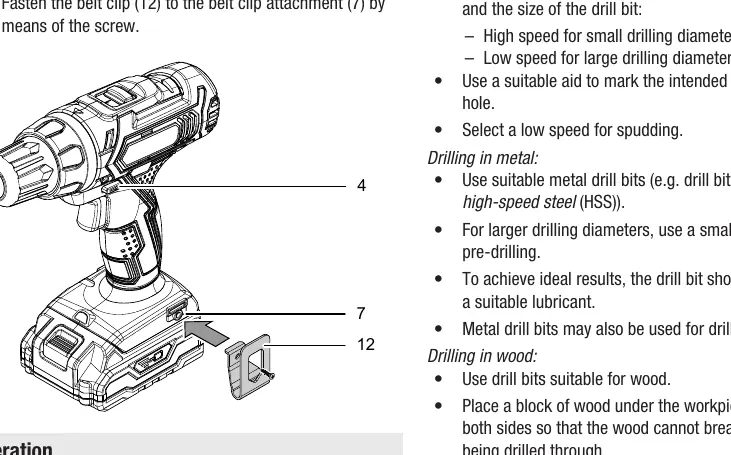
- 4: Clockwise/counter-clockwise rotation switch
- 5: On/off switch
Model compatibility
- Only use original Trotec accessories.
- The device is not intended for drilling in concrete or natural stone.

Manual page author
Michael Turner
Technical manual editor
Reviews PDF manuals for structure, safety notes, and practical product details so readers can find the right information quickly.