Industrial / Access Control
Visionis Mini UPS Battery Backup Device VIS-BB200
Quick guide for the Visionis VIS-BB200 Mini UPS. Learn how to operate, maintain, and store your 12V 2A battery backup device, including LED indicator meanings and battery replacement instructions.
Table of contents
Manual images
Click an image to enlargeQuick guide from the manual
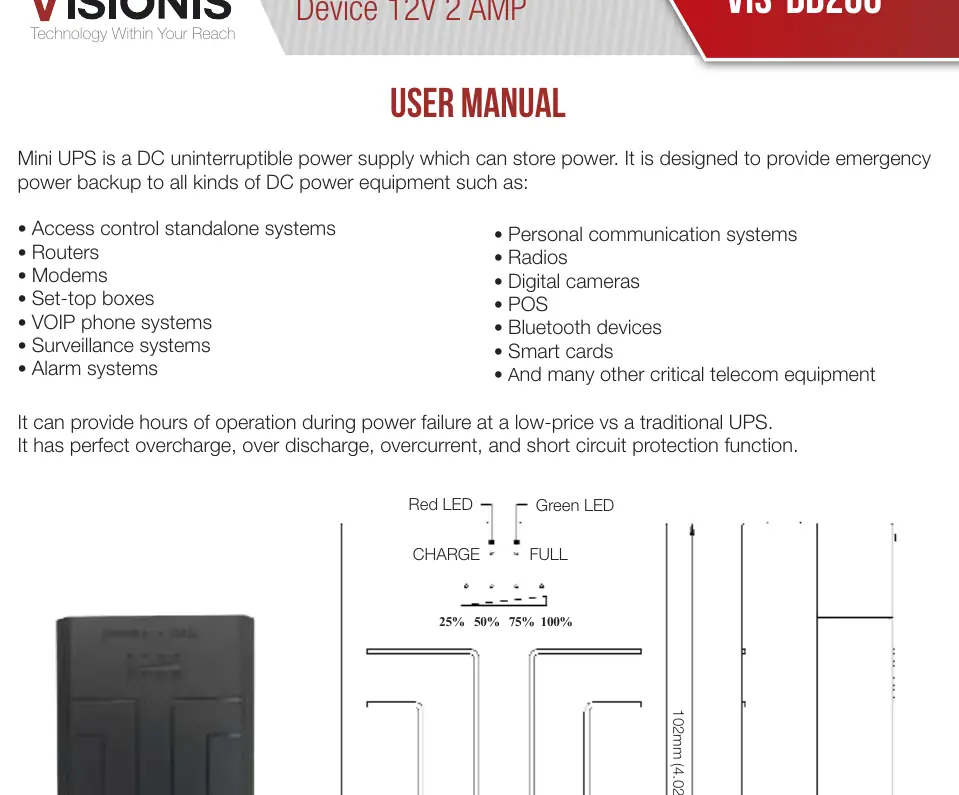
The Visionis VIS-BB200 is a DC uninterruptible power supply (UPS) designed to provide emergency power backup for 12V DC equipment. It is suitable for devices such as routers, modems, surveillance systems, alarm systems, and VOIP phone systems. The unit features a modular design for easy battery replacement and a wall-mount capability.
Device Overview
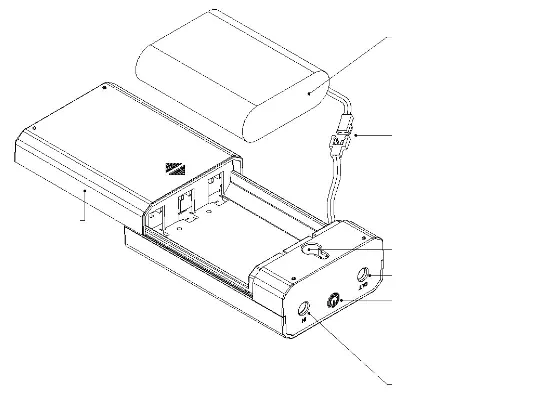
The device includes a slider back cover for easy access to the battery pack. It features a DC input and output (5.5*2.5mm) and a power switch for controlling the unit. The front panel includes LED indicators that display the battery capacity in 25% increments.
Operation
Power Switch Functions:
- Turn on / Sleep Mode: Press and hold the power switch for 3-5 seconds.
- Check Battery Capacity: Press the power switch for 1 second to display the current charge level via the LED indicators.
Installation and Battery Replacement
The VIS-BB200 is designed for wall mounting. The modular design allows users to replace the battery pack easily. Ensure the battery pack is securely connected using the male/female terminal connector located inside the battery compartment.
Storage and Maintenance
To maintain the health of the battery, follow these storage guidelines:
- Charging: Charge the unit at least once every 3 months if it remains unused for a long period.
- Storage Conditions: Store in a cool and arid place.
- Temperature Limits:
- Charging: 0°C to 50°C (32°F to 122°F)
- Discharging: -20°C to 65°C (-4°F to 149°F)
Safety Warnings
- Indoor Use Only: The device is not waterproof. Take appropriate waterproof measures if usage in an outdoor environment is required.
- Handling: Do not disassemble the unit. Do not throw the battery pack into water or fire.
- Safety: Use only qualified battery packs equipped with a protection board.
Practical help
Common problems
Device not holding charge
Ensure the unit is charged at least once every 3 months if it has been left unused for a long period.
Battery life is insufficient
The modular design allows for easy battery pack replacement. Consider replacing the battery pack if performance has degraded.
Before use
- Ensure the device is used indoors only.
- Verify that the connected equipment is compatible with 12V DC power.
- Fully charge the unit before initial storage.
- Check that the battery pack is securely connected via the internal terminal.
- Ensure the mounting surface is suitable for the wall-mount design.
Specs in practice
- DC Input/Output
- Uses a standard 5.5*2.5mm connector size.
- Battery Capacity
- Equipped with a 3*2000mAh battery pack.
Images and diagrams
- The slider back cover allows for quick access to the battery pack.
- The LED indicators provide a visual representation of battery capacity from 25% to 100%.
Model compatibility
- Designed for 12V DC equipment.
- Not waterproof; requires protection if used outdoors.

Manual page author
David Miller
Documentation analyst
Organizes user manual content into clear summaries, with attention to model details, product context, and everyday usability.